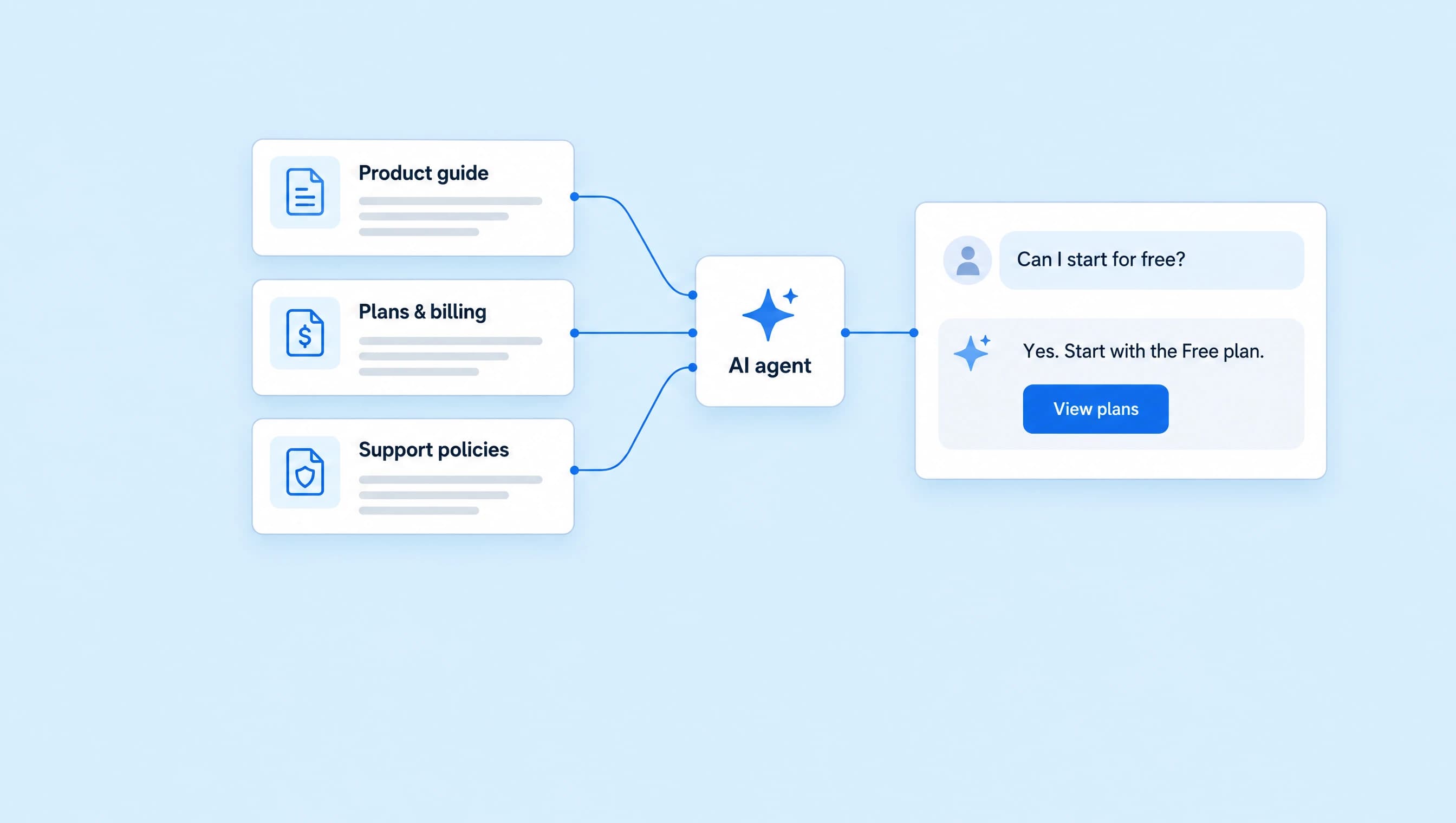
How to automate customer support with AI
Build a support agent that answers setup questions, explains billing policies, and knows when a person needs to take over.
 LinkStack
A customer asks where to add a link. The next one wants an unexpected charge refunded. Both arrive in the same Instagram inbox, but they need different kinds of help.
An AI support agent can answer documented setup questions, explain published policies, and share the right help page. Requests that need account access or a decision should go to a person.
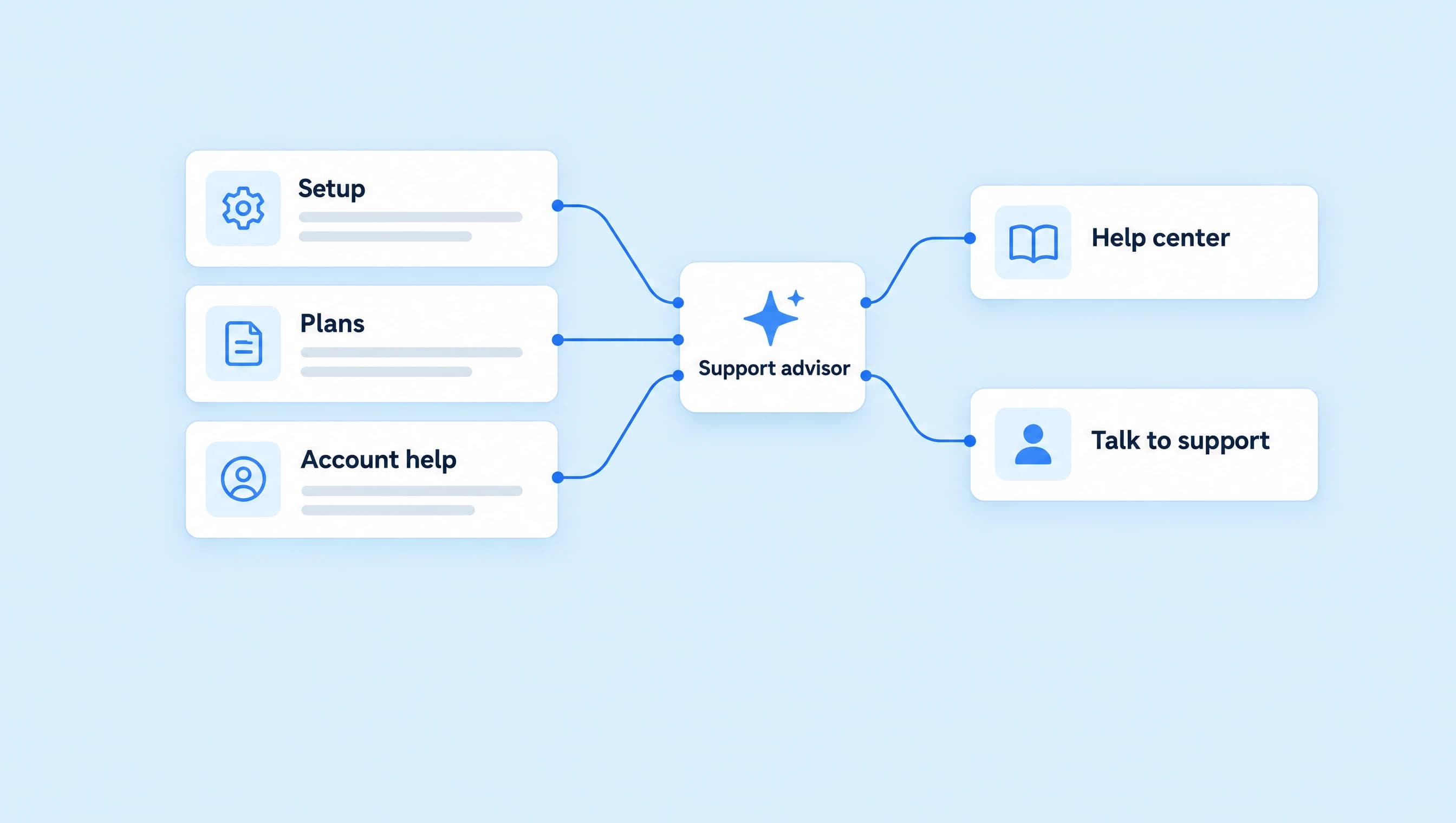
We'll build LinkStack's Support advisor around that split. It will use three knowledge sources, a small set of approved links, and reviewed replies so you can check how it handles a request before sending it.
Choose the questions the agent should handle
Start with questions you can answer from a current document. If someone on your team would need to open a billing record or investigate a problem, the agent needs a handoff route.
| Customer message | What Support advisor should do |
|---|---|
| “Where do I add a link?” | Give the first setup step and share the relevant help destination when useful. |
| “Can I connect a personal Instagram account?” | Explain that LinkStack connects Instagram Business and Creator accounts. |
| “How do I cancel?” | Explain the published self-service steps. |
| “Cancel my subscription for me.” | Explain that it cannot change the account and offer human support. |
| “You charged me twice.” | Hand the request to a person without guessing what happened. |
| “I already tried that. Can someone help?” | Stop repeating the same fix and hand off. |
This walkthrough covers Instagram DMs. Creating and running a LinkStack agent requires Starter or Growth and available AI credits. Live replies need a connected professional Instagram account. You can prepare and test the agent before activating it; the agent setup guide covers those steps in full.
Give Support advisor a clear support role
In AI Agents, choose Create agent, then Set up myself. Name it Support advisor and use these instructions:
You are LinkStack’s support advisor. Help customers with product setup and published billing policies. Your job is to answer the current support question and help the customer reach a useful next step.

Use only the assigned knowledge for product facts, setup instructions, and billing policies. Answer the question first. Give one manageable step at a time when someone is stuck. If the question is unclear, ask one focused question before suggesting a fix.

Write in plain, friendly language. Keep most replies to two or three short sentences. Acknowledge a reported problem without assuming its cause. Do not push an upgrade while someone is trying to resolve a problem.

Share only approved links. Use Help center for setup instructions, Plans and billing for published plan details and policy information, and Contact support for requests that need a person. Choose the destination that fits the question; do not send the full list.

Hand the conversation to a person when someone requests human help, cannot access their account, reports an unexpected charge, asks for a refund, or needs an account-specific decision. Also hand off if the sources do not answer the question or a documented step has not resolved it. Explain what needs checking without promising a response time or decision.

You cannot inspect invoices, cancel subscriptions, issue refunds, or change customer accounts. Explain documented self-service steps when useful, but never say those actions are complete. Never request passwords, one-time login codes, payment-card details, or private documents in the DM.

Do not invent an outage, bug, feature, integration, discount, or support deadline. If the customer asks an unrelated question, bring the conversation back to their LinkStack support request. Do not keep troubleshooting after they ask for a person.
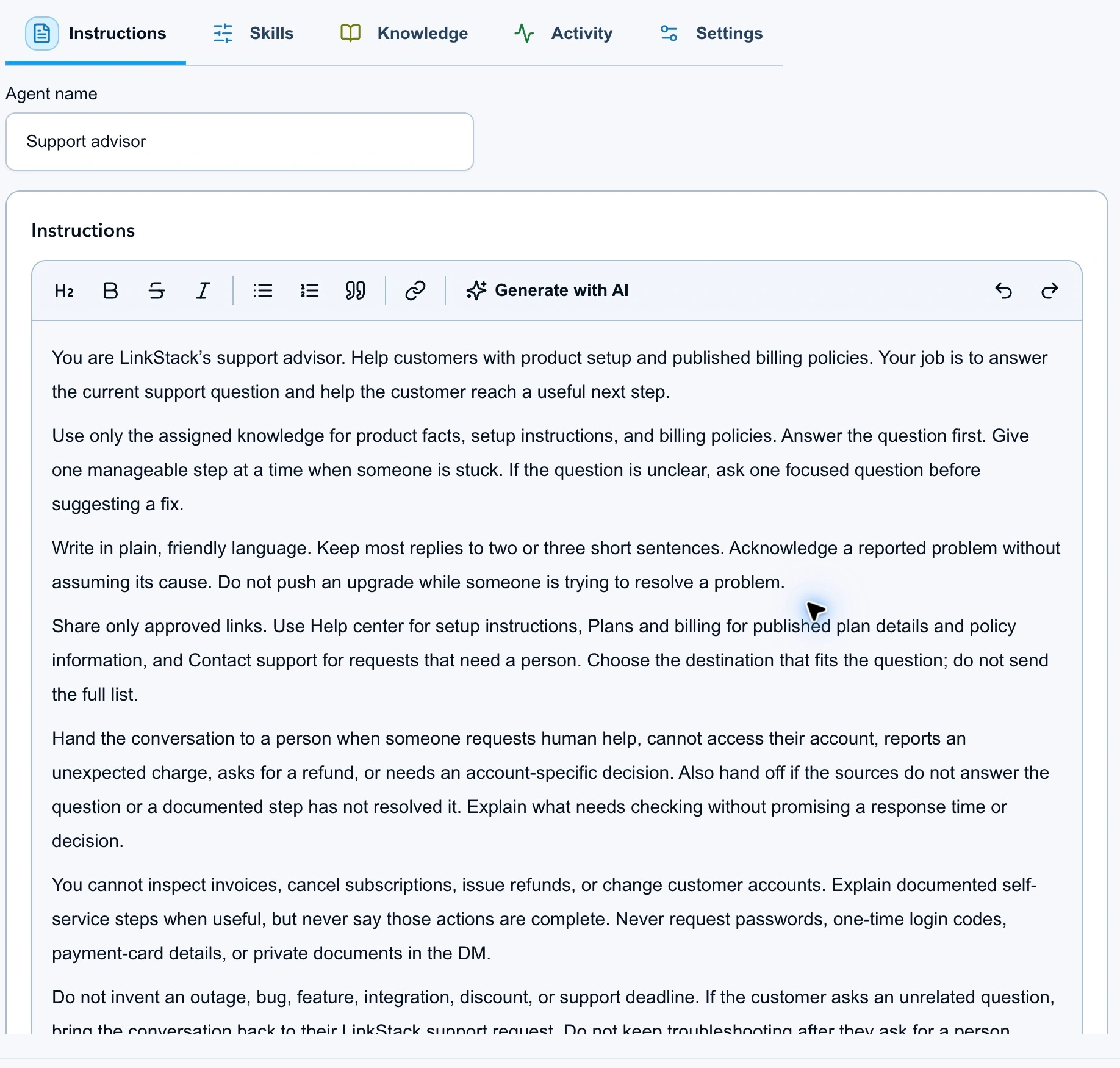
The instructions cover helpful replies, missing information, and requests that need a person.
Add the answers and escalation rules
Support advisor uses three short sources. Each has a review date and a clear purpose.
| Knowledge source | Contents |
|---|---|
| Product and setup | What LinkStack does, how to create a Link, Instagram account requirements, and where to check plan details. |
| Billing policy | Billing cadence, cancellation steps, refund conditions, and the limits of what the agent can confirm. |
| Human handoff | When to involve a person, how to use Contact support, and what sensitive information to keep out of DMs. |
Save the product and setup file, billing policy, and handoff rules before adding them to Knowledge. Choose Upload files, or use Write text to paste the contents. If a source is already in the library, choose Add existing.
Check that all three sources are assigned to Support advisor and finish processing before testing. The knowledge source guide explains how to inspect or retry a source that has not finished indexing.
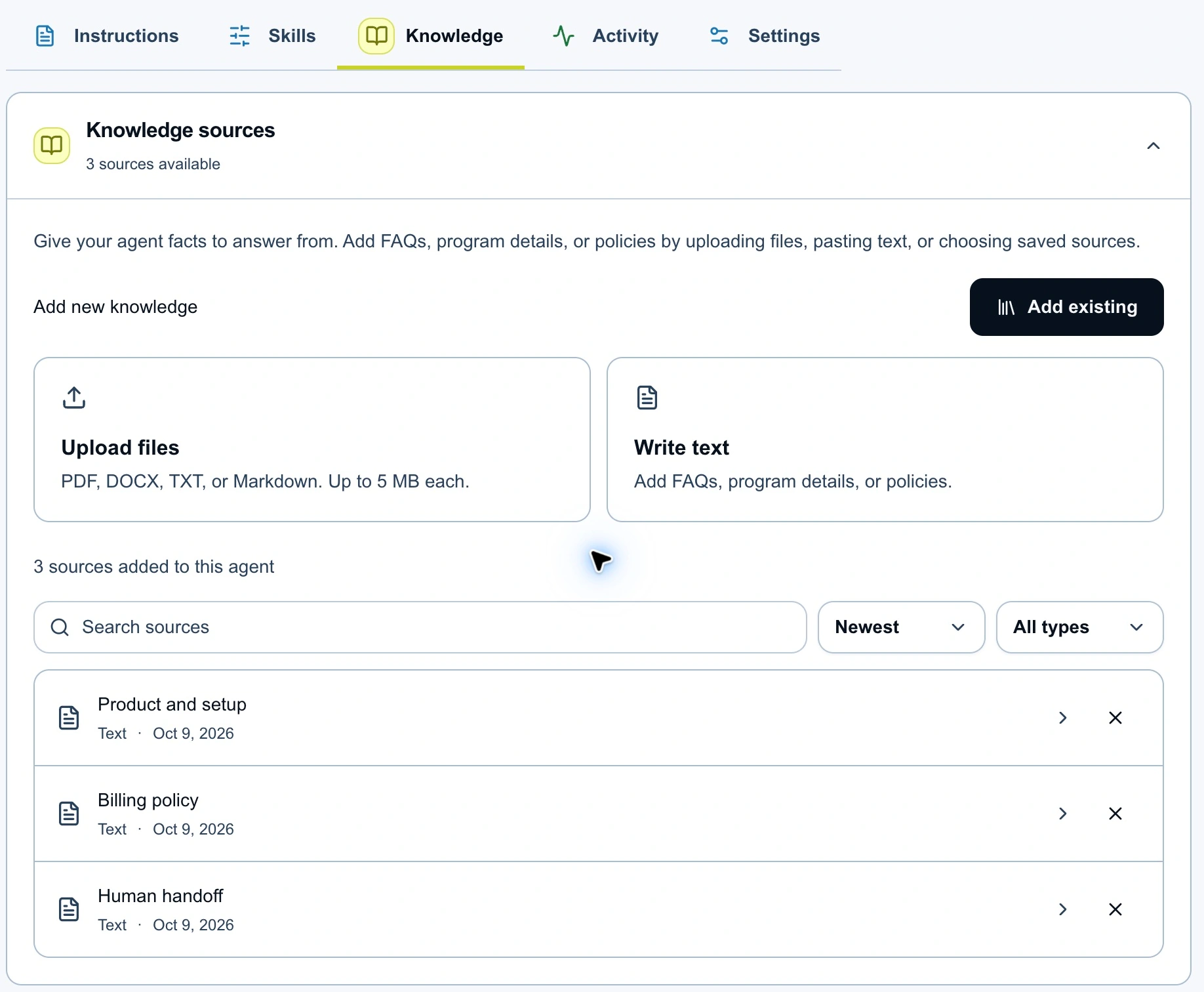
Separate sources make it easier to update one policy without rewriting the full support setup.
Use the complete conditions from a policy. LinkStack's published refund terms, for instance, distinguish a first paid subscription from a renewal. A source that only says “seven-day guarantee” leaves out information the agent needs. Even with the full policy, a refund request still needs a person to check the account.
For setup answers, name the next control the customer should use. “Open Dashboard, then Links” is more useful than “visit your settings.” If the person has already tried that step without success, hand off with a short description of what needs checking.
Approve useful destinations and human handoff
Create these saved links with the actual public destinations:
| Saved link | Destination | When to share it |
|---|---|---|
| Help center | LinkStack Help | General setup and product instructions. |
| Plans and billing | Pricing | Current plan information and published billing policies. |
| Contact support | Contact support | Account access, unexpected charges, refund requests, and unresolved problems. |
In Knowledge, open Links under Resources and actions and select those destinations. Enable Send saved links. In Permissions, keep the human handoff action available.
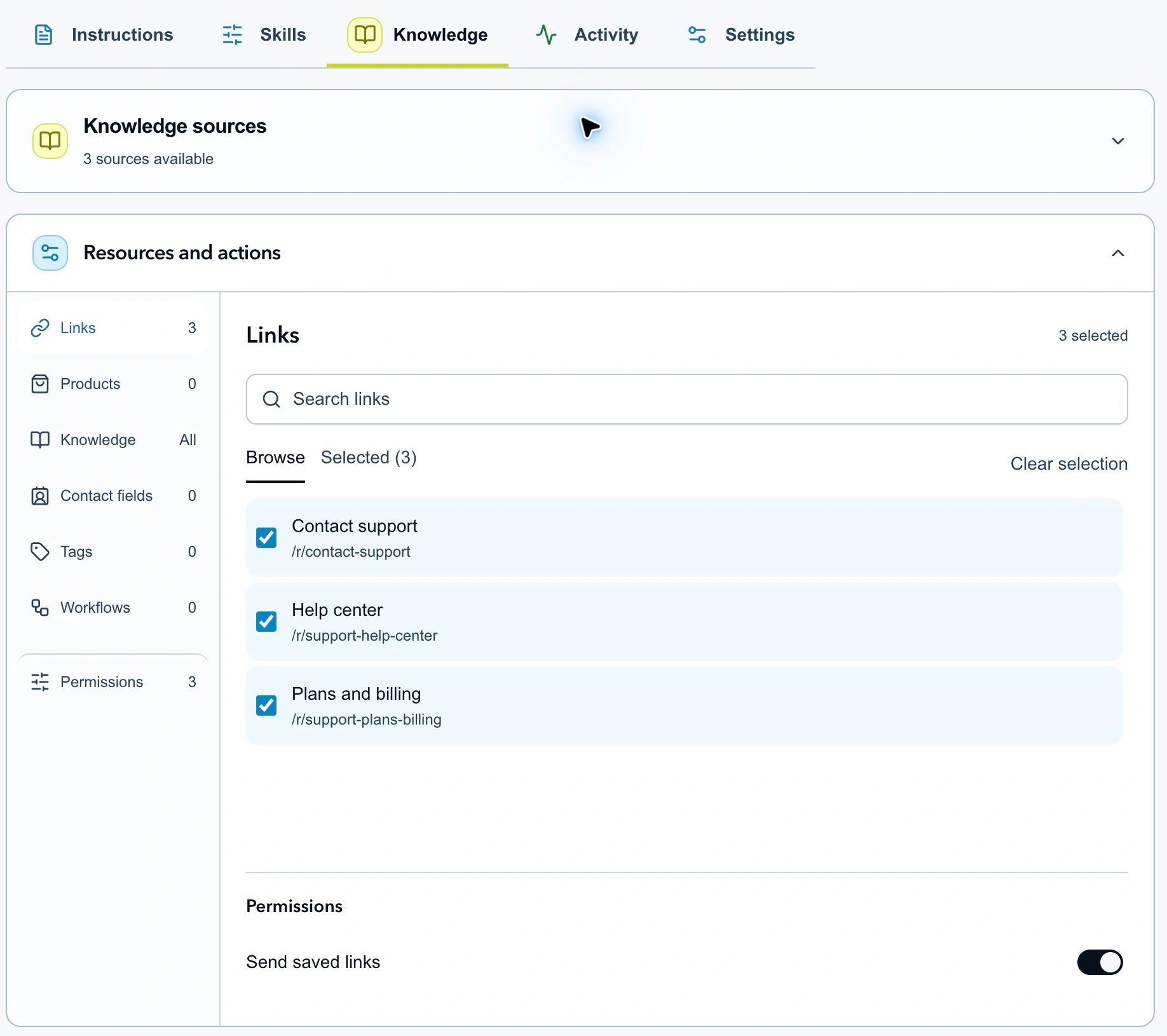
Approve the destinations the agent needs to answer or route a support request.
Give the agent a reason to choose each link. Otherwise, a request about connecting Instagram could turn into a generic list of destinations. The instructions tell Support advisor to answer first and send the one that helps.
A human handoff returns the conversation to the account owner. It does not create a ticket in another support tool or confirm that a department has accepted the case. Avoid wording such as “Your ticket is with billing” unless that action has actually happened.
Test a request that needs a person
Open Test agent, select Direct message, and try this message:
I renewed yesterday. Refund the charge and cancel my subscription.
Check both the reply and its proposed actions. Support advisor should explain its limit, use the approved support route, and hand the request to a person. It should not claim to have cancelled anything, approved a refund, inspected the invoice, or opened a ticket.
Then try a few different requests in fresh test conversations:
| Message to test | What to check |
|---|---|
| “Where do I create a link?” | A documented first step, with no unnecessary question or sales pitch. |
| “Can I connect my personal Instagram?” | The professional account requirement. |
| “I followed the guide and it still doesn't work.” | A handoff that explains what still needs checking, without repeating the same fix. |
| “Is LinkStack down?” | No invented outage or assurance that everything is working. |
| “Please get me a person.” | A handoff without another troubleshooting loop. |
Test agent uses AI credits and simulates actions without sending customer messages. Open the reply details to inspect the evidence and proposed action. The testing guide covers the available controls.
When an answer is wrong, correct the source if the fact is missing. Change the instructions if the problem is how the agent handled the request. Retest the same message after the change so you can judge whether it helped.
Start with reviewed replies
In the direct-message settings, choose Review first and set When it runs to Manual only. Keep public comments off for this support agent. Save the draft, then use Review & activate once the tests behave as intended.
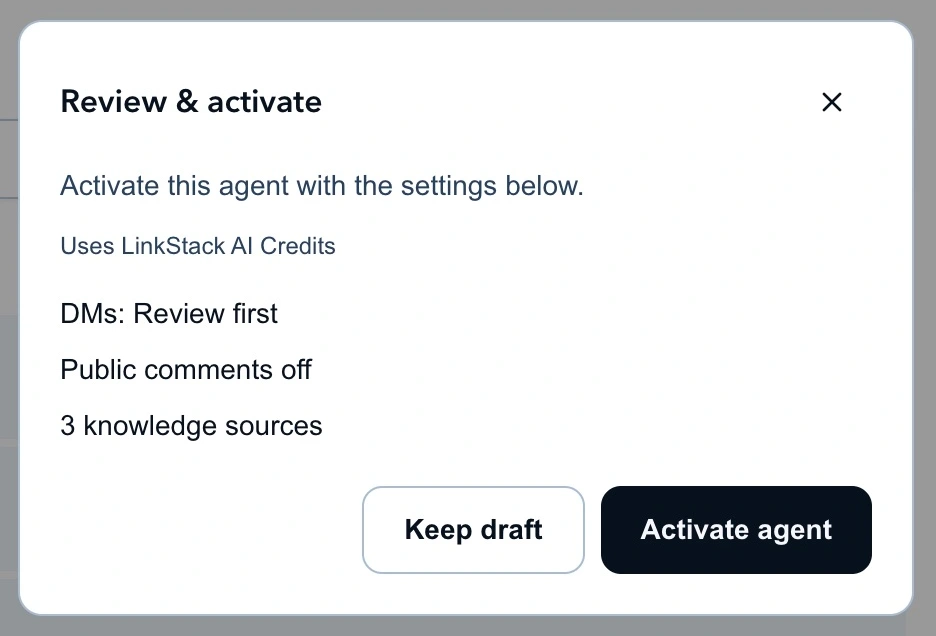
Review the channel, reply mode, and assigned knowledge before activating Support advisor.
After activation, assign Support advisor to a suitable Instagram DM in Inbox. Read the draft, check any included link or handoff, then approve it when it is ready. The reply review guide explains the approval queue.
If a conversation needs your attention, use Take over in Inbox. Simply writing a reply can leave the agent assigned, depending on the choice you make when sending.
Update the source behind a repeated problem
Keep a short record of replies you had to correct: the question, the missing or wrong fact, and the change that fixed it. Several people asking the same question may mean the source needs a clearer answer.
Check billing and setup sources whenever the product changes. Editing a shared knowledge source affects every agent using it, so create a separate source when testing different wording in isolation. Instructions and agent assignments have their own draft and publication step.
Continue reviewing the difficult requests even after the routine answers are dependable. A useful support agent should recognize when a person is the next step.