
 vs
vs LinkStack
LinkTwin vs LinkStack
Open the app. Grow the business around it. LinkStack connects your deep links, bio page, products, and social replies, so you can share a recommendation, collect a subscriber, and make a sale from one account.
Free plan. No credit card required.
In this article
Why choose LinkStack?
Choose LinkStack to manage app-opening links, your bio page, product checkout, and social replies from one account. Collect contacts through forms and manage conversations beside the links you share.
From a comment to your creator store.
1. They ask for the link
 Instagram comment
A follower
GUIDE
2. LinkStack sends your reply
Here you go! My free packing list and weekend planners are all right here.
See my guides3. Your page brings it together
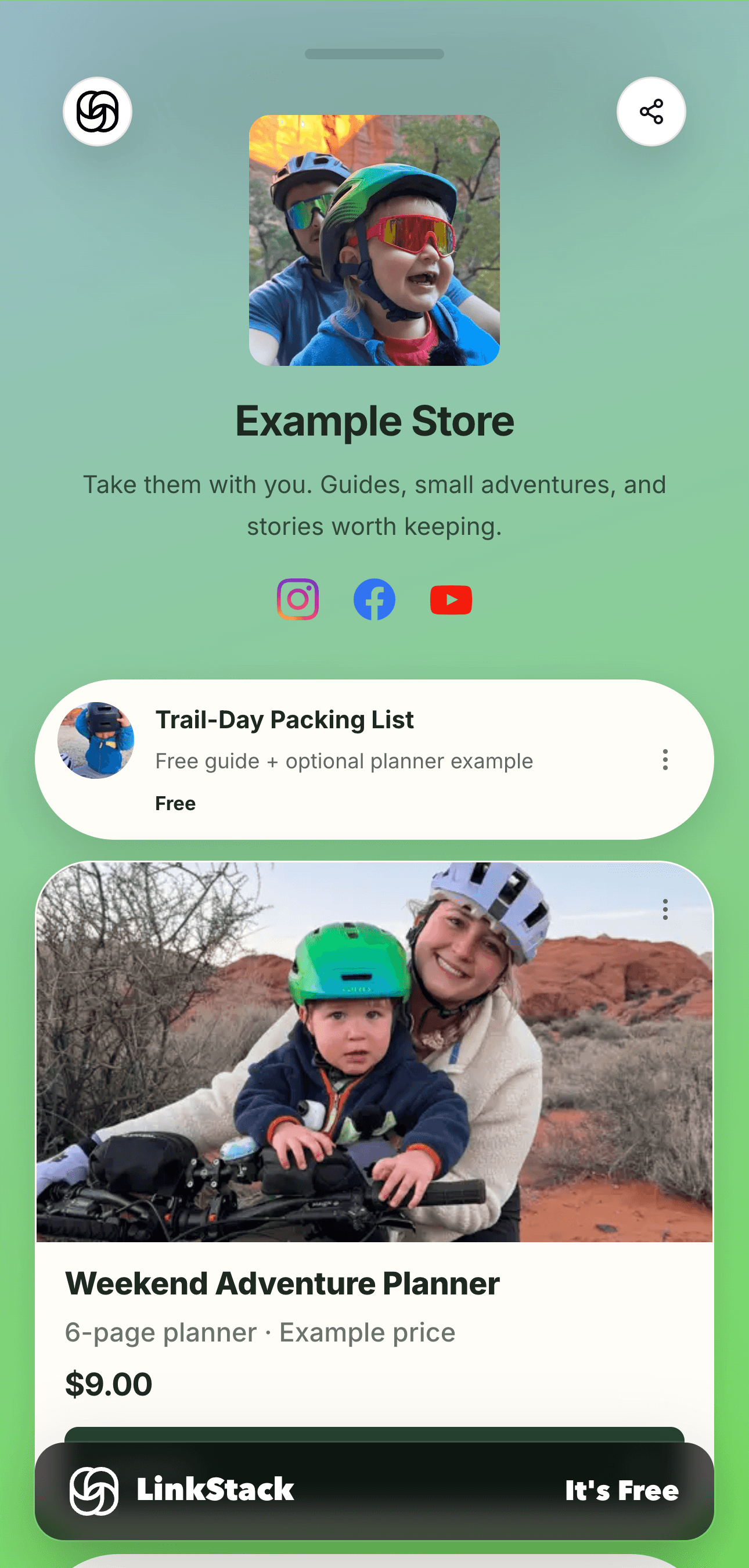
What you can do with LinkStack
Give every recommendation a home
Put affiliate links, your latest content, and your own products on one bio page. Connect links to reusable affiliate programs and the country destinations you configure, instead of maintaining your page and links in separate tools.
Explore LinkStack bio pagesTurn a comment into the next click
Set up a social reply that sends someone the link they asked for. Manage the conversation and contact in LinkStack, then see which shared links get clicked. Supported triggers, plan limits, and platform messaging rules apply.
See how social replies workBuild an audience you can reach again
Collect subscribers through your page and sell your own digital products. On Growth, use email broadcasts and workflows to follow up with subscribed contacts. Your audience and offers stay beside the links you share.
Explore selling with LinkStackFeature comparison
| Feature | LinkStack | LinkTwin |
|---|---|---|
| Bio page and selling | LinkStackYour bio page, forms, product checkout, and links in one account. | LinkTwinCustomizable bio pages with contact forms and email capture. |
| Social replies and audience | LinkStackSend links through social automations and manage contacts and conversations. Email broadcasts are on Growth. | LinkTwinStores form submissions in a LinkTwin inbox. Paid plans add email notifications and forwarding. |
| App-opening links | LinkStackOpens supported app destinations with the original web URL as a fallback. | LinkTwinApp-opening links across its supported apps, with a browser fallback. |
| Amazon and country routing | LinkStackReusable affiliate programs with the country destinations and Associates tags you configure. | LinkTwinAmazon localization, affiliate tagging, and geographic targeting. |
| Click analytics | LinkStackLink and bio analytics, including countries, devices, referrers, and routing outcomes. | LinkTwinLink analytics including geography, language, and device insights. |
| Social previews | LinkStackCustom titles, descriptions, and images on Starter and Growth. | LinkTwinCustom link-preview titles, descriptions, and images on paid plans. |
| Retargeting pixels | LinkStackReusable pixels with bulk assignment. Delivery is blocked for detected EU, EEA, UK, and Swiss visitors. | LinkTwinLink-level retargeting pixels on paid plans. |
| QR codes | LinkStackStandard PNG and SVG downloads with QR-attributed clicks. | LinkTwinQR styling, including custom colors and logos. |
| Developer tools | LinkStackNo public API, browser extension, CLI, MCP server, or WordPress plugin. | LinkTwinAPI, browser extension, CLI, MCP server, and WordPress plugin. |
Availability varies by plan. App opening depends on the destination, device, and browser.
Make the link worth opening.
Give your shared links a clear title and your own image. Preview the card while you edit, then send the same managed Link from your page or social replies.
See how to customize your preview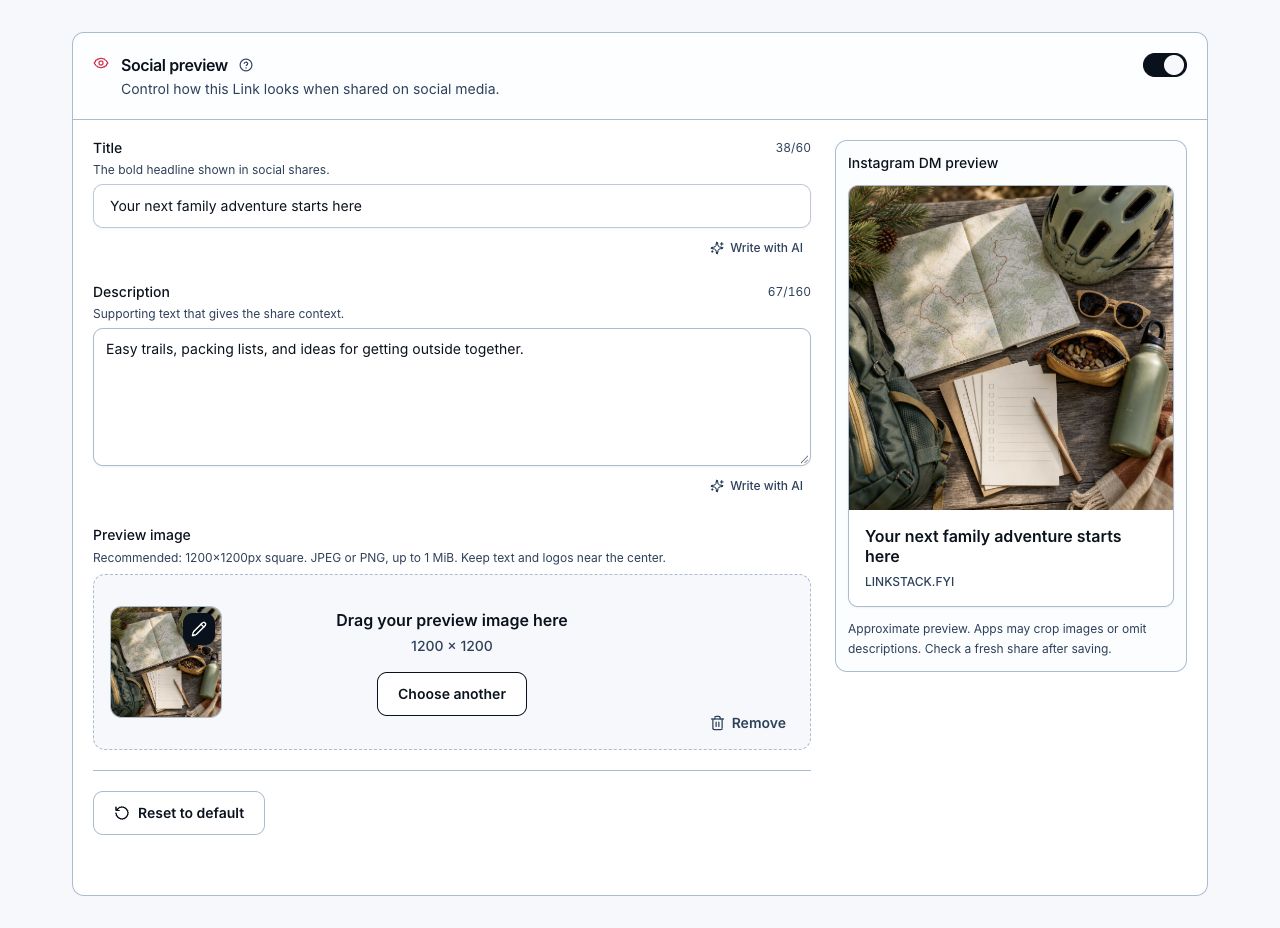
Pricing compared
USD. Paid prices below are monthly equivalents, billed yearly. Monthly billing is also available.
LinkStack
- Free
- $0/monthTry your bio page, links, and first automations.
- Starter
- $8.25/month$99 billed yearlyCustom social previews and more room for links and automations.
- Growth
- $24.92/month$299 billed yearlyEmail, a custom domain, and 0% LinkStack selling fee.
LinkTwin
- Free
- $0/month10 links and 500 clicks per month.
- Small
- $14/month$168 billed yearlyUnlimited links and clicks; no branded domain.
- Medium
- $36/month$432 billed yearlyUnlimited links and clicks, plus one branded domain.
LinkStack selling fees are 10% on Free, 5% on Starter, and 0% on Growth. Stripe processing fees apply separately. Features and usage allowances vary by plan.
Start free with LinkStack, then add custom social previews on Starter or email and a custom domain on Growth. Your links, creator page, selling, and follow-up stay in one account. Link and click allowances differ between plans and providers.
Bring your LinkTwin links with you
You can upload a LinkTwin export directly into LinkStack. No spreadsheet reformatting required. Start with a few links, test them, then move the rest when you are ready.
- In LinkTwin, open Export Links and choose Export All Links to download your CSV.
- In LinkStack, open Links → Import links. Upload the file, review the destinations and Amazon affiliate settings, and choose the links to import.
- Download the report with your new LinkStack URLs. Test them on your phone, then update the links you share.
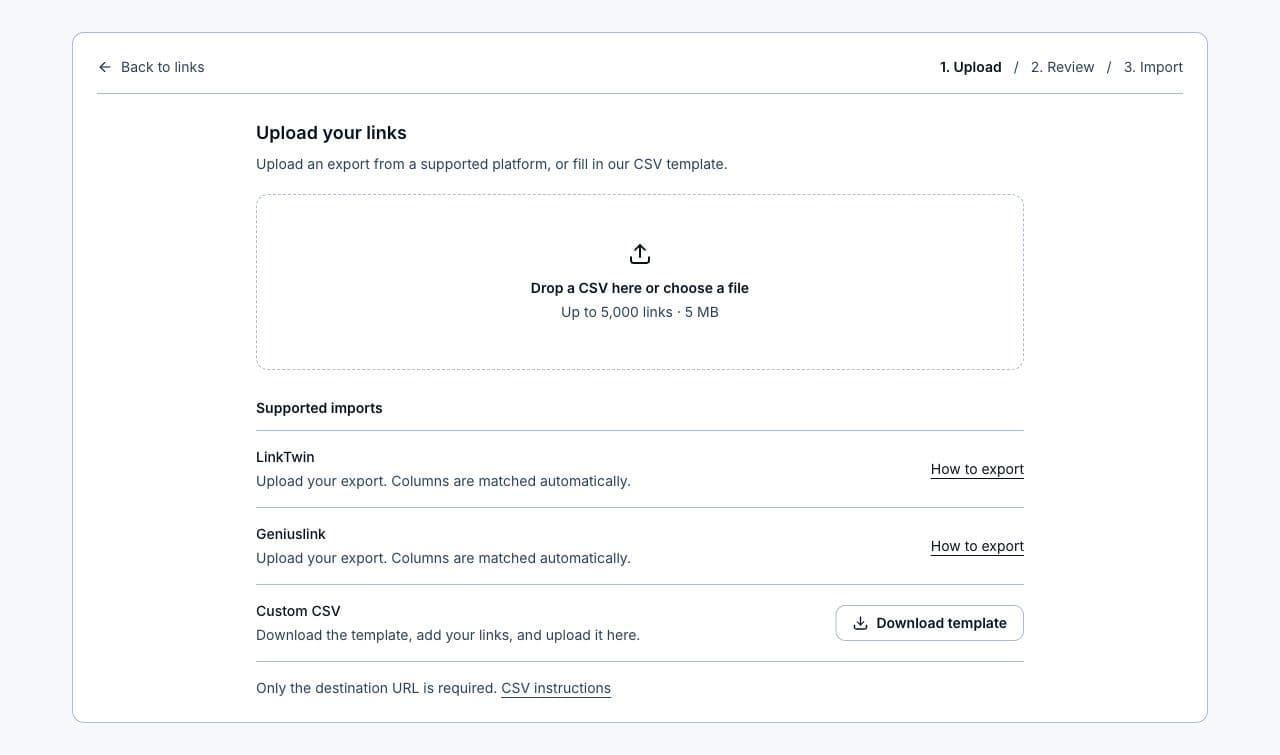
Import creates new LinkStack URLs. Existing LinkTwin URLs and QR codes stay with LinkTwin. Historical clicks stay in the report, not in LinkStack analytics. Set up pixels and custom routing again. Imports use your plan’s available link slots.
Follow the LinkTwin import guideCommon questions
Can I import my existing LinkTwin links?
Yes. Upload your LinkTwin CSV in Links → Import links. LinkStack recognizes the export and lets you review destinations, titles, descriptions, and Collections before importing. Available link slots and custom-ending permissions still follow your plan.
Will my old links, QR codes, and analytics move too?
Import creates new LinkStack links. Your old LinkTwin URLs and QR codes do not transfer. The report keeps the original URLs and aggregate click totals for reference; LinkStack analytics starts with new traffic. Update your shared URLs and create new QR codes when you switch.
Do both tools support Amazon affiliate links?
Yes. Both offer Amazon affiliate support and country routing. In LinkStack, configure the destinations and Associates tags for the countries you serve. Routing does not enroll you in regional affiliate programs or guarantee that a product is available in every store.
What does LinkStack include beyond deep links?
Your bio page, forms, product checkout, social replies, contacts, inbox, and click analytics. Growth also includes email broadcasts and workflows for subscribed contacts, so you can keep reaching your audience from the same account.
Can I try LinkStack before switching?
Yes. Start on the free plan without a credit card and test a few links with your own audience. You can move gradually. Check the pricing page for current allowances; social previews require Starter or Growth, while email broadcasts require Growth.
Try LinkStack with your next link.
Create a free account, share a link, and see how it fits your workflow. Add your page, products, and automations when you are ready.
No credit card required.
Sources and review
Published by LinkStack. Competitor details were checked against the public pages below on Oct 2, 2026. Features and prices can change.