How to sell digital products as a business coach
Turn your coaching method into a workbook and a short course, then use AI to help people choose the right offer.

 LinkStack
Start with a question you already answer in coaching sessions. Turn your method into a useful workbook, then build a short course around the parts people need help applying. Use AI to pressure-test the material and draft answers to common buyer questions. Before promoting either offer, check the entire journey from the product page to the first exercise.
Give your product one job
Suppose you coach independent consultants who struggle to explain what they sell. They have experience, a long list of services, and a bio that says something like “helping businesses reach their potential.” A prospective client still has to ask what they actually do.
Your first digital product could help them write a specific service offer: who it is for, what it includes, and how to enquire. That is a useful piece of your coaching method to package.
The Clear Offer Kit turns those decisions into four practical exercises. The offer and prices shown here are draft material, with no claimed sales results.
The promised result is a draft offer page. Avoid promising a particular income, number of clients, or launch timeline. Those depend on much more than completing a workbook.
Build a workbook, then teach the difficult parts
Give the buyer a small, complete job they can finish. The workbook takes a consultant from a vague list of skills to a one-page description of a service.
| Offer | What the buyer gets | Price |
|---|---|---|
| Clear Offer Kit | A 12-page PDF workbook, six AI prompts, and a finished service description | $39, one-time |
| Clear Offer Workshop | Three recorded lessons and the same workbook, with worked service descriptions and a self-review checklist | $149, one-time |
In LinkStack, start a Digital Product. In the Product tab, enter the title and set the price. You can save a draft while you finish the workbook.
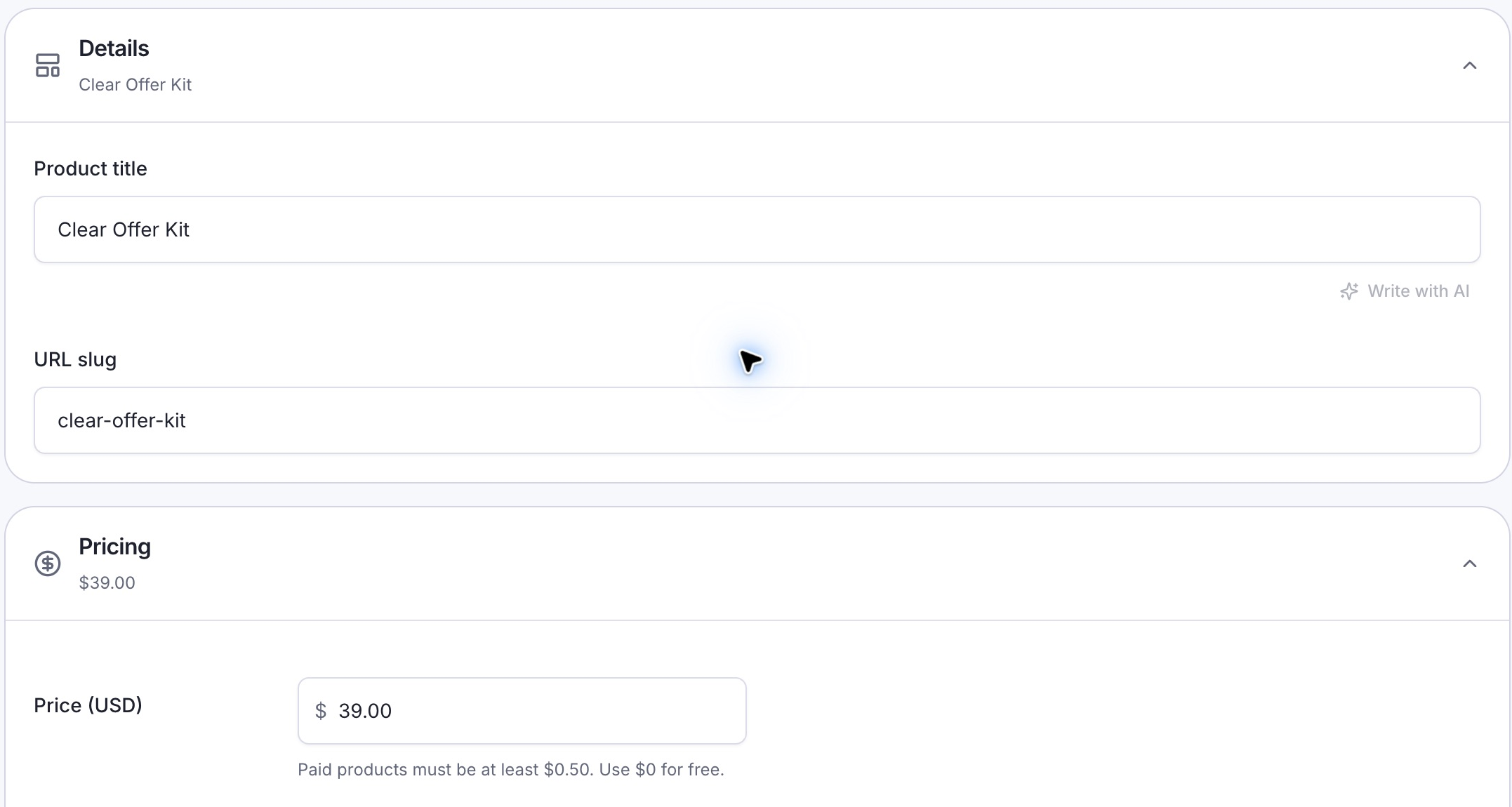
Product → Details and Pricing. The title and $39 price match the offer described here.
These screenshots show the Clear Offer Kit as a draft in the real product editor.
The workbook has four exercises: choose one buyer, name their immediate problem, define the deliverables, and write the offer page. Each exercise should produce something the next one uses.
For the course, record three lessons: choosing a specific buyer, setting the scope of the service, and editing the finished offer. Show your reasoning as you write a service description. A recording that reads the PDF aloud adds little.
Make the overlap obvious on both pages: the workshop includes the workbook. Someone choosing the course should know they do not need to buy both. State whether personal feedback is included; the Clear Offer Workshop is a self-paced course without individual coaching.
Use AI to find the holes in your material
Start with your own method and a worked service description. Then ask an AI tool to act as a reader who needs more explanation. For the Clear Offer Kit, try this prompt:
I’m creating a workbook for independent consultants who need to describe one service clearly. Review the exercise below. Identify vague instructions, missing information, and places where a beginner could get stuck. Ask up to five specific questions. Keep my method intact and do not invent customer results. Exercise: [paste one exercise].
Use the feedback to improve the exercise. If it asks what “ideal client” means, add a concrete choice the reader can make. If it suggests a revenue promise, leave that out.
Include prompts buyers can use with their own answers, too:
Using the buyer, problem, and deliverables I provide, draft a 100-word service description. Preserve my scope. Do not invent qualifications, testimonials, prices, or results. Flag missing details as questions. My answers: [paste the completed worksheet].
Test every included prompt yourself with fictional inputs. Show a useful response and explain what still needs the reader’s judgment. Name any AI account or software the exercises require, including whether a paid subscription is necessary.
Write the page your buyer needs
Your product page should let someone decide whether the kit fits them before they reach checkout. A usable first draft could read:
Clear Offer Kit
Turn your list of services into one clear offer you can put on your website.
For independent consultants who know their craft but struggle to explain what a client can hire them to do.
You’ll receive a 12-page PDF workbook, six copyable AI prompts, and a finished service description. Work through four exercises to draft your audience, problem, deliverables, and enquiry invitation.
$39, one-time. Digital download. Personal coaching is not included.
In Landing page → Page content, add that description. Keep the audience, contents, and purchase terms together so buyers can find them.
Show a readable page from the finished workbook beside the description. Choose a page that demonstrates the exercise, rather than just the cover. On the workshop page, include the lesson list, actual running times once recorded, access terms, and a short lesson preview.
If you are selling the workbook through LinkStack, use the digital-product guide to prepare its page and delivery file. For a paid download, complete payment setup before launch. Keep the course at its existing host and link to its sales page from your bio.
Open payment settings · Edit your bio page
Check what happens after the click
In the Product tab, open Delivery and choose Choose files to attach the finished PDF. Check the selected filename, then save your draft.
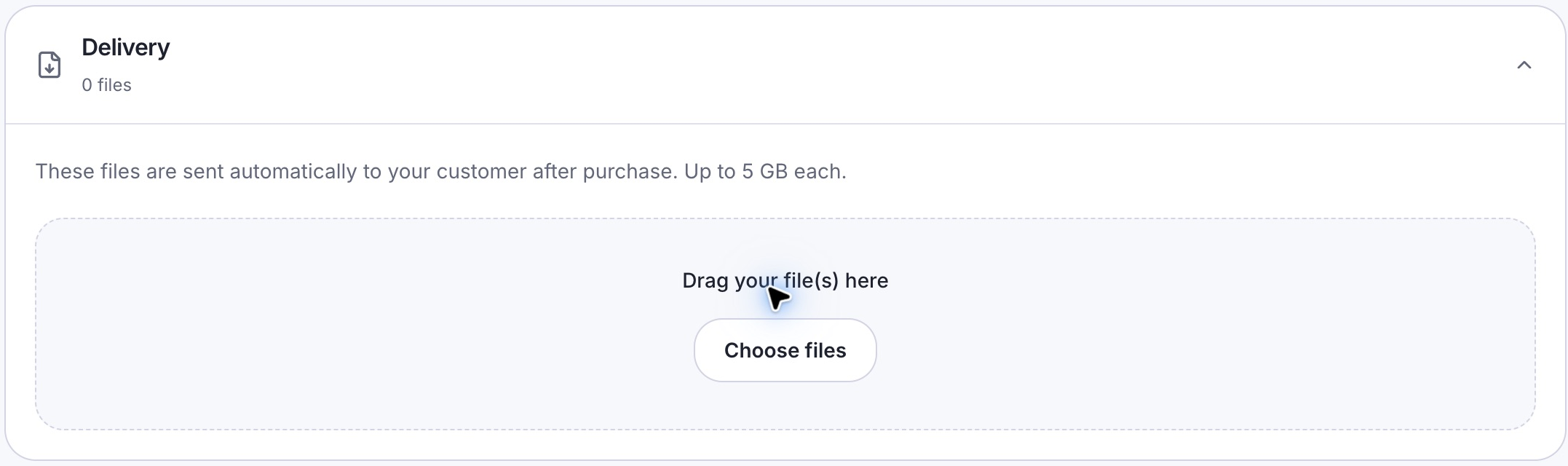
Product → Delivery. Choose files attaches your finished workbook. No delivery file is selected in this demo.
Walk through the purchase as someone encountering the offer for the first time. Check the page on your phone, then verify checkout and delivery using your payment or course provider’s supported testing process.
| Stage | What the buyer needs to see |
|---|---|
| Product page | The Clear Offer Kit, its contents, the $39 price, and who it is for |
| Checkout | The correct item, final amount and any applicable taxes, payment details, and a clear purchase confirmation |
| Delivery | Working access to the workbook, or the course access instructions for a workshop purchase, plus a clear place to ask for help |
Illustrative buyer journey. These are content checks, not screenshots of a checkout.
Open the delivered file and complete the first exercise. For the course, follow the access instructions as a new learner and find lesson one. Check that the workbook included with the workshop is easy to find.
A saved product-page preview can help you check the description and layout. It does not prove that payment, delivery, or course access works. Verify those separately before sending people to buy.
Give AI a narrow job in your sales conversations
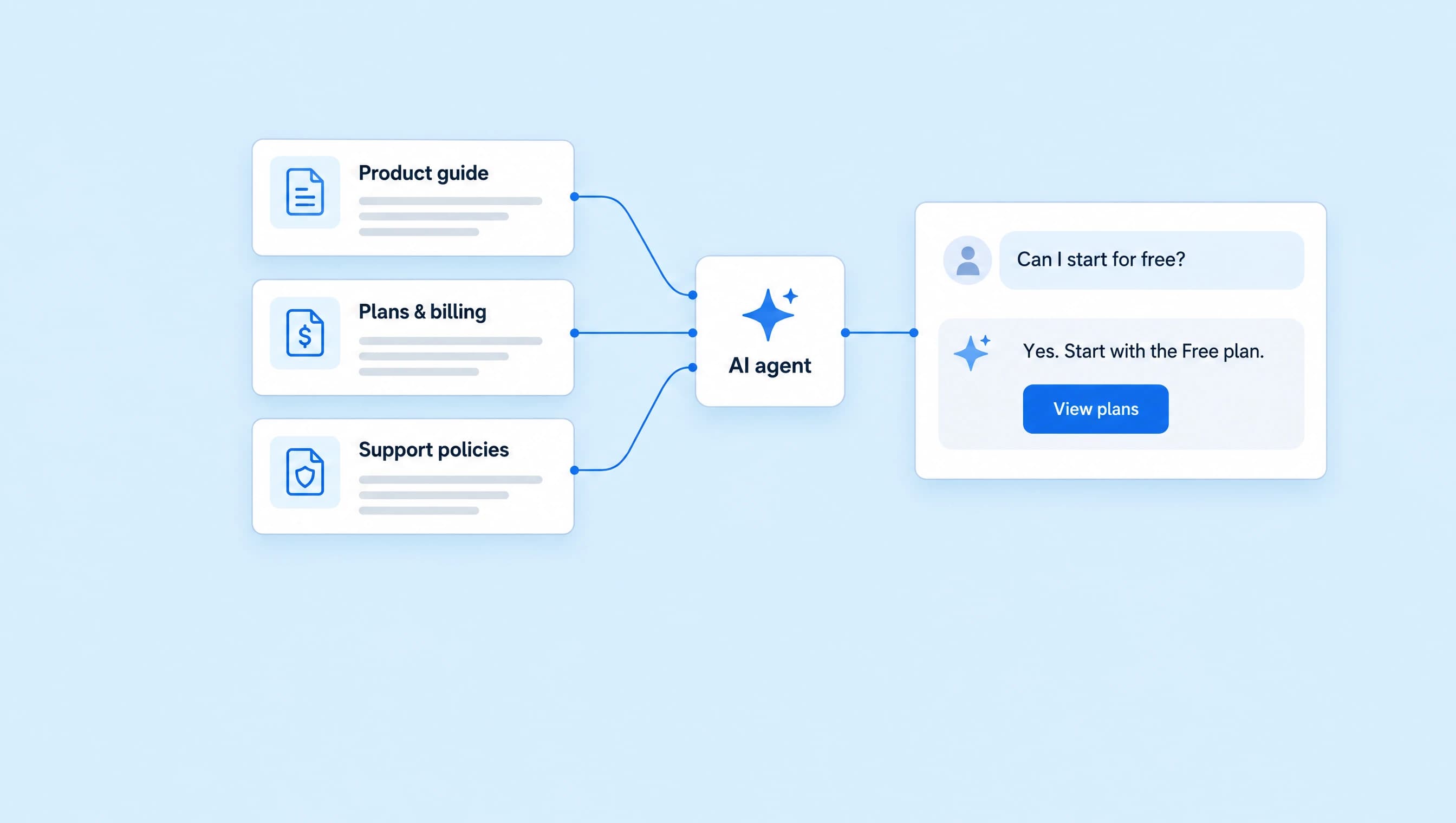
A useful first job for an AI agent is answering the questions your offer page already covers: who the product is for, what is included, and whether the workshop contains the workbook.
For a LinkStack AI agent, add the current offer details as trusted knowledge and approve the links it may share. Start with Review first so you can check proposed replies before they go out. Creating and running an agent requires Starter or Growth and available AI credits.
Adapt these instructions to your actual offers:
Help people understand the Clear Offer Kit and Clear Offer Workshop. Answer from the approved product information. Explain that the workshop includes the workbook and does not include personal coaching. Share the matching approved offer link when requested. Do not promise clients, revenue, discounts, or personal feedback. If a policy or detail is missing, say you need the coach to confirm it.
Create an AI agent · Open AI knowledge
Test the agent in Playground with “Which one should I buy?”, “Do I need both?”, and “Will you review my offer?” Include a question the sources cannot answer, such as a refund exception. Check that it leaves the decision with you.
Promote one exercise people can try
Show a vague service description and how you would make it specific. Use a fictional consultant so you can explain the changes without exposing a client’s information.
Your caption could say:
“Business support” makes people guess what they can hire you for. Try naming the buyer, the job, and the deliverable: “I help small agencies turn scattered onboarding notes into a client welcome process.” My Clear Offer Kit walks you through writing your own version. DM me OFFER for the details.
Keep that same product name in your reply and on the destination page. If someone asks about lessons, explain the workshop and its included workbook. Give them enough information to choose without sending a list of unrelated offers.
After launch, review product-page visits, completed orders, access problems, and recurring questions. Keep clicks separate from purchases. If people keep asking whether feedback is included, improve that sentence on the page and update the agent’s knowledge.
Put your first offer on a page
Start with the workbook. Add the finished file, write the buyer-facing description, and check delivery before sharing the link.
For the setup details, read how to create and publish a digital product. When your offer details are settled, explore AI agents for buyer questions.