
Turn workout posts into coaching clients.
Send workout guides automatically and let an AI agent answer product questions. Give interested followers a way to buy your training program, join a membership, or book a coaching call.
Free plan available. No credit card required. Compare plans

They comment "PLAN." The guide goes out.
Set "PLAN" as the keyword on your workout reel. When someone comments, LinkStack starts a DM conversation and sends the guide link through the steps you have set up.
Add an email question when you want readers to join your list before receiving the guide. Ask whether they want your emails before subscribing them, then follow up after they agree. Connect an Instagram Business or Creator account to get started.
An example workflow
Answer the question before the purchase.
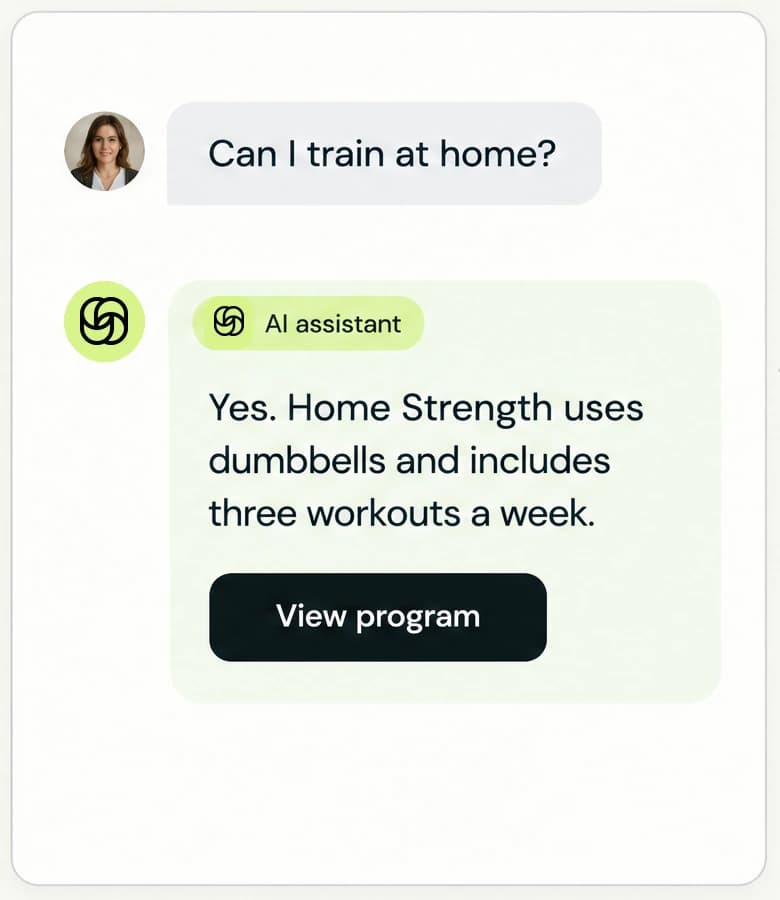
"Can I do this at home with dumbbells?" Give your AI agent the equipment requirements and details of your programs. Approve the products it can recommend, and it can use that information to answer questions and send a relevant product link. Someone looking for ongoing support can get your membership or coaching-call link instead.
Test your agent in Review first, then choose Auto-send when you are ready. Customers complete checkout themselves. AI agents require Starter or Growth and use AI credits.
Put your coaching offers on one page.
Sell a downloadable training program for people who want to follow it on their own. Offer a recurring membership for the ongoing coaching you provide, with clear benefits and access instructions.
Add a coaching call for people who want time with you. Set its duration and availability, then share the booking page from your bio or a DM. Visitors pick a day and time before continuing to checkout.
Training programs
Sell your workout plan as a download, with a page that explains the equipment, schedule, and experience it is designed for.
See how to set it upCoaching memberships
Set recurring tiers for the coaching you provide. Tell members what is included and how to access it after joining.
See how to set it upCoaching calls
Offer free or paid appointments. Let clients choose from your available times and answer your questions when they book.
See how to set it upFollow up after the first workout.
Write a useful follow-up for people who requested your guide, then introduce the full program or invite them to a coaching call. On Growth, email flows send your saved messages on the schedule you choose to contacts with an active email subscription.
- 1
Deliver the guide
Give new subscribers the workout they asked for.
- 2
Help them get started
Share a useful tip for their first session.
- 3
Introduce your program
Invite them to keep training with you.
Which Instagram accounts can connect?
Instagram Business and Creator accounts. Personal accounts need to switch to a professional account first.
How should I teach an AI agent about my products?
In Knowledge → Resources and actions → Add products (or Edit products), select the published LinkStack products the agent may read and recommend, then save and publish. Product tools read current prices and availability and resolve the public link. Add focused Knowledge for use cases, delivery details, support rules, and outside products. Explicit creator facts can support replies, but current LinkStack records take precedence for changing product details.
What happens after a customer joins a membership?
Stripe starts the recurring subscription and LinkStack sends the enabled welcome message with access details, recurring billing information, and a secure membership-management link. Configure it under Settings → Welcome email using Access Details, Membership Details, Billing Amount, and Manage Membership Link. Memberships do not send a product-file download. If Creator fulfills access is on, the member sees that access is being prepared until you mark them fulfilled from the membership dashboard. If an active member missed the message, open that member and choose Resend welcome.
How do customers choose an appointment time?
They choose their timezone, select an available day on the calendar, then choose one of that day's open times. For a calendar on your bio, open a top-level appointment card in the bio editor and choose Card → Format → Calendar. Clicking an available day opens the appointment page at that day's time selector and keeps the visitor's timezone. The back arrow returns to the calendar. Unavailable days cannot be selected; if availability changes, the visitor is asked to choose another date.
Start with one guide and one post.
Choose the workout guide you want to share, connect Instagram, and set up its delivery. Add your paid offers as they are ready.
Start with the free plan.