
 vs
 LinkStack
Build your automation with AI. Your products are already here.
Describe the workflow you want. Let AI build it, then ask it to edit a step or add another branch. Send your own products and saved Links, add waits and conditions, and follow what happens after the click.
Free plan. No credit card required.

In this article
Why choose LinkStack?
Choose LinkStack for comment and DM triggers, AI workflow creation and editing, and the products and Links you send from them. Build in waits, conditions, and click-based paths, with contacts and your inbox in the same account.
What you can do with LinkStack
Create a workflow from a prompt.
Tell AI what should start the automation and what should happen next. It builds a draft on the canvas. Choose your product or saved Link, review the steps, and test before publishing.
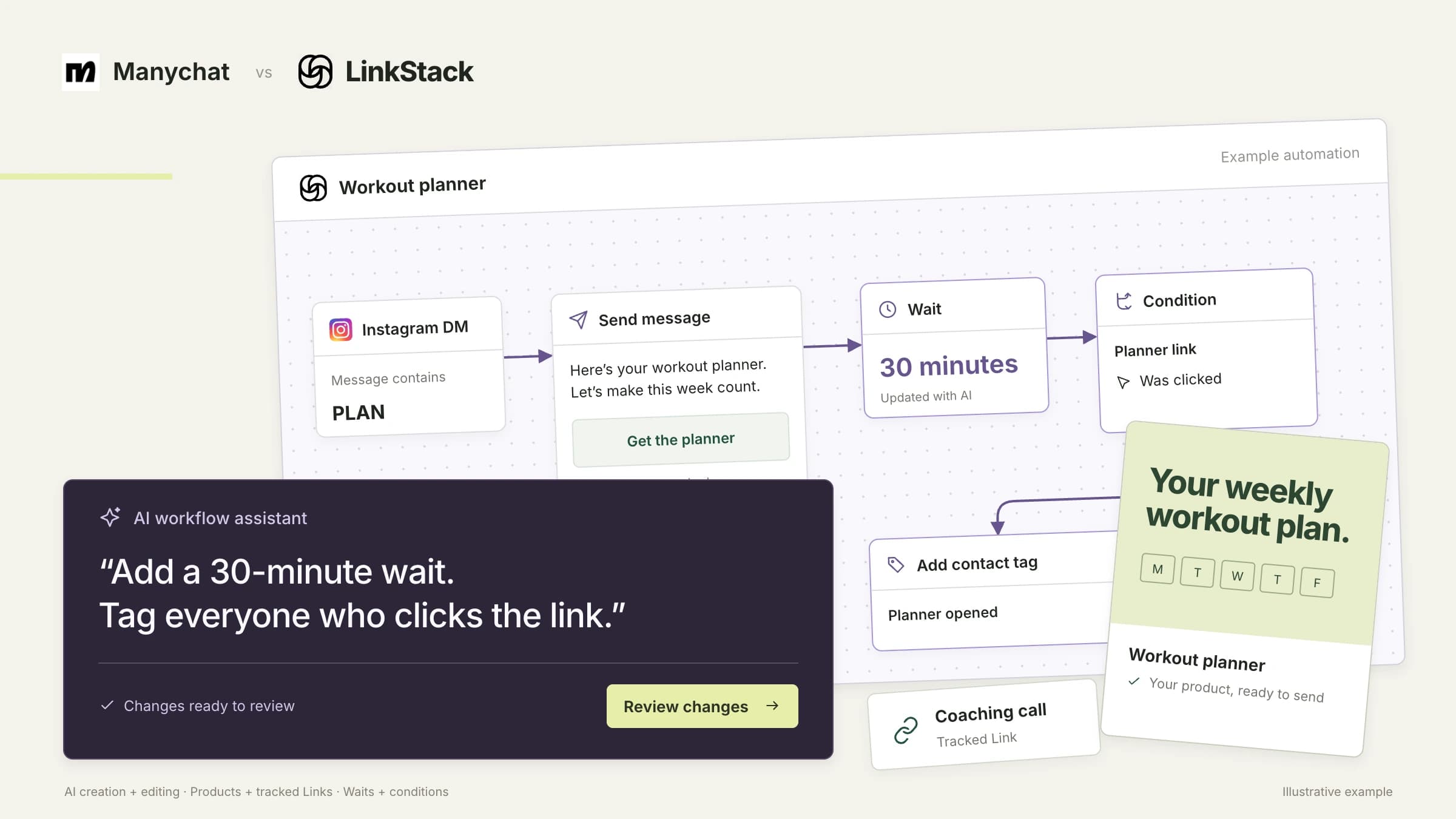
“When someone DMs PLAN, send my free workout planner.”See how AI builds a workflow
Keep building with AI.
Open an existing workflow and ask for a change. Rewrite a message, adjust the timing, add a condition, or append steps after the one you select. Review the highlighted changes before publishing.
“Add a 30-minute wait. Check whether they clicked the planner link, and tag anyone who did.”See how AI edits and appends steps
Your products and Links are ready to send.
Your workout planner, product checkout, and saved coaching Link already live in LinkStack. Use them in your automation messages, with the same destinations and tracking you manage across your account.
Explore products and checkoutKnow who clicked. Choose what happens next.
Check whether someone clicked a message button and branch on the result. Wait for a link click with a timeout path, or use answers, tags, and contact fields as conditions. Click activity can show the associated contact when LinkStack can match it.
Explore waits, conditions, and contact actionsFeature comparison
| Feature | LinkStack | Manychat |
|---|---|---|
| Build with AI | LinkStackGenerate an automation draft from a plain-English prompt, then review and edit it on the workflow canvas. | ManychatThe AI Flow Builder assistant generates automations from your business description and goals. You can refine the result in AI chat or the Flow Builder.Manychat AI Flow Builder |
| Edit and extend a workflow | LinkStackAsk AI to change an existing workflow, add a branch, or append steps after a selected step. You can also edit the canvas directly. | ManychatUse the visual Flow Builder to edit and connect steps. The AI assistant also lets you return to chat to refine its generated automation.Manychat automation builder |
| Comments and DMs | LinkStackStart from an Instagram comment or DM keyword, send the requested resource, and continue through the workflow you build. | ManychatComment keywords can trigger a DM with a link, an email request, and a follow-up for people who have not clicked.Manychat comment-to-DM automation |
| Waits and conditions | LinkStackAdd delays and branch on answers, tags, contact fields, and tracked button clicks. Use a click-wait step when the next action should depend on a click or timeout. | ManychatSmart Delay controls timing. Condition blocks branch on contact data, including tags and custom fields.Manychat conditions |
| Clicks and follow-ups | LinkStackTrack message-button clicks, use them in workflow conditions, and see the associated contact when available. Saved Links also retain destination and source analytics. | ManychatComment-to-DM automations report sends, clicks, and click-through rate, and can follow up when a recipient has not clicked.Manychat click insights and follow-ups |
| Products and checkout | LinkStackCreate and manage digital products, checkout, and delivery in LinkStack, then send those offers from your automations and bio page. | ManychatWebsite buttons can link to product pages. Buy Buttons support payments in eligible messaging channels.Manychat website and Buy Buttons |
| Saved Links | LinkStackReuse the Links already in your account, including configured country destinations and fallbacks. Update a managed destination without replacing every shared link. | ManychatOpen Website buttons send people to the URL you configure in the message.Manychat link buttons |
| Contacts and conversations | LinkStackKeep contact fields, tags, conversations, products, and Links together. Use contact data to decide what the automation does next. | ManychatUse tags and custom fields to segment contacts and choose paths through an automation.Manychat contact conditions |
AI workflow creation and editing starts on Starter. Wait for link click requires Growth. AI credits, plan allowances, and platform messaging rules apply. A link click does not reopen Instagram’s messaging window.
Send the workout planner you already manage.
Choose your saved Link for the message, then extend the workflow with waits, click conditions, and contact actions.
See how to build out your workflow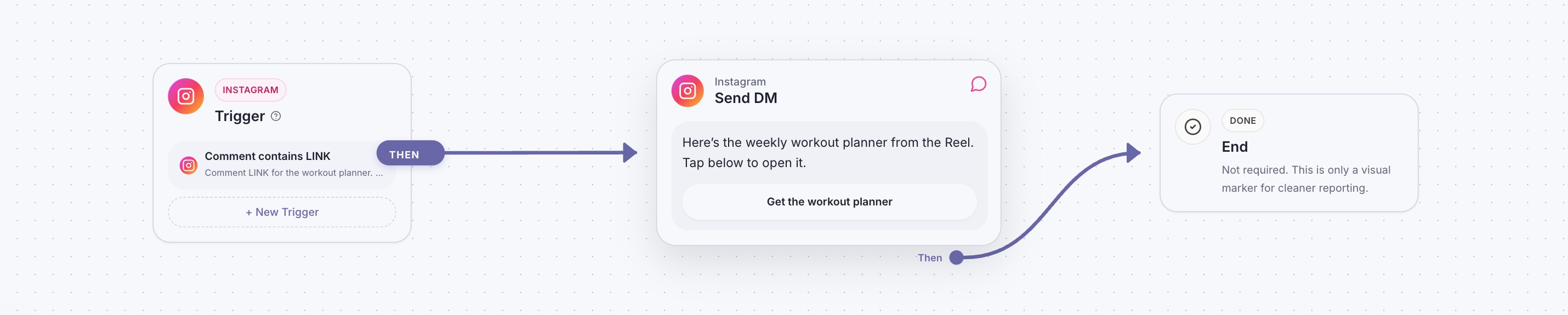
What does LinkStack cost?
USD. Paid prices below are monthly equivalents, billed yearly. Monthly billing is also available.
LinkStack
- Free
- $0/monthTry your bio page, links, and first automations.
- Starter
- $8.25/month$99 billed yearlyCustom social previews and more room for links and automations.
- Growth
- $24.92/month$299 billed yearlyEmail, a custom domain, and 0% LinkStack selling fee.
LinkStack selling fees are 10% on Free, 5% on Starter, and 0% on Growth. Stripe processing fees apply separately. Features and usage allowances vary by plan.
Common questions
What can I automate in LinkStack?
Build workflows with comment and DM triggers, messages, product and Link buttons, waits, conditions, and contact actions. Check whether a recipient clicked, branch on the result, and manage contacts and conversations in the same account. Supported steps, plan allowances, and platform messaging rules apply.
Can AI edit an existing automation or append steps?
Yes. On Starter and above, describe a workflow to generate a draft, or open an existing workflow and ask the AI assistant to revise it. Select a step when you want new steps appended from that point. Review the highlighted changes, validate, and test before publishing.
Can I use my own products and saved Links in an automation?
Yes. Use the products and Links you already manage in LinkStack when you configure your automation’s messages and buttons. Your product checkout and delivery stay in LinkStack, and managed Links retain their configured destinations, routing, and analytics.
Can I see who clicked and use that click in the workflow?
Yes. LinkStack tracks message-button clicks and can associate activity with a contact when a match is available. Use a click condition to choose a path, or use Wait for link click on Growth to continue after a click or timeout. Anonymous traffic cannot always be matched, and a forwarded tracked link can still be attributed to its original recipient.
Does Manychat also build automations with AI?
Yes. Manychat’s AI Flow Builder assistant can generate an automation from your goals and refine it through chat. LinkStack combines AI workflow creation and editing with your own products, checkout, saved Links, contact records, and inbox in one account.
Build the workflow around your offer.
Start with your product or Link, connect Instagram, and build the path from the first message to the next click. Explore Starter for AI workflow creation and editing.
No credit card required.
Sources and review
Published by LinkStack. Competitor details were checked against the public pages below on Oct 22, 2026. Features and prices can change.