
Turn Instagram tips into paid coaching.
Turn reel comments into checklist downloads and booked coaching calls. Sell playbooks, content calendars, and memberships, with automations and AI to handle the questions in between.
Free plan available. No credit card required. Compare plans

Send the checklist when someone asks
Ask people to comment GROW on a reel. Set a keyword automation to send your checklist link in a DM, with a message and button you write.
Use a different keyword for audit requests, or send a booking link when someone replies to a story. Choose the posts and offers each workflow uses, then preview the conversation before publishing.
An example workflow
Let your AI help people choose
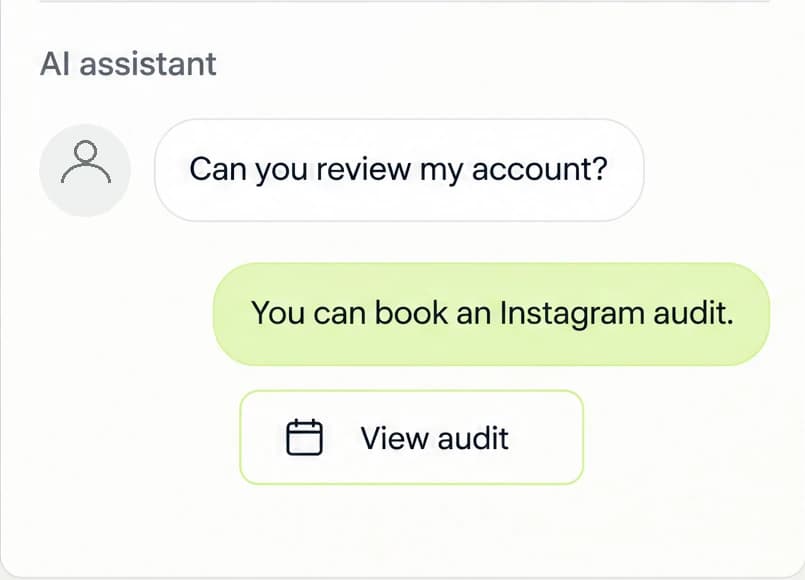
Someone asks, "Can you review my account?" Your agent can explain your Instagram audit using approved product details and share the booking link. For someone asking about ongoing support, it can recommend your membership.
Choose the products and knowledge your agent may use. Start in Review first and test your agent before enabling Auto-send. Agents require Starter or Growth and use AI credits.
Make coaching easy to buy
Offer an Instagram audit for a focused session, or a recurring membership for ongoing coaching. Set your membership tiers and the access link or instructions members receive after joining.
Add a playbook or content calendar for people who want a resource they can use on their own. For calls, customers choose from your available times and complete checkout on your appointment page.
Growth playbook
Sell your content planning process as a downloadable guide, with access after checkout.
See how to set it upContent calendar
Sell a downloadable posting plan with prompts, examples, and a schedule they can make their own.
See how to set it upCoaching membership
Offer recurring plans for the support you provide. Tell members what's included and how to access it.
See how to set it upAudit or strategy call
Set your duration and availability, ask booking questions, and take payment for a session.
See how to set it upFollow up with people who opt in
Ask for an email in the DM conversation and explain what you'll send. With their agreement, save the address, subscribe the contact, and add a tag to start a separate email flow on Growth.
Use the first email to help them apply one item from the checklist. Follow with a useful lesson and an invitation to the relevant playbook or coaching offer.
- 1
Share the checklist
Send the resource your subscriber requested.
- 2
Teach one useful lesson
Help them apply an idea to their next post.
- 3
Invite them to work with you
Introduce the playbook, membership, or audit that fits.
Which Instagram accounts can connect?
Instagram Business and Creator accounts. Personal accounts need to switch to a professional account first.
Who can access Agents?
Agents is visible to every signed-in account. No invitation is needed. Creating and running agents requires Starter or Growth, with your plan’s agent limits and AI credits. Free accounts can open Agents normally; choosing Create agent opens the upgrade options. Workflow generation, inbox reply drafts, and writing helpers follow their own plan and credit rules.
What is a LinkStack membership product?
A membership is a recurring product with one or more paid tiers. Use it for communities, ongoing services, private resources, or other access that renews on a schedule. Memberships do not deliver a product file; you can provide an access link and instructions or fulfill access yourself.
How do customers choose an appointment time?
They choose their timezone, select an available day on the calendar, then choose one of that day's open times. For a calendar on your bio, open a top-level appointment card in the bio editor and choose Card → Format → Calendar. Clicking an available day opens the appointment page at that day's time selector and keeps the visitor's timezone. The back arrow returns to the calendar. Unavailable days cannot be selected; if availability changes, the visitor is asked to choose another date.
Start with the next checklist request.
Choose a reel, add your keyword, and set the message people receive. Build the path from that first reply to the coaching you offer.
Start with the free plan.