
Email marketing lead generation for creators
Collect emails with a free resource or bio signup, then send a useful first message. See how subscribers, broadcasts, and email flows fit together.
Give readers a specific reason to leave their email address, then send what you promised. For a family-outdoors creator, that might be a printable trail-day packing checklist followed by occasional ideas for getting outside with kids.
LinkStack can collect those contacts through a bio-page form or a free resource. Marketing broadcasts and email flows require Growth and Email access on your account. A download's own confirmation email is separate from those marketing features.
Offer something the reader can use
A lead magnet is a free resource offered to attract interested subscribers. Keep its promise small enough to deliver: a checklist someone can print before packing is easier to explain than a vague bundle of "exclusive content."
Show what is inside and say what emails will follow. For example: "Get the trail-day packing list and occasional outing ideas." Use a frequency you can maintain.
Choose the right capture method:
- For a newsletter signup, add a subscribe or form card to your bio page. Email is required. Ask for extra details only when you will use them.
- For a downloadable file, create a Free Resource. Attach the file and review its confirmation email. Enabled product confirmations provide secure download access after a completed free claim.
An ordinary form collects answers; it does not automatically deliver a product file. Use the Free Resource workflow when the signup promises a download.
Check what arrives in Audience
Before sharing the page widely, submit your own test response. View the form response and confirm that the saved email and answers are correct. Check the contact in Audience.
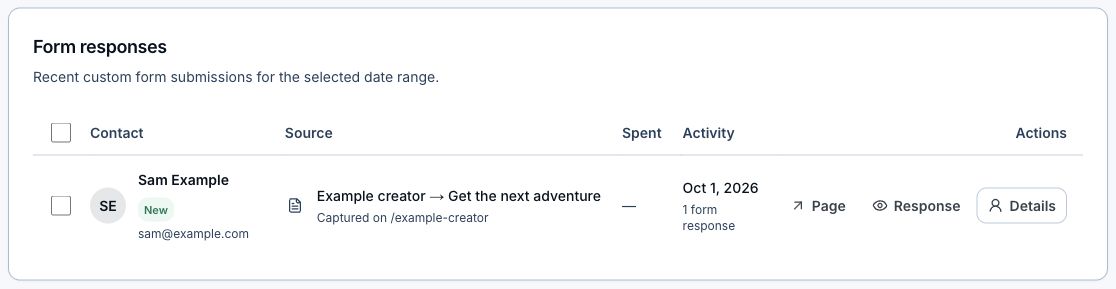
Choose Response to read the submitted answers or Details to inspect the contact. This row contains demonstration data.
New emails captured through LinkStack forms normally start subscribed. Existing unsubscribes and blocks stay in place, and checkout opt-in settings still apply. A saved subscription status is separate from evidence of someone's consent. Make the signup promise clear and send the type of email the person agreed to receive.
For a focused group, apply relevant Audience filters and save a segment. A segment follows its saved rules, so its matching contacts can change. You can also export form responses when you need to review them outside LinkStack; exporting does not change anyone's subscription.
Write one useful follow-up
Start with a broadcast before planning a long sequence. Someone who requested the packing checklist might appreciate a short note about organizing the bag so the things needed first are easy to reach.
A subject such as "Before your next trail day" can lead into one practical suggestion and a relevant link. The reader should be able to use the advice without buying something.
Before testing or sending, save your sender details, including your name, contact email, and mailing address. Check the message's reply-to address too.
- Open Email and choose New broadcast.
- Select the relevant subscribers or saved segment, then inspect the recipient count and names.
- Choose Continue to email, then Start blank or Use a template.
- Write the subject and message. Check its Mobile view.
- Use Send test with your own address and open the message on your phone.
- Review recipients and timing before confirming the send.
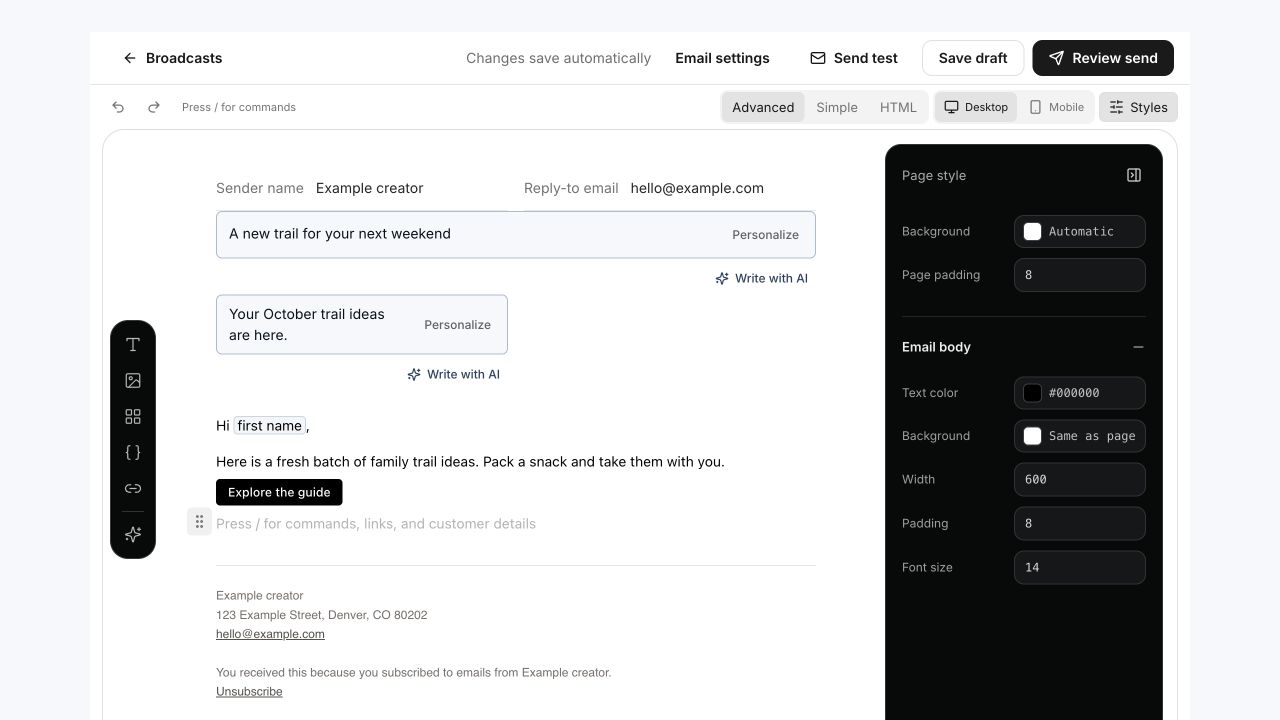
The editor keeps testing and send review separate. Check the message and its link before confirming the send.
Every delivered broadcast includes an unsubscribe link. People who have unsubscribed, been blocked, or become suppressed are excluded from delivery.
Add a flow when the sequence is ready
A form submission does not automatically start an email flow. Choose a supported trigger in Email → Flows, such as When a tag is added or After a product purchase.
A tag-triggered flow starts on new additions of its selected tag; contacts already carrying that tag are not enrolled retroactively. A digital-product purchase trigger can follow a completed free-resource claim, provided the contact is subscribed and otherwise eligible for email.
Follow the email-flow guide to choose the trigger and set each message's timing. Save draft while writing. Publish flow only when the messages, sender details, and enrollment behavior are ready.
Open Email to draft the first follow-up.