
How to create a link in bio form
Add a subscribe or custom form card so visitors can join your list or answer a few questions.
5 min read
In this article
What forms do
Forms collect contact details and custom answers from a bio page. Email is always required so contacts can be deduped cleanly.
Steps
- Open Dashboard, then Bio.
- Choose the page you want to edit.
- Click Add card.
- Choose the subscribe or form card.
- Add a title, description, button label, and success message.
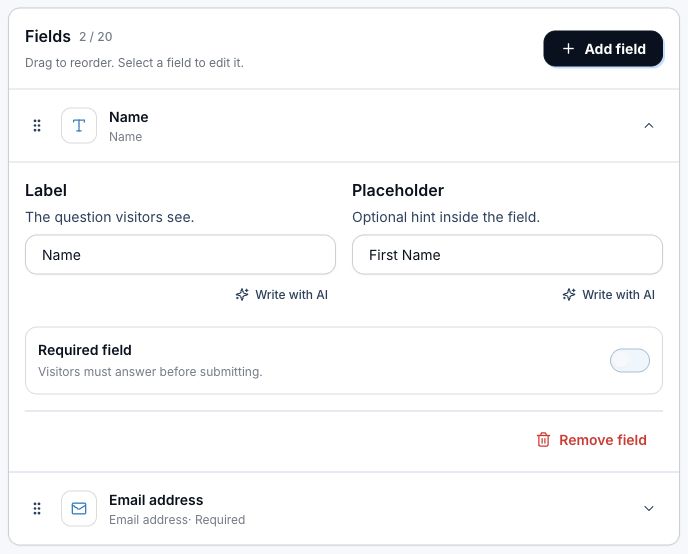
- Open Form fields.
- Add fields like name, phone, country, paragraph, single choice, checkboxes, dropdown, or date.
- Mark optional custom fields as Required only when you truly need them.
- Save and submit a test response from the preview or public page.
Display choices
- Inline keeps the form visible on the page.
- Popup keeps the page cleaner and opens the form after the visitor taps.
- Drag fields and options into the order you want.
- Keep forms short when the traffic is cold.
Related articles
Still need help?
Support & feedback