
How to view form responses
Find submitted contacts, read full answer snapshots, and see where the response came from.
4 min read
In this article
Where responses live
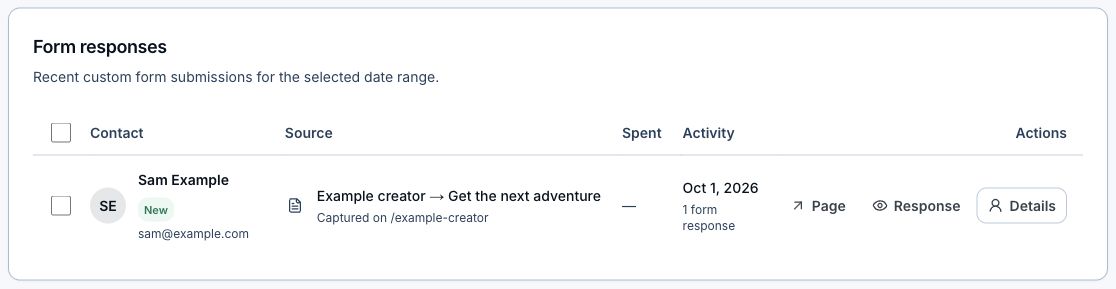
Responses show in Bio analytics for the selected date range and in Contacts as collected contacts. Bio analytics is best for recent response context. Contacts is best for follow-up.
Bio analytics steps
- Open Dashboard, then Bio.
- Choose Analytics.
- Set the date range.
- Find Form responses.
- Click View on a response.
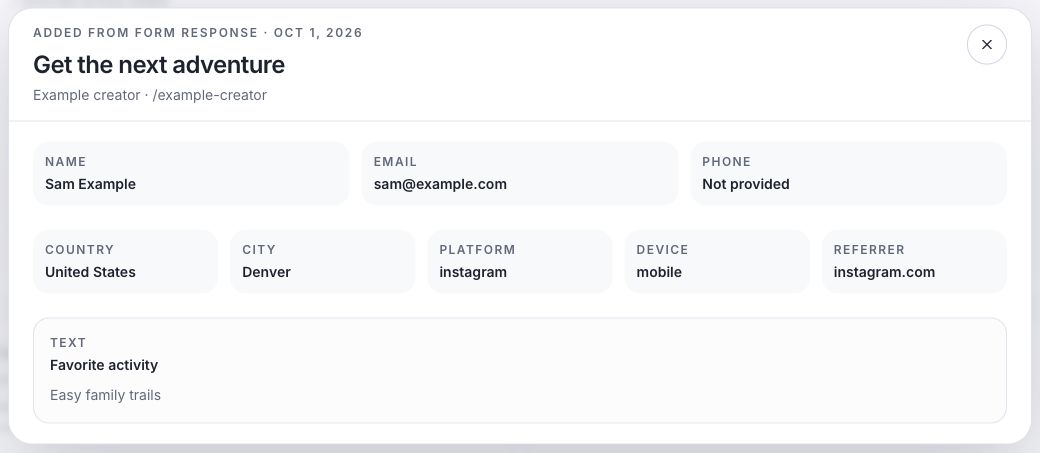
- Review contact fields, custom answers, country, platform, device, and referrer.
Contacts steps
- Open Contacts.
- Search by email or name if needed.
- Find the contact.
- Click View response to open the response snapshot.
Related articles
Still need help?
Support & feedback