
Find an Instagram bio link and add your own on Instagram or TikTok
Find the link a creator mentions, add your own website to Instagram or TikTok, and check the account requirements before you start.
To find someone's link in bio on Instagram, open their profile and look for a website link beneath their bio. Tap that link. If the profile shows several links, open the list and choose the one that matches the post.
Adding your own link is a separate job. You do that in your profile's link settings, after you have a working website or bio page to share.
Find the link an Instagram post mentions
- Tap the account's name above the post or on the Reel to open its profile.
- Look below the short bio for the website address or list of links.
- Open the link, then choose the relevant button if it leads to a page with several destinations.
For example, a caption might say, "Trail checklist in my bio." The profile link could lead to a creator's page containing a button called "Download the trail checklist."
If you cannot find the offer, check that you opened the account that posted it. The creator may also have changed their links since publishing the post.
Add your website to Instagram
Instagram's Help Center confirms that you can add up to five websites. Use the mobile app for this setup; its desktop help says the feature is unavailable on computers.
- Open your profile and tap Edit profile.
- Tap Links.
- On iPhone, tap Add external link. On Android, the documented label is Add link.
- Enter your website address, then tap Done. On iPhone, tap Back to return.
Open your profile again and tap the saved link to check its destination. Instagram says these websites are visible to anyone, on or off Instagram, so use a public page you intend to share.
Put a website link in your TikTok bio
TikTok's current instructions require at least 1,000 followers or a Verified Business Account to add a website link.
In the TikTok app:
- Tap Profile.
- Tap Edit profile.
- Next to Links, tap Add.
- Follow the prompts to link your website.
Return to your profile and open the link. TikTok opens profile links in its in-app browser. It may ask visitors to continue in their device's browser when following a chain of external links.
If the option is missing, check the eligibility requirements first. Creating a LinkStack page does not change TikTok's account requirements.
Give both profiles one useful destination
If you have several things to share, build a page with clear buttons for those destinations. Put the offer from your latest post near the top.
In LinkStack, follow Create your first bio page to choose a handle, add your content, and publish. After publishing, use View page to open the public page and copy its browser address. That is the address to put in your Instagram and TikTok profiles.
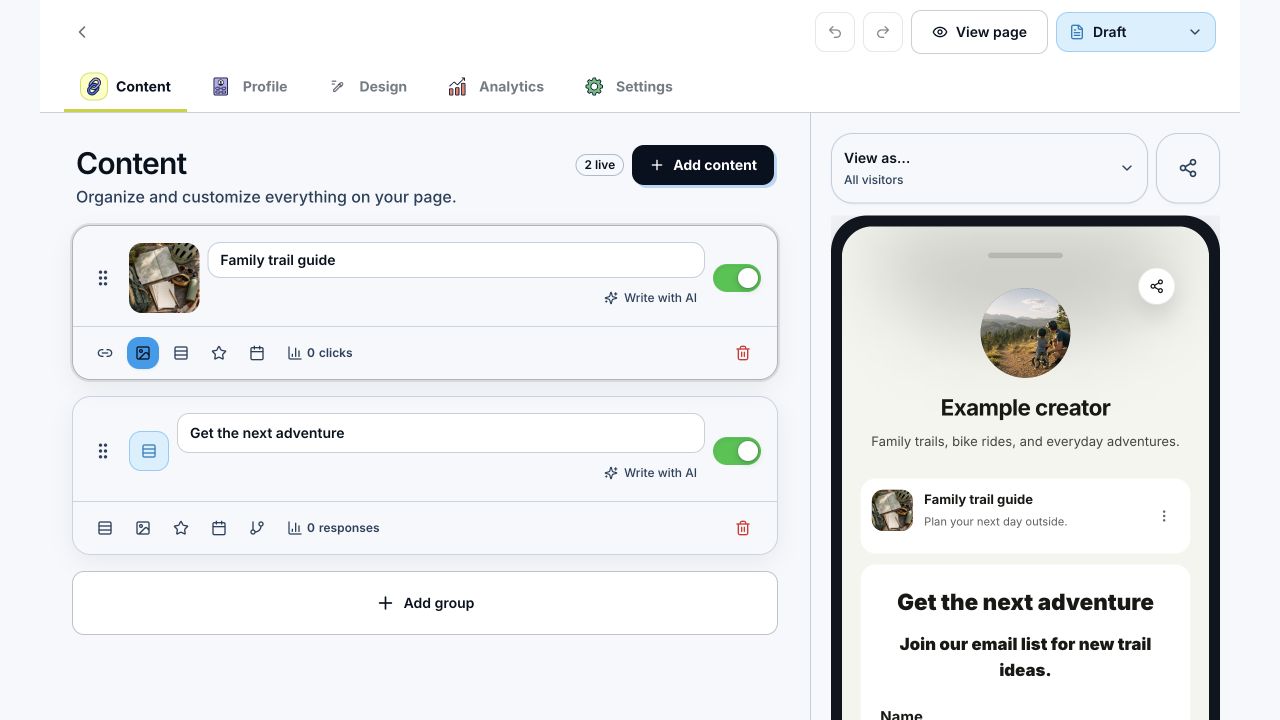
This example shows the LinkStack page editor. Check the cards and mobile preview before publishing your page.
Test the final destination from each social app. A button named "Trail checklist" should open that checklist or its download page. If it opens an old offer, fix the destination before sending more people there.
Open Link in Bio to build the page you want visitors to reach.