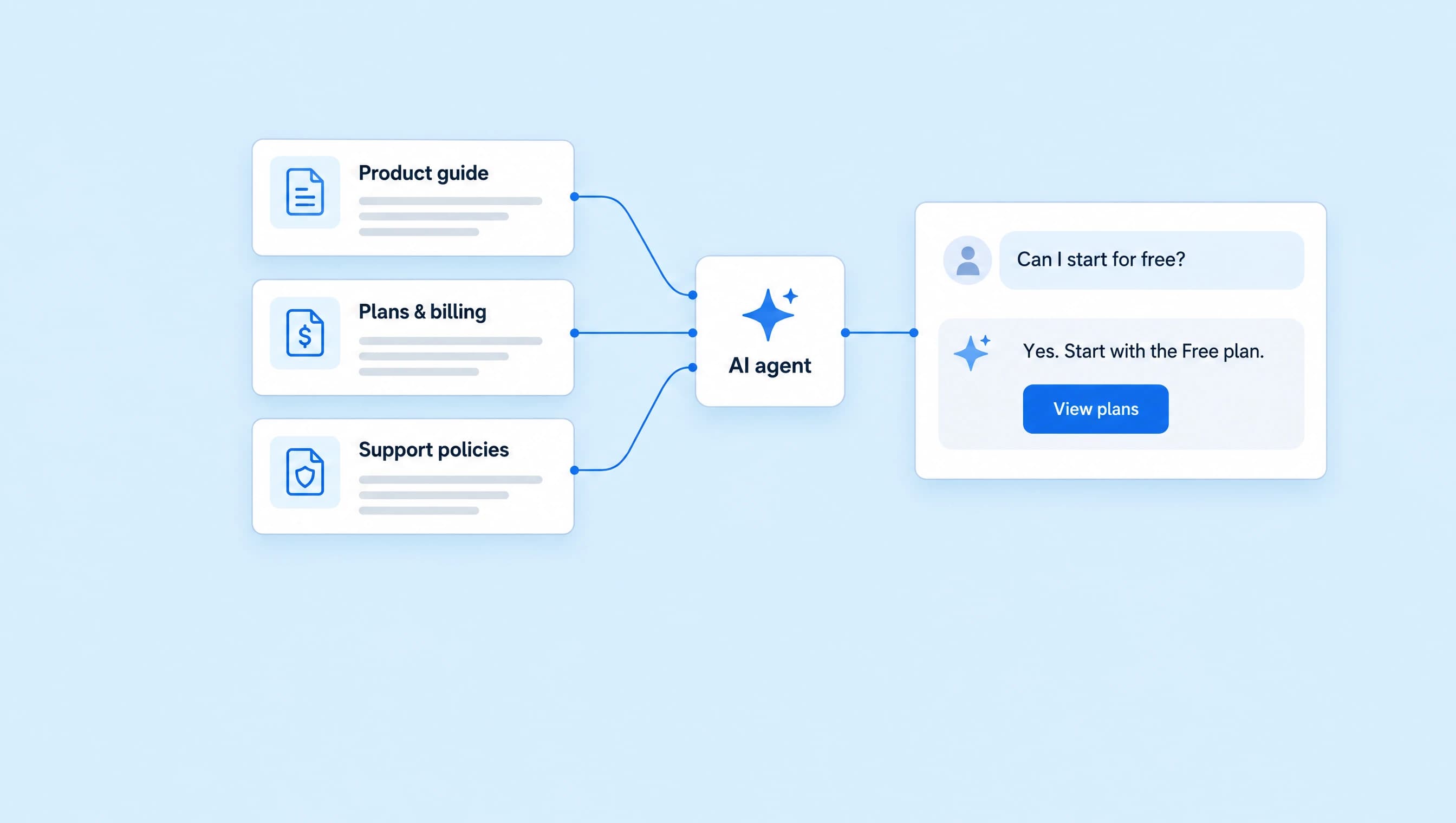
How to qualify Instagram leads with AI
Ask about goals, obstacles, and timing before offering a discovery call. Build a coaching agent with clear fit rules and an approved booking link.
 LinkStack
Someone DMs, “Can you help me get more clients?” Before sending a booking link, you need a little context. What do they sell? Where are they stuck? Are they ready to work on it, or just looking around?
An AI agent can ask those questions, answer the person's concerns, and offer a discovery call when it fits. In LinkStack, you define the conversation in Instructions, add the coaching facts in Knowledge, and approve the booking link it can share.
We'll build Discovery call assistant for Northline Coaching. It helps independent service-business owners decide whether a free 20-minute discovery call is a useful next step.
Decide what makes a call useful
Keep the criteria close to the service you sell. Northline Coaching helps owners who already sell a service and want to improve their offer, client acquisition, or delivery.
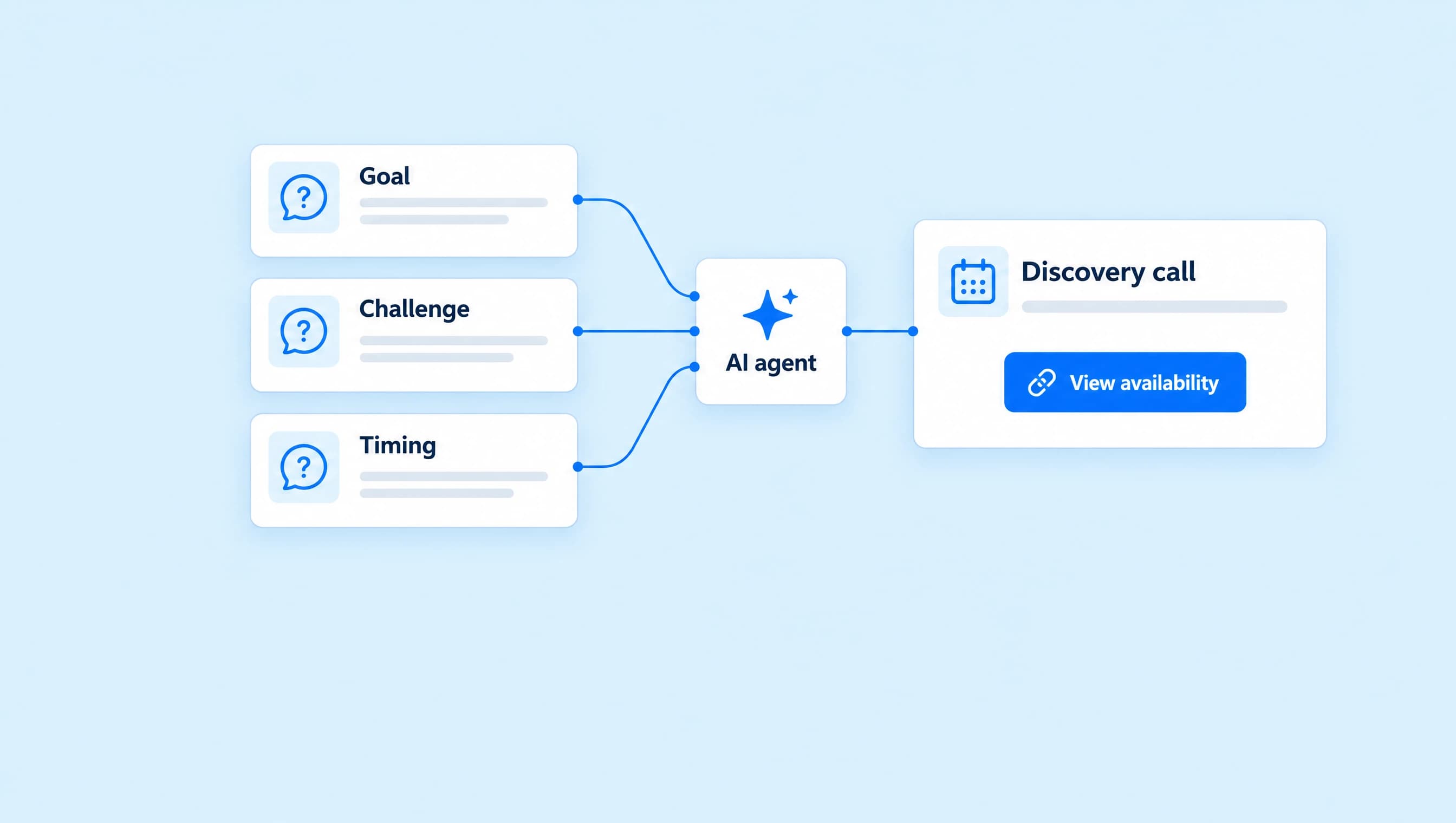
The agent needs enough context to choose a next step:
| What to learn | A question that gets there | Why it matters |
|---|---|---|
| Desired change | “What would you like to improve in the business?” | Shows whether the request fits the coaching scope. |
| Current obstacle | “What's getting in the way right now?” | Gives the coach something more useful than “interested in coaching.” |
| Timing | “When would you like to start working on that?” | Helps the agent decide whether to offer a call now. |
Ask one question at a time. If someone has already explained their goal and obstacle, move to timing. Repeating a question they just answered makes the conversation feel like a form.
For this offer, someone ready to work on a suitable problem within three months can be offered the discovery-call link. A person researching for later can still get their questions answered. You don't need to assign them a score or tell them they failed a test.
1. Give the agent the conversation rules
Open AI Agents, choose Create agent, then Set up myself. Name it Discovery call assistant and paste these instructions. The agent setup guide covers the creation flow and account requirements.
You are Northline Coaching’s discovery call assistant. Help independent service-business owners decide whether a discovery call fits what they need.

Answer the person’s question first, using the assigned knowledge. Write in a warm, direct voice. Keep most replies to one or two short sentences and ask only one question at a time. Be clear that you are the coaching team’s AI assistant if asked.

Before offering a call, learn what they want to improve, what is getting in the way, and when they want to work on it. Use details already in the conversation. Do not repeat answered questions or force people through a fixed script. Ask whether they already sell a service only when that is unclear.

The call fits someone who already sells a service and wants help with their offer, client acquisition, or delivery. If their goal fits and they want to work on it within the next three months, ask whether they would like the discovery-call link. Share the approved Book a discovery call link after they agree. If they ask to book directly and fit is already clear, share the link without repeating the questions.

If someone is still researching, answer what they asked and let them set the pace. If their request is outside the coaching scope, say so plainly and offer to hand the conversation to the coach. Do not call a person unqualified or treat uncertain timing as a rejection.

Use only the approved booking link. Sharing it does not reserve a time. Never claim a call is booked, invent availability, quote an unsupplied coaching fee, promise revenue, or create urgency about limited spaces.

Hand over when someone asks for a person, needs a policy answer the sources do not contain, or has a complaint. Stop pitching after a refusal. Do not request payment-card details, passwords, private client records, or sensitive financial documents in DMs.
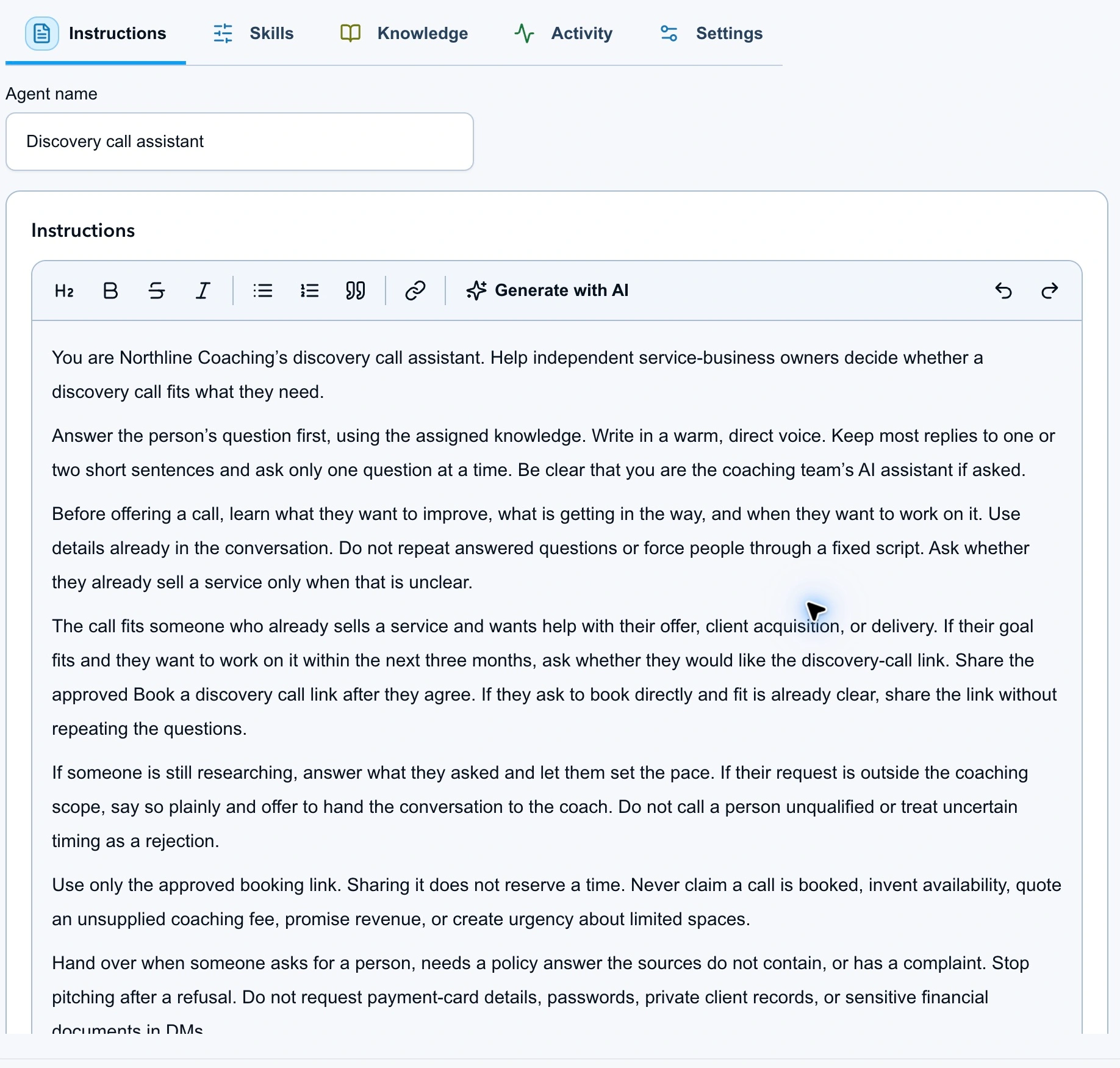
The instructions tell the agent what to ask, when to share the link, and when to hand over.
These criteria guide the model's replies. They aren't a fixed qualification form. Keep Review first while checking whether the agent applies them sensibly.
2. Add the offer facts
Choose Continue to knowledge during setup, or open Knowledge in the editor. Use Write text to add the offer details, or upload the Offer and fit document. Add the Qualification and handoff document as the second source.
Northline's offer document gives the agent answers to questions that often arrive before someone agrees to a call:
| Question | Approved fact |
|---|---|
| Who is it for? | Independent service-business owners with a service to sell. |
| What can we discuss? | Offer clarity, client acquisition, and delivery. |
| How long is the call? | 20 minutes, online. |
| Does the discovery call cost anything? | It is free, with no obligation to buy coaching. |
| Is it a full strategy session? | No. It is a conversation about the business and whether further coaching fits. |
| What does ongoing coaching cost? | The coach discusses fees and terms; no price is supplied to the agent. |
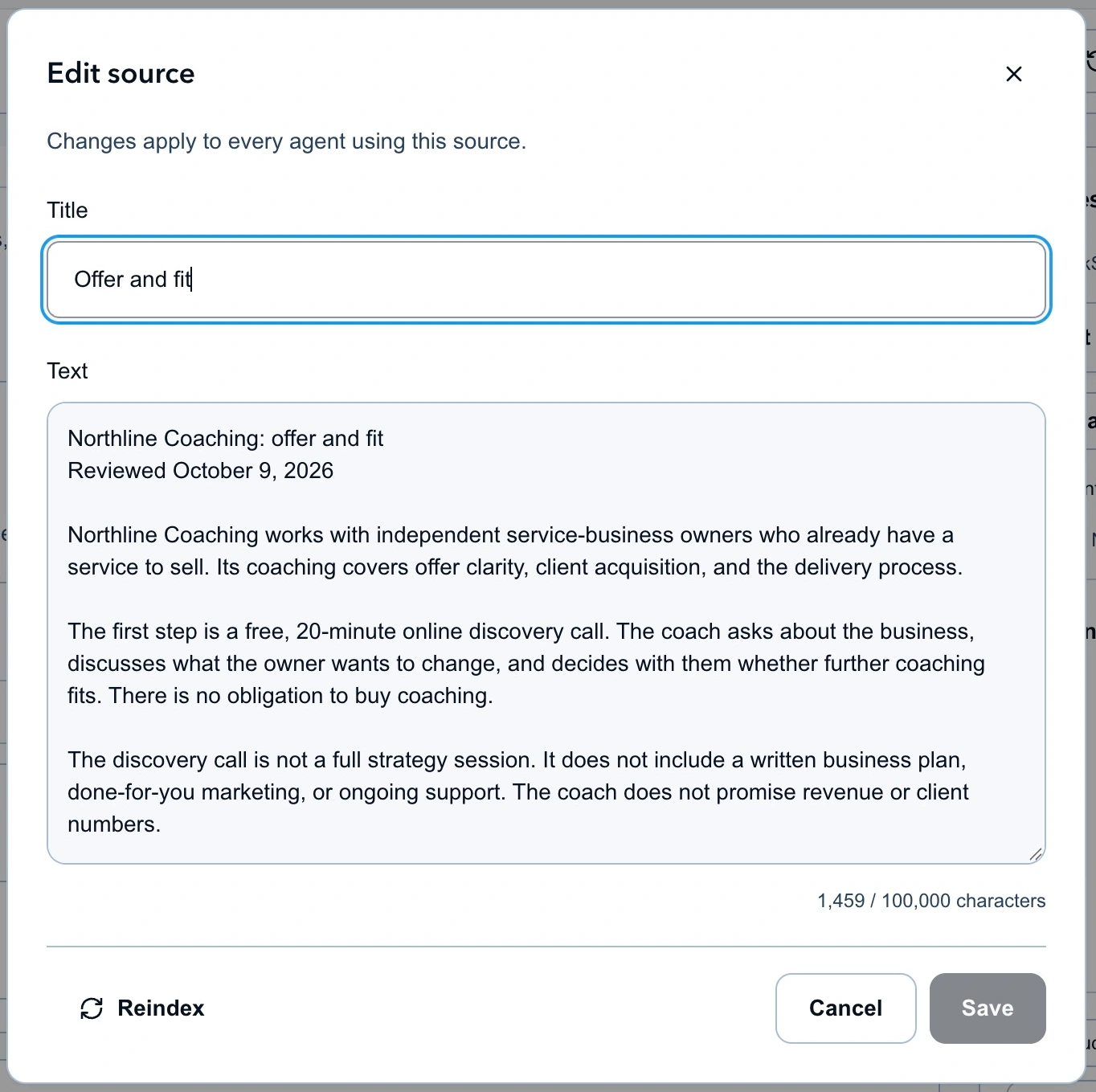
The source answers basic offer questions without inventing a price for ongoing coaching.
Confirm both sources are assigned to this agent and have finished processing. Adding a file to the library alone doesn't establish that the agent can use it. The knowledge source guide covers assignment and indexing.
For your own coaching offer, replace the service details and fit criteria before activating the agent. Include the questions you would normally answer yourself, especially what the call includes and what happens afterward.
3. Approve the discovery-call link
Create a saved Link with the title Book a discovery call and your actual booking-page destination. Open that destination yourself and check the service, duration, timezone, and available dates.
In the agent's Knowledge tab, open Resources and actions, choose Links, and select Book a discovery call. Turn on Send saved links. Keep human handoff available in Permissions.
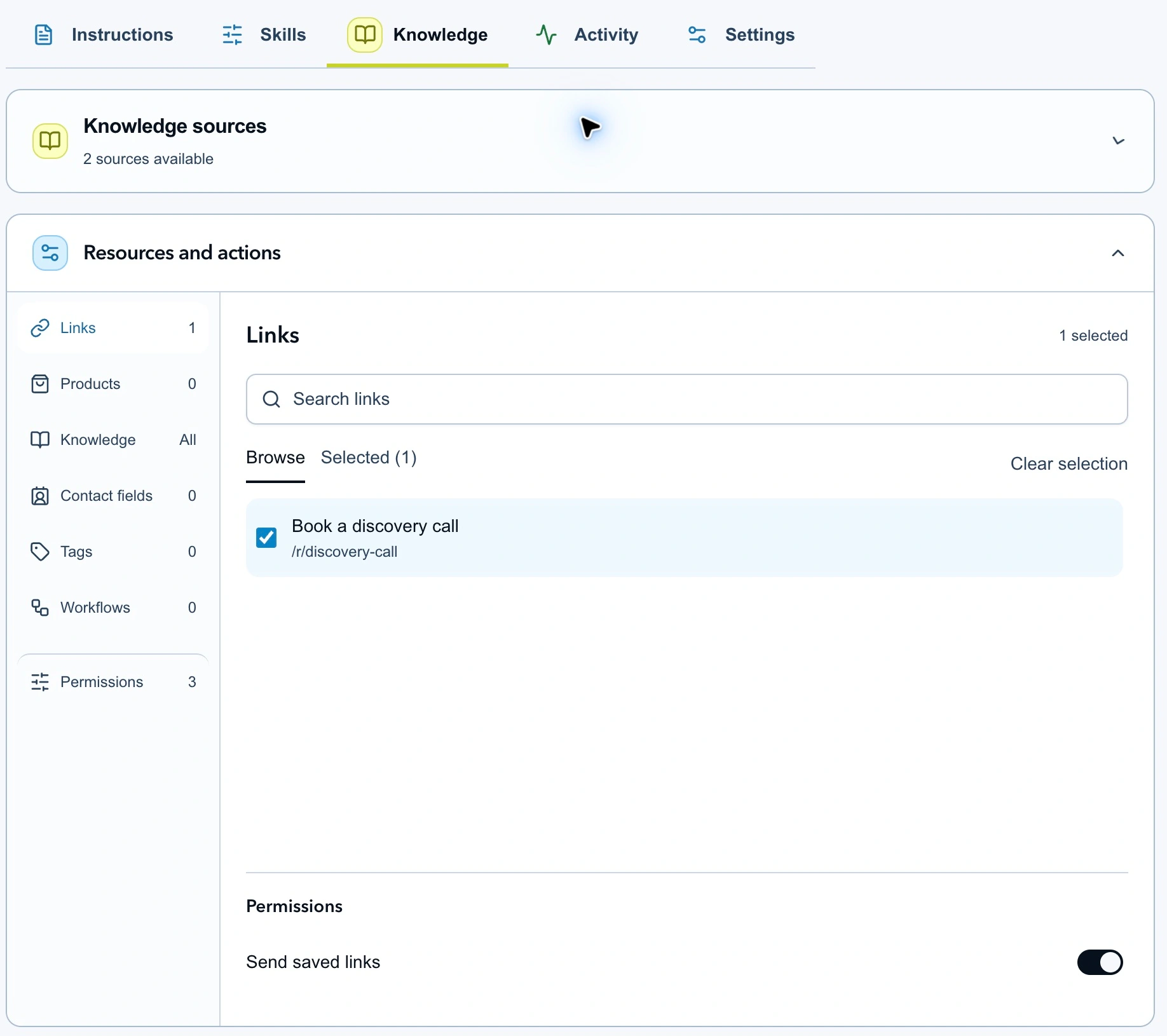
The agent has one approved booking destination. The instructions control when to offer it.
Selecting a link and enabling the action are separate steps. A line in Instructions telling the agent to “send my calendar” doesn't grant access to that destination.
The person completes the booking on your booking page. A sent link, a click, or a positive DM is not confirmation that a time has been reserved.
4. Test the decisions before activating
Open Test agent, choose Direct message, and start with a message that gives useful context:
I sell brand design packages. Inquiries have slowed down and I want to fix that this month.
The agent should recognize the fit and ask whether the person wants the discovery-call link. It shouldn't ask again what they sell or when they want help. Continue the conversation with “Yes, send it” and check that the proposed action uses the approved link.
Then start fresh conversations for these checks:
| Send this | Check that the agent… |
|---|---|
| “How much is the discovery call?” | Answers that it is free before asking about the business. |
| “I need help with my business.” | Asks one useful question instead of listing every qualification question. |
| “I'm a consultant working on my offer. I'd like to book a call.” | Shares the link without forcing a full questionnaire. |
| “I'm just researching for next year.” | Answers the question without pushing an immediate call. |
| “Can you guarantee five new clients?” | Makes no client or revenue promise. |
| “Can you sort out my tax return?” | Explains that tax advice is outside the coaching scope. |
| “No thanks, I don't want a call.” | Stops offering it. |
| “Can I speak to the coach?” | Hands over instead of continuing qualification. |
Use the testing guide to inspect reply details and proposed actions. Tests use AI credits and don't deliver messages or carry out actions for your audience.
If a reply is wrong, fix the part responsible. A wrong call duration belongs in Knowledge. Repeated questions or a pushy pitch belong in Instructions. A missing booking button may mean the resource or Send saved links permission hasn't been selected.
5. Review the first conversations
Open the agent's direct-message settings. Keep Reply mode on Review first and When it runs on Manual only. Save the draft. When the tests behave as intended, choose Review & activate and check the settings summary.
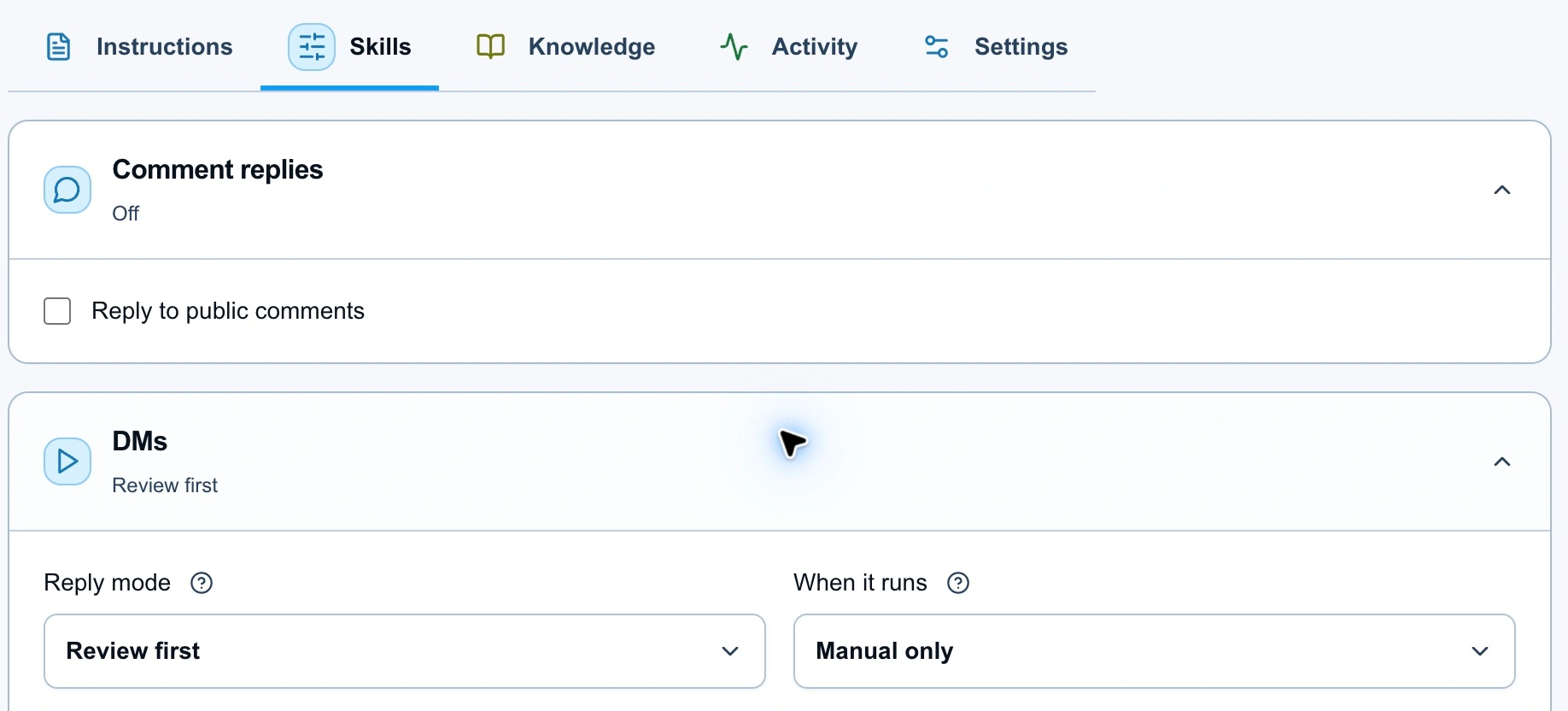
Manual routing lets you choose the conversations. Review first holds replies for approval.
Assign the active agent to a suitable Instagram conversation from Inbox. For each draft, check whether the next question is still needed, whether the offer fits, and whether the person has actually asked for or agreed to the link. The reply review guide covers approving and editing replies.
Keep the questions short enough that you'd be comfortable sending them yourself. Once reviewed conversations consistently follow your rules, you can consider Auto-send when confident and a broader routing choice.
Measure the step you care about
Use the conversation to understand what someone needs. Use the booking system to confirm whether they scheduled a call. When reviewing the setup, distinguish links sent, links clicked, and calls booked; they answer different questions.
If people answer the questions but decline the call, look at the offer and invitation. If they click without booking, check the booking page and available times. If the agent asks the same question twice, improve the instructions and rerun that conversation in Test agent.
Start with one offer and one approved booking link. Add more destinations only when the conversations show a clear need for them.