Give new Instagram conversations a useful first question
Turn “where do I start?” into a clear choice: get the offer worksheet or book a discovery call. Here is how to connect each Instagram question to the right reply.
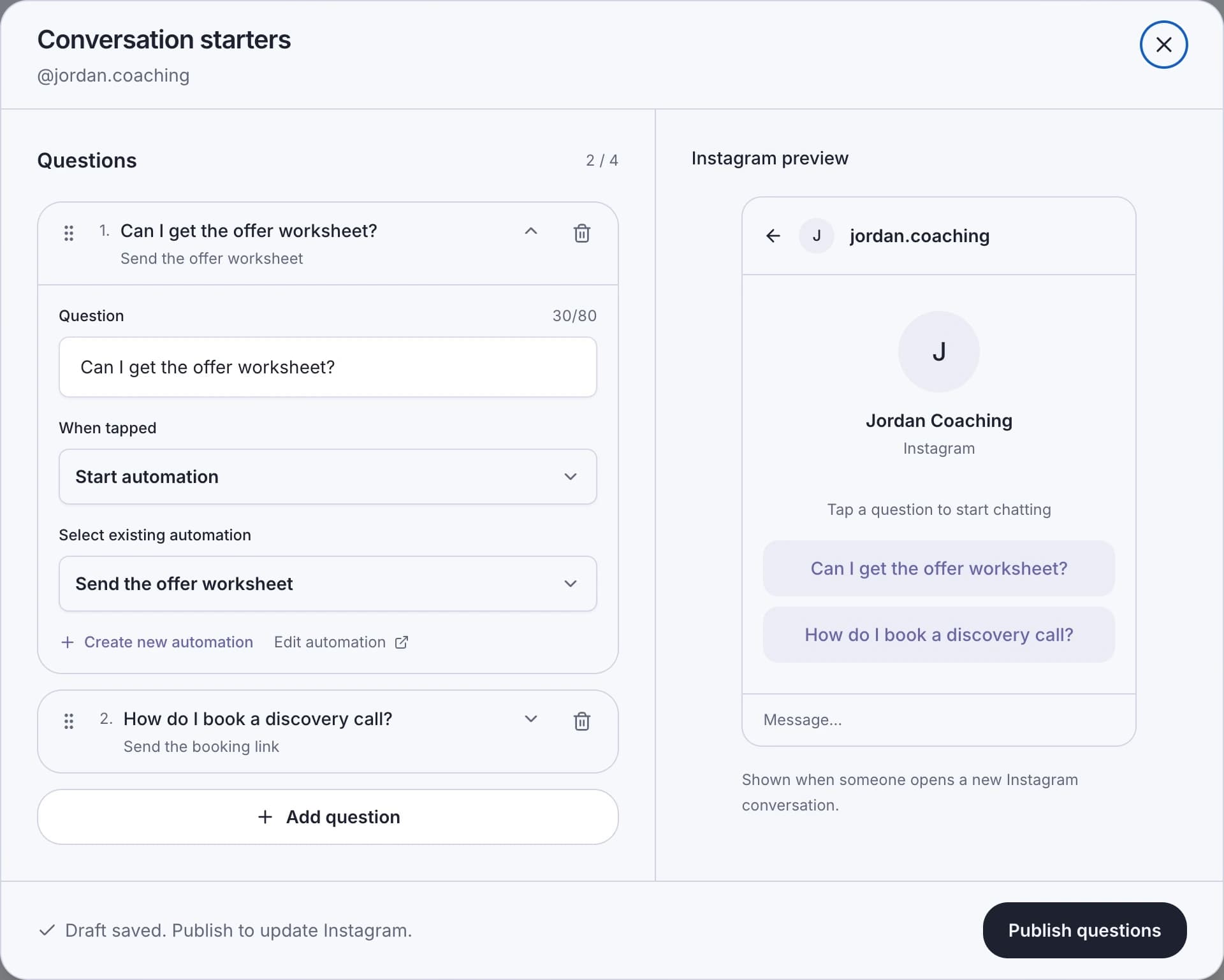
Give someone opening a new Instagram conversation a question they already want to ask. A business coach could offer “Can I get the offer worksheet?” and “How do I book a discovery call?” Each tap can start its own reply automation in LinkStack.
Begin with those two requests if they match your offer. You can add up to four questions, but each should lead to a distinct, useful answer. A question is a promise about the reply that follows.
Match the first reply to the request
The worksheet question should deliver the worksheet. The booking question should explain the next step and provide the booking link. Keep the prospect’s choice intact.
| Question | Suggested first reply |
|---|---|
| Can I get the offer worksheet? | Here’s the offer worksheet. Use the first page to put your coaching promise into one sentence: [your worksheet link] |
| How do I book a discovery call? | You can choose a time here: [your booking link]. The page explains what we’ll cover. |
Replace the bracketed text with your actual links. These are sample messages for a business-coaching account. Make sure the linked page delivers what the question promises before adding it to Instagram.
A workflow is a good fit when the answer is a known resource or booking link. If the question needs a conversation, Assign AI agent can use an eligible active, published agent. That requires Starter or above, plus current instructions and knowledge for the agent. The AI-versus-keyword guide helps with that choice.
Connect each question to its reply
In Automations, find your connected Instagram account and open Conversation starters. Check the handle at the top. Add the first question and choose Start automation under When tapped.
If you already have a compatible published Instagram DM workflow on that account, select it. Otherwise, choose Create new automation, enter a name and reply, and choose Create & use. The reply can contain up to 1,000 characters; the question itself has an 80-character limit.
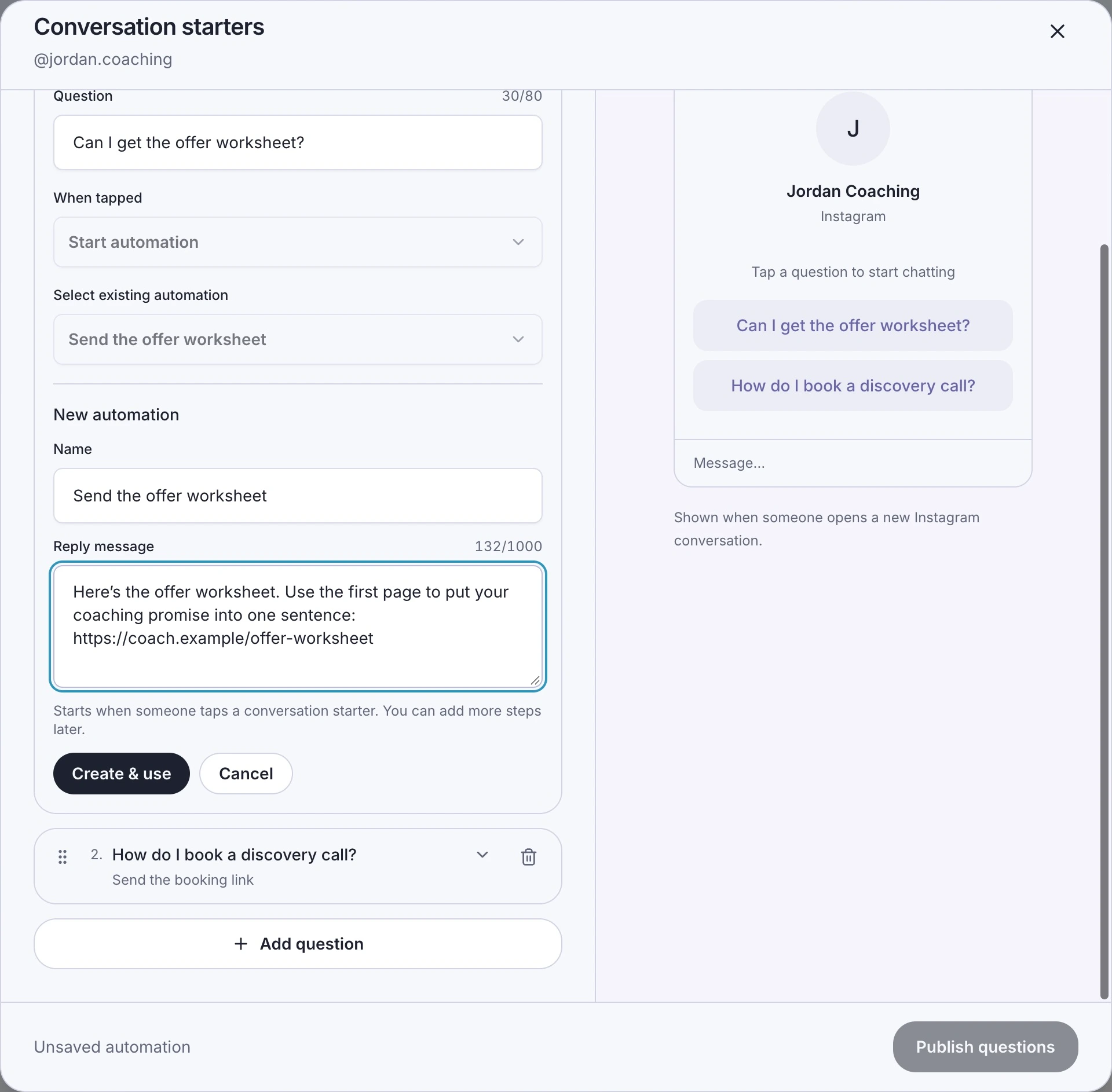
Example data: the reply provides the resource requested by the question. Create & use attaches the workflow; it does not publish the question to Instagram.
Repeat for the discovery-call question. The preview lets you read the choices together. If two questions would send the same answer, consider combining them and leaving the extra slot empty.
Autosave and publishing do different jobs
LinkStack saves your question draft as you edit. Draft saved means you can return to that work. To update Instagram, choose Publish questions and wait for Your questions are live on Instagram. After the first publication, the button becomes Update Instagram questions.
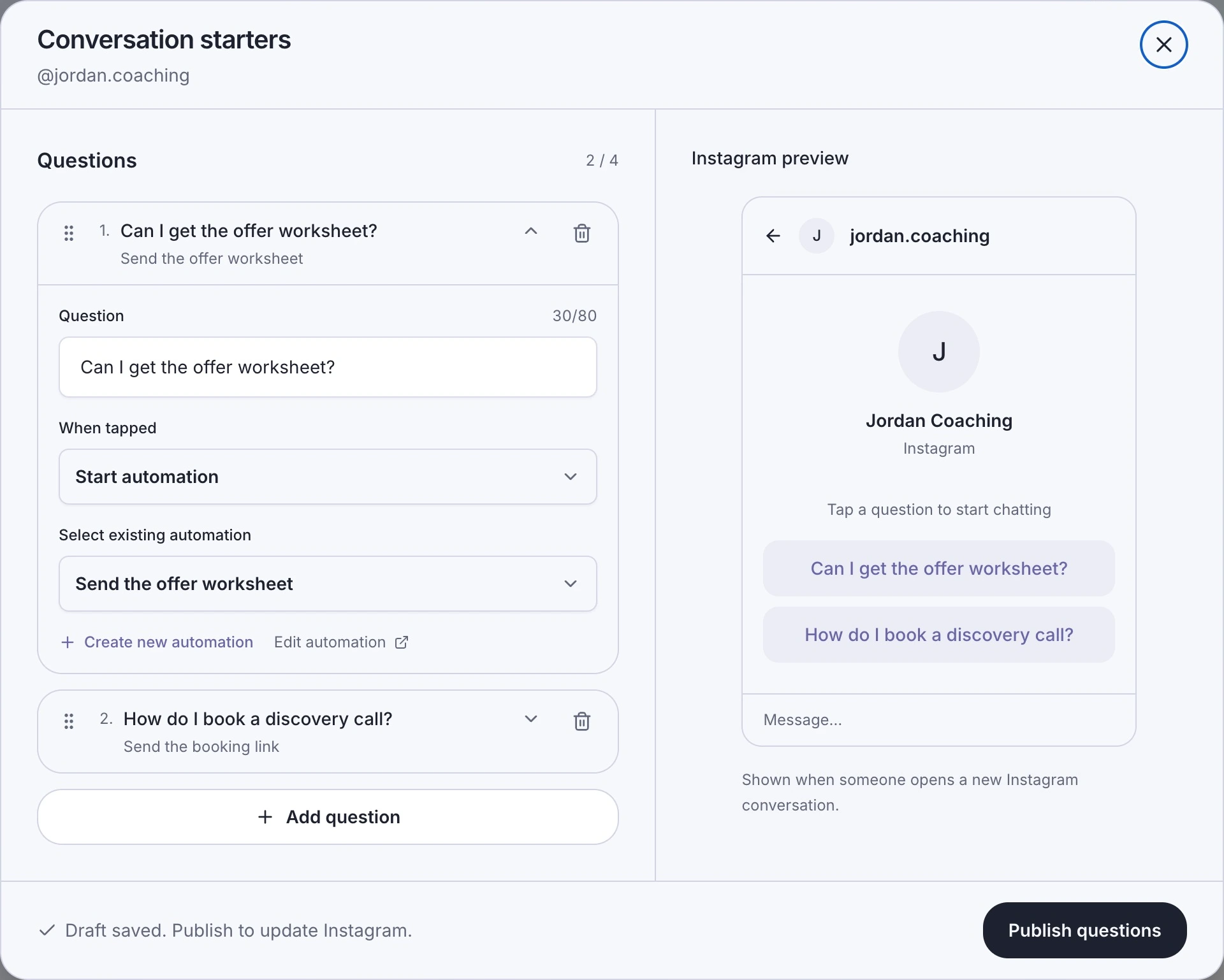
The preview shows two distinct requests. Publishing applies the questions and their selected actions to this Instagram account.
If the editor warns about questions already managed elsewhere, read the replacement warning. Publishing replaces that account’s existing question set, including localized questions covered by the warning. Resolve that choice before continuing.
The step-by-step guide also covers editing and removing the questions.
Test the tap from the visitor’s side
From another Instagram account, open a new conversation in the Instagram app and tap the worksheet question. Check the reply, open the link, and confirm that the worksheet is easy to find. Repeat for the booking question.
Typing the same question is a different event. The starter action responds to a tap on the published question. A normal typed message follows the message triggers you have configured separately.
If a tap does not produce the expected reply, check Activity and Inbox. Confirm that the selected workflow is published and compatible with the account, or that the agent is active and published. Pauses, usage limits, and messaging rules still apply. The delivery troubleshooting guide gives the next checks.
Open Automations and start with the two requests your prospects already make most often.