Send your webinar signup link from Instagram comments
Send a class signup page after a CLASS comment. Includes a growth coach’s workshop invitation, real editor settings, and checks for registration and late arrivals.
 LinkStack
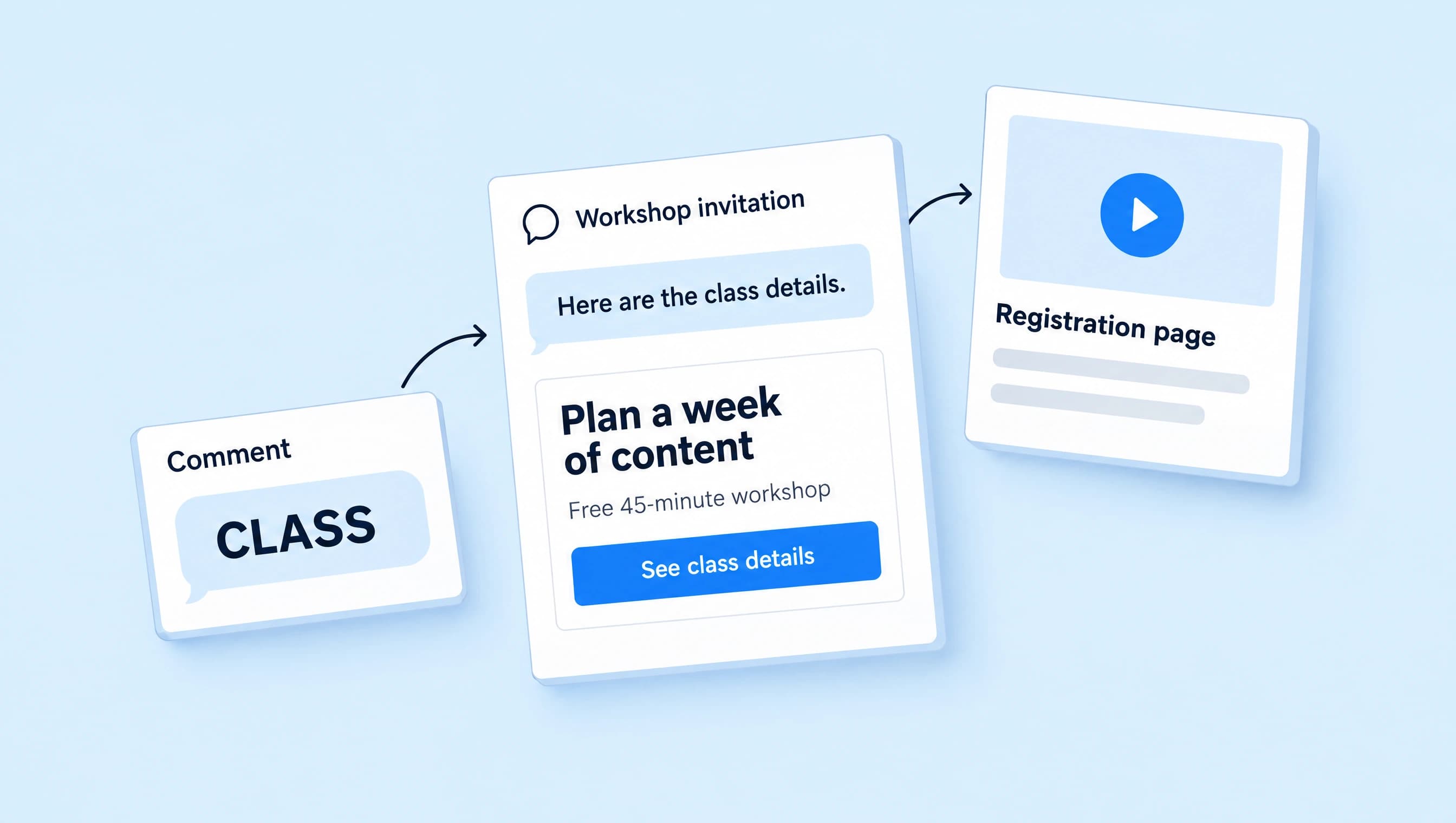
You can send a webinar registration page automatically when someone comments a keyword on your Instagram Reel. In LinkStack, connect a Post or Reel comments trigger to a Send Message step, then add a button that opens the signup page. The viewer still needs to complete the form to register.
Set up the workflow for a growth coach promoting Plan a week of content, a free 45-minute workshop. A viewer comments CLASS, receives the class details in a DM, and chooses whether to sign up on the registration page.
Give the Reel a useful job
Teach one part of the workshop in the Reel. For a content-planning class, you might show how to turn one customer question into three post ideas. Then explain what viewers will do in the full session:
Want to plan your next week of content with me? Comment CLASS and I’ll DM you the details for my free 45-minute workshop. You can check the time and register on that page.
This invitation tells viewers what they are asking for. Keep CLASS tied to this workshop on this Reel. If you also use it for an unrelated offer, someone can receive a message that makes no sense after the video they just watched.
Put the date and timezone in the caption when you announce a live session. If you offer a replay, say so only when you have decided who can access it and for how long.
Check the registration page before sending traffic
Open the public signup URL on your phone while signed out. Someone arriving from a short video should be able to answer these questions without searching:
| What they need to know | What to put on the page |
|---|---|
| Is this the class I asked about? | “Plan a week of content,” matching the Reel and DM. |
| Is it useful for me? | Who the session is for and what attendees will work on. |
| Can I attend? | Date, start time, timezone, and 45-minute duration. |
| Does it cost anything? | A clear price, or “Free” if there is no charge. |
| What happens after I register? | How joining instructions arrive and where to look for confirmation. |
| Will I get a replay? | Your actual replay policy, including any access deadline. |
Submit a test registration using an address you control. Check that it appears in your registration tool and that the joining instructions arrive. A working page with a broken confirmation email leaves attendees with no way to join.
Use the public registration URL in the automation. A webinar host’s dashboard URL may work for you while sending everyone else to a login screen.
Match CLASS on the right post
Connect an Instagram Business or Creator account, check the current automation limits, and open Automations. Create a workflow with Post or Reel comments as its trigger and a Send Message step after it.
Name it “CLASS · Content planning workshop.” In the trigger, select Words, enter CLASS, and press Enter. Remove starter keywords that belong to another offer.
Choose Specific post if your workshop Reel is already live. For a Reel you have not posted yet, select Next post, publish the workflow first, then publish the intended Reel. The next post needs to be the workshop invitation.
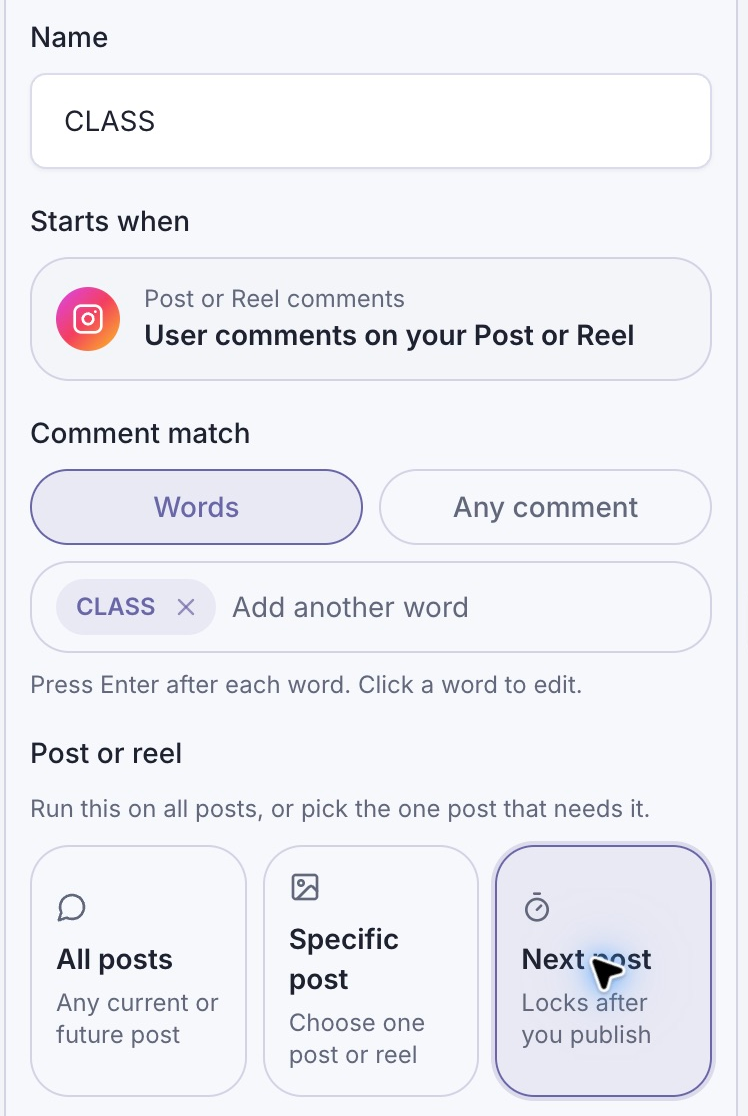
Next post is selected for this upcoming workshop Reel. Choose Specific post for an existing one.
Leave the public reply off for this workflow. If you add one, use wording such as “Sent the class details. Check your DMs.” A public reply should not tell someone they have a place before they register.
The comment-to-DM setup guide covers account connection, trigger settings, and testing in more detail.
Send an invitation with one clear button
Use the Send Message Text block to explain what the button opens:
Here are the details for Plan a week of content, my free 45-minute workshop. Check the date and time, then register on the page to get your joining instructions.
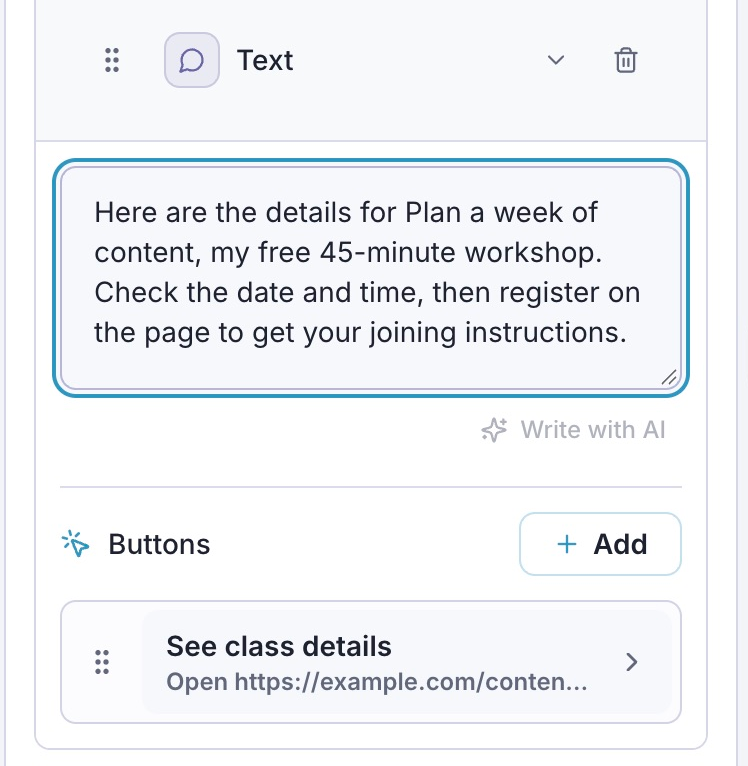
The DM asks the viewer to register on the page. It does not confirm a signup.
Add a button with See class details as its Button title. Under When this button is pressed, select Open website, paste your registration URL into Website URL, and click Done.
If you manage that destination as a saved Link, you can select Open Link instead. Check that it points to this workshop’s registration page. Keep the first message focused on the request; a second button for an unrelated offer competes with the signup you just invited.
Test the message and the signup separately
Run Check, then inspect the message in Preview. These checks help you find configuration and copy problems. Preview is simulated and does not establish that a real DM arrived.
Use the draft’s Test flow with a second Instagram account to check the message path. After publishing, leave a fresh CLASS comment on the selected Reel to check the actual trigger. If you used Next post, confirm that it has attached to the intended Reel.
Open the button in the received DM and repeat the registration check. Confirm the class title, date, timezone, form submission, and joining instructions. Record each result where it happens:
- Automation Activity: did the comment start the workflow, and what happened to the message?
- Available click reporting: did someone open the destination?
- Registration tool: did they finish signing up for this session?
A delivered DM and a completed registration answer different questions. If delivery works but the form fails on a phone, repair the form before changing the Reel’s invitation. If the form works but the wrong workshop opens, correct the button destination.
Decide what late commenters should receive
A Reel can keep getting comments after the class ends. Before promoting it, choose what should happen when registration closes.
You can keep the same destination and update the page to say registration is closed, with an available replay or a clearly described next-session waitlist. Update the Reel caption and DM if their promises no longer match. If there is no useful next step, pause the workflow and update the caption so it stops inviting requests you will not fulfill.
For the next live session, check the whole path again. Confirm the date, timezone, keyword, target Reel, and public URL before reusing the workflow. Keeping a dated offer accurate is part of running this automation.