
Websites like Linktree: choose a tool for the work you do
Compare LinkStack, Linktree, Beacons, and Stan Store around your actual work: sharing links, selling downloads, sending DMs, or pitching brands.
LinkStack, Beacons, and Stan Store are worth comparing if you're looking for websites like Linktree. The useful question is what you need your page to do after someone lands on it. A creator sharing a weekly video has different needs from someone selling a course or sending affiliate links from Instagram comments.
Start with the task that brought you here. Keep your current page open while you compare; it gives you a real set of links to test.
Match the tool to your next task
| What you need | A sensible place to start | What to check |
|---|---|---|
| A public page with your main destinations | Linktree or LinkStack | Mobile layout, editing, and the links you use most |
| A creator store with email and brand-pitching tools | Beacons | Product setup, email allowances, and media-kit details |
| A store for downloads, courses, or bookable calls | Stan Store | Checkout, delivery, and the tools included in your plan |
| A bio page connected to managed affiliate links and Instagram workflows | LinkStack | Destination routing, automation allowances, and account access |
These are starting points for a trial. The products overlap, and a feature appearing on a marketing page does not establish what your account can use.
Linktree: check what your current page can already do
If you like your Linktree, check its current features before rebuilding. Linktree supports digital products and courses as well as outbound links. Its digital-product guide explains Stripe setup, eligible countries, and plan requirements for selling. Free downloads remain an option when paid selling is unavailable in a country.
For a straightforward page, use a simple test: can a new visitor find your main offer, open it, and understand what happens next? A messy link order is something you can fix before changing platforms.
LinkStack: connect your page to the links behind it
LinkStack puts bio pages, managed Smart Links, products, and Instagram automations in one account. A Smart Link can use supported app opening with a browser fallback, while eligible routing settings handle different destinations. App opening depends on the destination, device, and installed apps.
Consider an outdoor creator whose Reel mentions a microphone. Their bio page can carry an evergreen gear link, while a comment workflow sends that specific microphone link in a DM. When checking performance, they can inspect the link's traffic and routing alongside the page and automation.
For the shared-link setup, see how LinkStack connects bio pages and Smart Links.
Feature access still matters. Check LinkStack plans for your allowances and the functions you need. Media kits are currently invite-only, and email broadcasts require Growth. A signup alone does not unlock the media-kit beta.
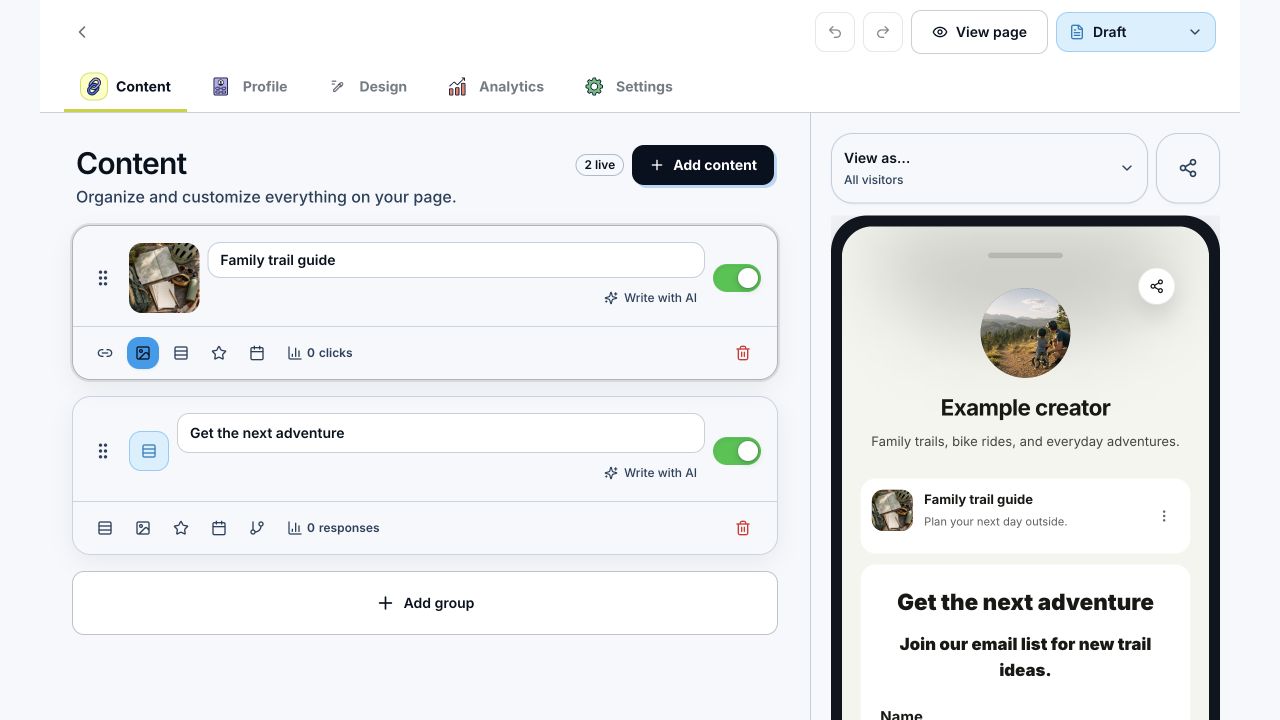
The bio editor keeps the content list beside its page preview. This example combines a guide link and an email signup form.
Beacons: compare its store and brand tools together
Beacons combines a link-in-bio page with a creator store, email marketing, and a media kit. Its Smart Reply product also supports Instagram comment-to-DM workflows.
It belongs on your shortlist when you want those jobs in the same platform. During a trial, add one of your real products, inspect the delivery flow, and check the email and transaction terms for the plan you're considering. If sponsorships are your priority, build a sample media kit with the statistics you actually plan to share.
Stan Store: test the purchase and delivery flow
Stan's store setup guide covers downloads, courses, memberships, and booking pages. It also supports external links, so your existing content can sit alongside paid offers.
For a downloadable guide, examine the whole transaction: the description, checkout fields, confirmation page, and delivery email. Stan's download guide explains file uploads and delivery by URL, with some additional selling tools restricted by plan.
A store trial is most useful when you try the kind of product you intend to sell. A polished empty page won't tell you whether the delivery works for your files.
Move one working offer first
Write down your must-have destinations and the action each should invite. Rebuild the most important offer first, then check the page on your phone. Open every link, read the checkout copy, and confirm that private download files aren't exposed through a public button.
Compare the total cost for your expected use, including transaction fees, email sends, and automation usage where applicable. Keep old destinations working while you update profile links and scheduled content.
To try this in LinkStack, follow Create your first bio page. Start with the page your audience needs today, then open Link in Bio to build it.