
Amazon Associates vs. Influencer: storefronts and Creator Hub
Understand Amazon Associates, Influencer storefronts, and Creator Hub, then share the right Amazon destination through LinkStack.
Amazon Associates is Amazon's affiliate program: you recommend products through tagged links and can earn from qualifying purchases. The Amazon Influencer Program extends Associates for qualifying social creators. Its tools include a public Amazon page for recommendations. Amazon Associates and Amazon's program comparison explain that relationship.
Check the tools available in your own account before treating a storefront as the dividing line. Amazon's April 14, 2026 update says storefront and Unique Creator Link access is no longer limited to Influencer Program participants. Having a storefront alone does not establish which other creator features you can use. Amazon's policy update
Pick the destination your reader needs
A product link suits a specific recommendation. If someone asks which microphone you use, send them to that microphone.
A themed list suits a question with several answers, such as what to pack for a family day hike. Your storefront gives people a broader place to browse your recommendations. Amazon supports both a creator page and individual product links; you can use the destination that matches the post. Amazon's product-link guidance
Keep a copy of the full link Amazon gives you, including its tracking parameters. A storefront URL, a product URL, and a tracking ID do different jobs. Renaming a button in LinkStack changes its label; it does not create an Amazon affiliate account.
Find Amazon Creator Hub
Creator Hub is part of Amazon's creator workflow. Amazon's video-upload instructions direct eligible creators to their storefront's owner view on desktop, then Add to your storefront, then Videos. Use the account that owns the storefront. Amazon's Creator Hub instructions
To review existing content, Amazon directs creators to Manage Content in the storefront's owner view. That area includes content status and moderation feedback. Manage Amazon content
Copy a public storefront or content link for your audience. Keep the owner-management screen for your own work.
Add your storefront to LinkStack
For one storefront, start with one destination:
- Open Links, paste your full storefront URL into Destination URL, and choose Create link.
- Set Affiliate program to None if you want to preserve and manage the storefront destination yourself.
- Enter a clear Link title, such as "My Amazon storefront." Leave Slug blank for an automatic ending, or use a custom ending if your account supports it.
- Choose Create link, then Customize link to review the saved destination.
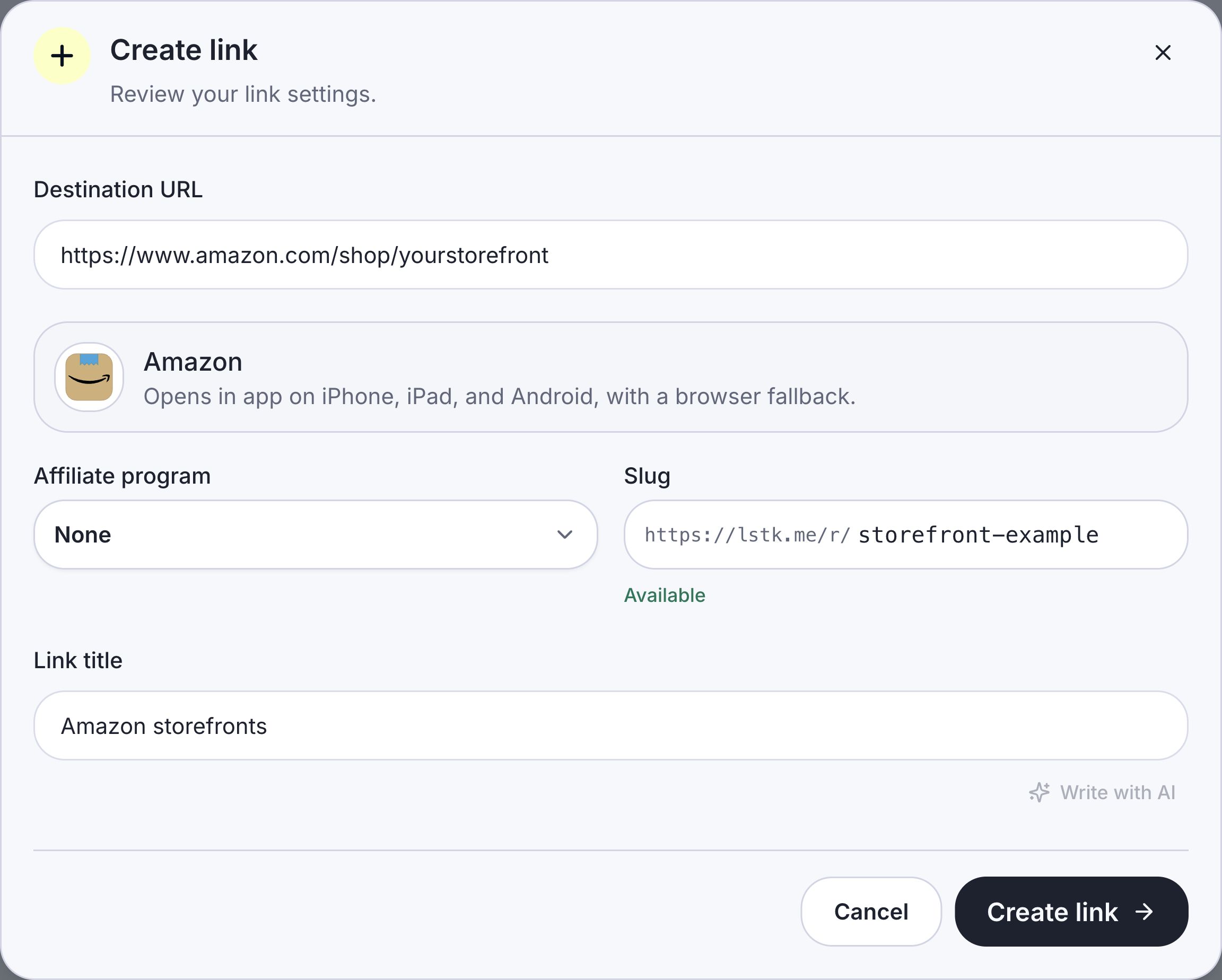
For a storefront you will manage manually, choose None. The storefront URL and custom ending shown here are examples.
Leave Geo routing off if everyone should reach that one storefront. You can add the saved Link to your bio page and keep its routing and click reporting together.
Share regional storefronts with one Link
If you already have storefronts in several countries, add each full URL under Geo routing. Set a primary destination for visitors whose country has no active match. Use the regional storefront walkthrough for the exact controls and test steps.
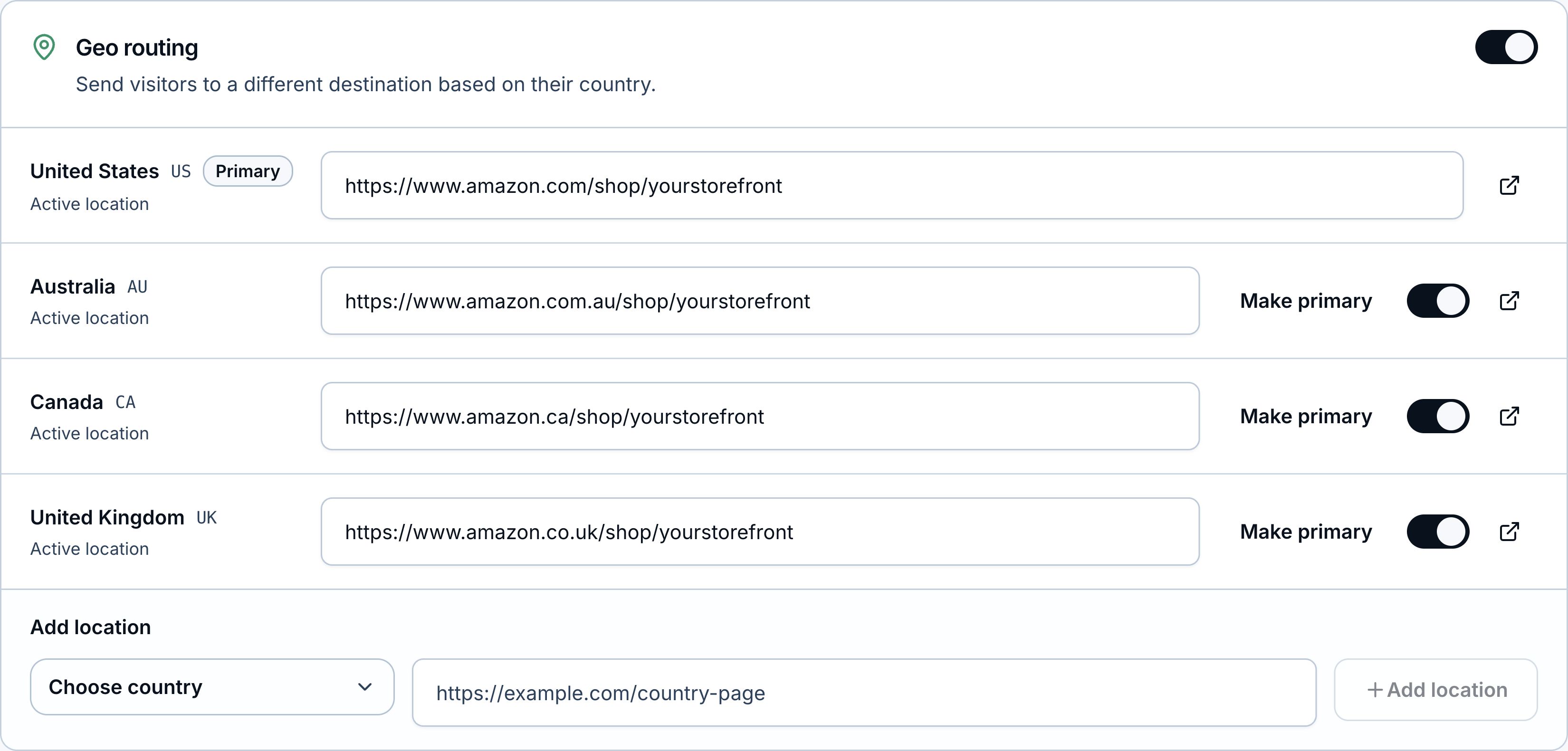
Each row needs your actual local storefront URL. Primary is the fallback when there is no active country match.
LinkStack does not create local storefronts. Changing the domain in a US storefront URL does not establish that you own the same page elsewhere.
Product links have a separate workflow. A saved Amazon program can reuse your configured marketplace tags across Links, subject to your plan's program allowance. Review each generated product destination: a local search result is not a confirmed equivalent product, and LinkStack does not monitor stock after setup.
Amazon also has its own free geo-redirection tool, OneLink. Follow Amazon's OneLink setup if you use it; do not assume a LinkStack country row configures OneLink or grants marketplace eligibility.
Keep the destination and disclosure clear
Use a button label that identifies Amazon. Amazon prohibits using shortened links or buttons in a way that hides that the destination is Amazon. Register the sites you use with the program. Amazon also excludes purchases reached through an intermediate site that redirects visitors without requiring a click or another affirmative action there. Check the actual route before using a managed link; a clear button label alone does not settle commission eligibility. Amazon participation requirements
Amazon requires a disclosure near affiliate links and the following statement clearly on your site: "As an Amazon Associate I earn from qualifying purchases." Amazon disclosure guidance
Before sharing, open the Link on a phone and desktop. Supported mobile links can attempt to open Amazon Shopping; success depends on the device, browser, settings, and installed app. A successful app opening or a recorded LinkStack click does not confirm commission attribution. Amazon decides which purchases qualify. Amazon commission rules
Copy the saved public Link from Quick access when you're ready to share it.