
How to add a Link to your bio page
Send bio taps through a Link so routing, fallbacks, and analytics stay connected.
5 min read
In this article
Why use Links in bio
A regular URL sends visitors straight out. A Link can route by country or device, try app handoff, and record cleaner click data.
Steps
During bio onboarding, use the same Create link form in the Content step. Cancel closes the modal without creating a Link; save errors keep your edits so you can retry.
- Open Dashboard, then Bio.
- Choose the bio page you want to edit.
- Click Add card.
- Choose Link.
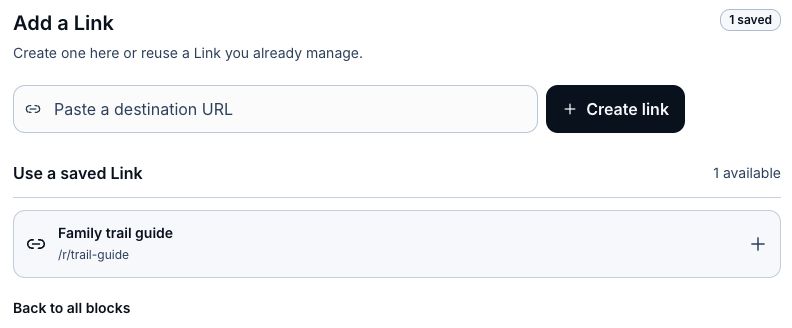
- Pick a saved Link, or paste a destination and choose Create link.
- In the modal, check the detected app or browser fallback, set the Link title, and choose an affiliate program or None.
- Set an available slug if you have Growth or existing custom-slug access, or leave it blank for an automatic ending.
- Choose Create and add Link. The new Link is attached to your bio page using the title you entered.
- Edit the button title so it reads clearly on mobile.
- Save the page. Publish separately when you are ready for visitors to see it.
Check after adding it
- Open the public page in a new tab.
- Tap the button once from mobile if app handoff matters.
- Confirm the destination still feels right for desktop traffic.
- Watch analytics after real traffic starts coming in.
Related articles
Still need help?
Support & feedback