LinkStack vs. LinkTwin: bio pages, leads and sales
Compare LinkTwin's links, bio pages and email capture with LinkStack's Instagram automations, digital products and email workflows.
LinkTwin includes bio pages, contact forms and email capture alongside its deep links and QR tools. LinkStack is a fit when you also want Instagram replies, product checkout and email follow-ups in the same account.
For a fitness coach sharing a training planner, the choice depends on how people receive it. A bio page can send visitors to the planner and collect inquiries. A comment-to-DM workflow can start the exchange from a Reel, ask for an email and deliver the link after a reply.
What LinkTwin includes
LinkTwin's bio builder supports product and course blocks, booking links, contact forms and email signup. Contact messages can go to its form inbox, and email signups can be forwarded to services such as Kit or Mailchimp. Product blocks can send people to your offer; check where checkout and file delivery happen in your setup.
Its Free plan includes one bio page, 10 links and 500 monthly clicks. Contact messages and email subscribers can be saved in the LinkTwin account. Paid plans add features such as form notifications and email forwarding. Small costs $19 monthly or $168 billed yearly, equivalent to $14 a month.
LinkTwin also offers app-opening links, QR codes, click analytics and developer tools. Those are useful reasons to consider it, alongside the bio and lead tools.
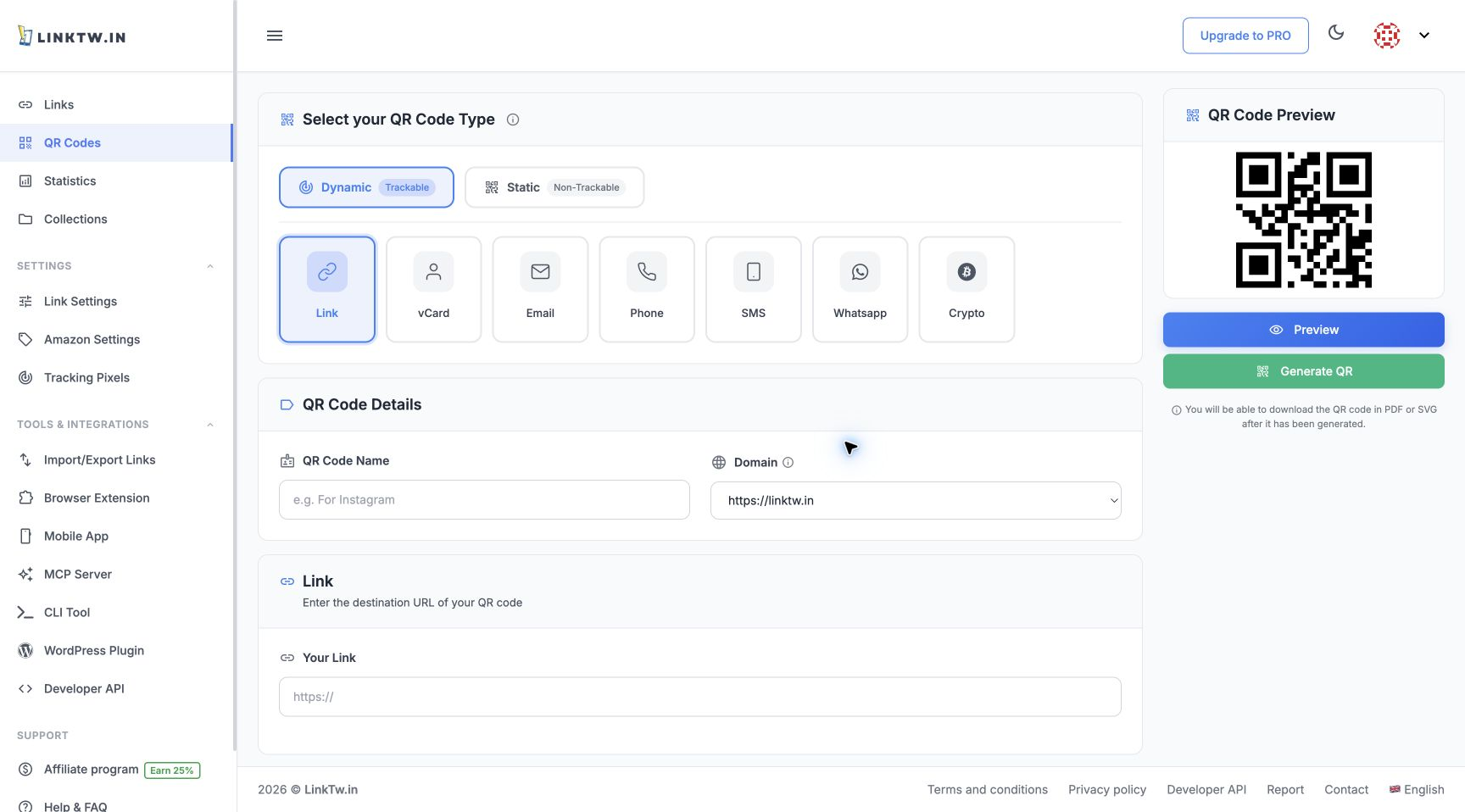
The July 2026 capture shows LinkTwin's QR controls. Its current bio and lead features are described above.
Where LinkStack fits
LinkStack supports Instagram comment, DM and Story reply workflows, including email collection. Connect an Instagram Business or Creator account and grant the required permissions. The comment-to-DM guide covers sending a planner link from a comment keyword.
For paid planners, LinkStack's digital products provide a product page, connected Stripe checkout and file delivery. Marketing email workflows require Growth, saved sender details and eligible subscribed contacts. The email setup guide explains those requirements.
| What you need | What to compare |
|---|---|
| A bio page with an inquiry form or email signup | Include LinkTwin's current bio tools in your shortlist. Check how submissions reach your existing email service. |
| A Reel comment that starts a DM and shares a planner | LinkStack provides the Instagram workflow, saved contact and link in one account. |
| Checkout, planner delivery and a follow-up email sequence | LinkStack provides checkout and file delivery; Growth adds marketing email workflows. |
| API, command-line or WordPress link creation | Review LinkTwin's listed developer tools against the integration you need. |
Compare the cost of the whole setup
LinkStack's product plans are Free, Starter at $9.99 a month and Growth at $29.99 a month. LinkStack selling fees are 10%, 5% and 0%, respectively; Stripe processing fees apply on every plan. Annual subscriptions cost $99 for Starter or $299 for Growth. Check the current plan allowances against your expected usage.
If you forward LinkTwin signups to an email service, include that service's plan in the comparison. Test the path from signup to the first email before moving an existing list.
LinkTwin is worth comparing for a bio page, lead forms and app-opening links. To build a planner workflow with LinkStack's Instagram replies, checkout and email follow-ups, open Links and save your planner destination first.
Public features and prices checked October 17, 2026. The QR screenshot was captured in July 2026.