Product-Aware Replies: Send the Right Link When Someone Asks
Product-Aware Replies detect when someone is asking about a product, choose the right Smart Link, and use confidence scores to decide whether to send, wait, or skip.
A lot of creator automations start with one word:
LINK
That works.
Until it does not.
Because people do not always comment the exact word you told them to comment.
They say:
- "seat?"
- "what camera is that?"
- "where did you get that setup?"
- "send me the pajamas"
- "what mic are you using?"
- "link please"
Same intent.
Different words.
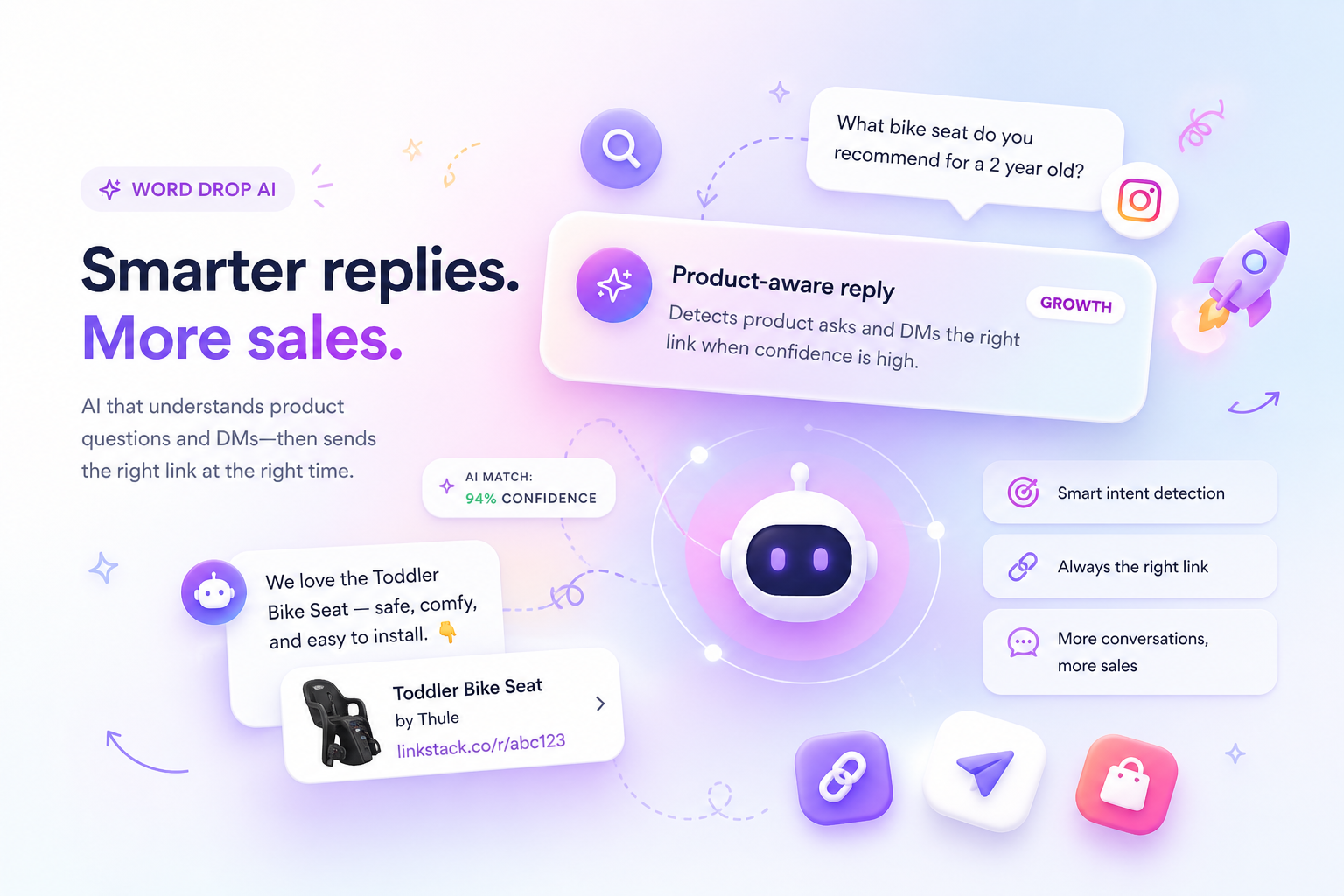
That is why LinkStack built Product-Aware Replies.
They detect when someone is asking about a product, figure out which Smart Link fits, and send the right reply when confidence is high.
Not just any link.
The right one.
The problem with keyword replies
Simple automations are useful.
Someone comments "link."
You send a link.
Done.
But product questions are messier than that.
A single post might show:
- a toddler bike seat
- a helmet
- a camera
- a mic
- pajamas
- a backpack
If someone comments "where did you get that?", a normal keyword automation has no idea what "that" means.
If someone comments "camera?", a generic reply might send the bike seat.
If someone comments "don't DM me", a bad automation might still send the message.
That is how helpful automation starts feeling like spam.
Product-Aware Replies are built to be more careful.
How Product-Aware Replies work
Instead of one generic response, you attach the products shown in a post.
Each product gets its own Smart Link, button text, DM message, optional public comment reply, and comment phrases.
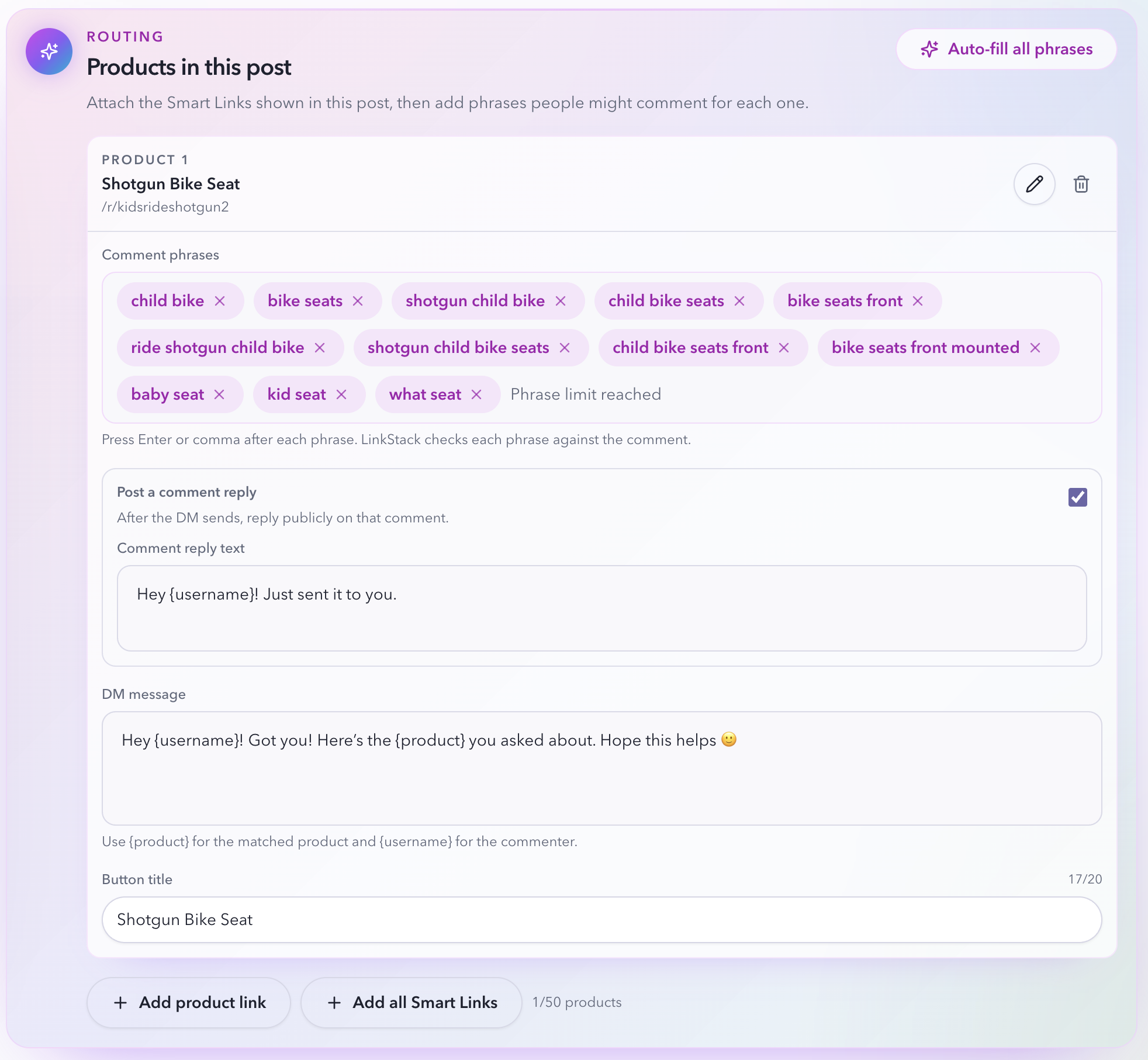
The creator controls the map:
- this product goes to this Smart Link
- these phrases usually mean this product
- this is the DM people should get
- this is the button label
- this is what we should say publicly after the DM sends
LinkStack can also auto-fill phrases from product metadata.
So instead of forcing your audience to say the perfect keyword, you give the system enough product context to understand normal comments.
How LinkStack decides if someone is asking for a link
Product-Aware Replies do not fire on every comment.
The system first checks whether the comment looks like a real product or link request.
It watches for intent like:
- "link"
- "send"
- "details"
- "where did you get"
- "where is it from"
- "shop"
- "buy"
- "need this"
It also blocks negative intent.
So comments like these do not send:
- "don't send me this"
- "do not DM me"
- "no link"
- "not interested"
- "stop messaging"
- "spam"
That matters.
The goal is not to reply more aggressively.
The goal is to reply when the person actually wants the link.
How LinkStack chooses the right product
LinkStack starts with a fast match.
It compares the comment against:
- product phrases you added
- product labels
- Smart Link titles
- product metadata
- brand
- category
- aliases
If someone says "baby seat" and you mapped that phrase to the Shotgun Bike Seat, the match is clear.
If someone says "camera?", it can route to the camera link.
If two products are plausible, LinkStack does not guess.
It marks the comment as unclear and waits.
That is the difference.
Fast when obvious.
Careful when fuzzy.
Where AI fits
AI helps when the comment is natural, messy, or incomplete.
It looks at the comment, the post context, and the products you mapped.
Then it answers:
- Is this person asking for a link?
- Is this a specific product ask?
- Which mapped product is most likely?
- How confident is the match?
- Should this send, wait, or skip?
The AI cannot invent links.
It can only choose from the Smart Links you attached.
That keeps the system grounded.
If the creator did not map the product, LinkStack should not make one up.
Confidence is the safety layer
Every product-aware match gets a confidence score.
That score decides what happens next.
Current defaults:
- below 65 percent: skip
- 65 to 87 percent: hold for review
- 88 percent and up: eligible to send automatically
Confidence is not just a number for a dashboard.
It controls behavior.
Low confidence means silence.
Medium confidence means the creator reviews first.
High confidence means LinkStack can move fast, depending on the mode.
Approval modes
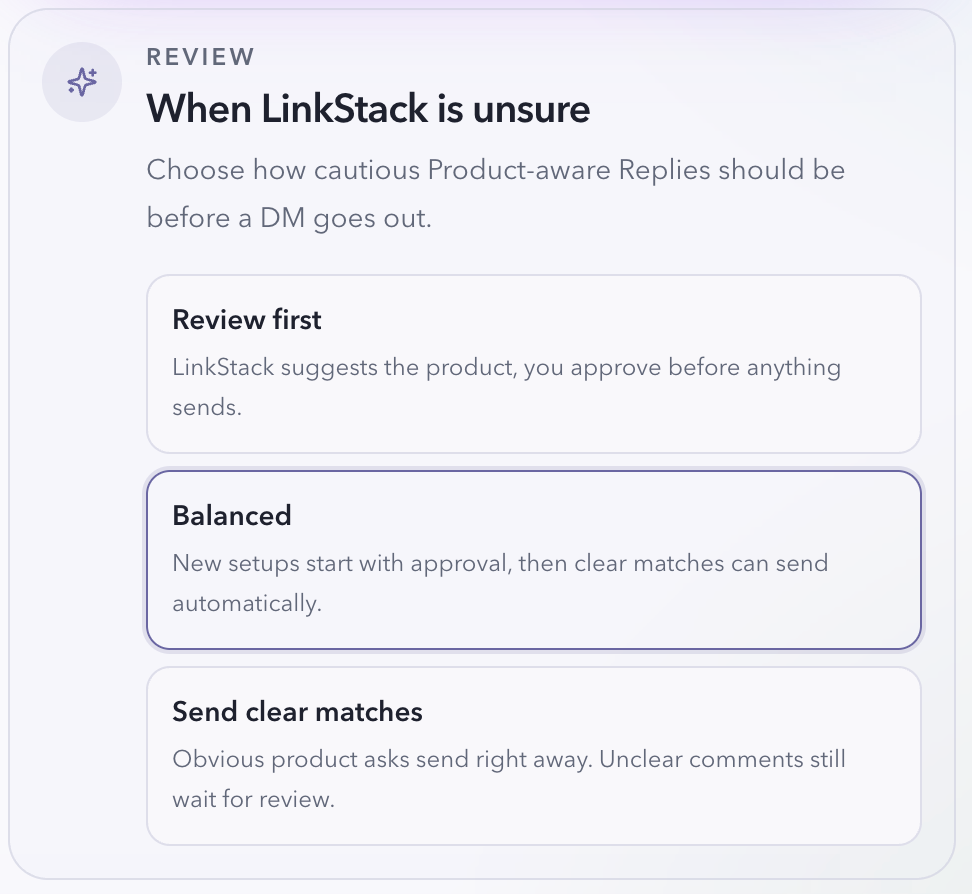
Creators can decide how cautious LinkStack should be.
Review first
LinkStack suggests the product.
You approve before anything sends.
Best for new setups, sensitive brands, or posts with lots of similar products.
Balanced
New setups start with approval.
After enough successful product-aware sends, clear matches can go automatically.
This is the safest default.
Send clear matches
Obvious product asks send right away.
Unclear comments still wait for review.
This is for creators who want speed, but still want protection from bad guesses.
What approval looks like
When LinkStack is unsure, it creates a pending product reply.
You see the original comment, the suggested product, the confidence score, the Smart Link, and the DM preview.
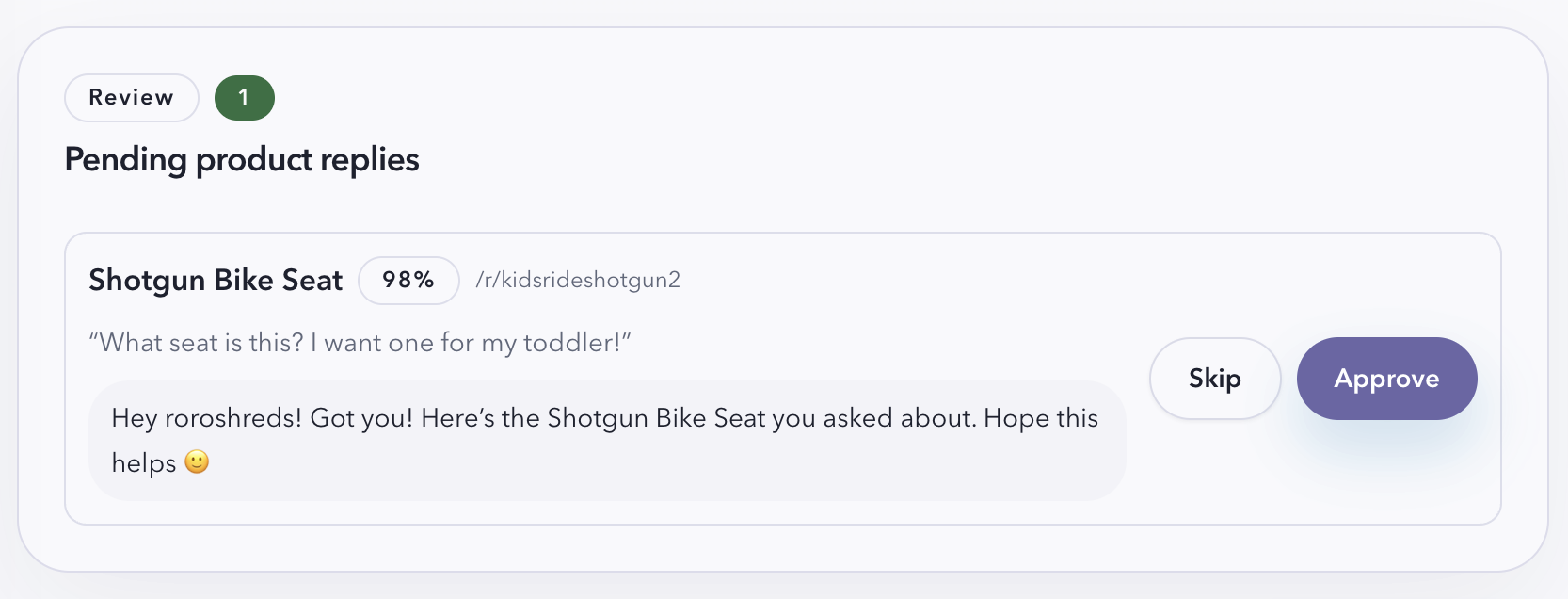
Approve sends the DM.
Skip leaves it alone.
No drama.
No digging through comments.
Just the decision that matters.
What gets sent
When a reply goes out, the message can use simple placeholders:
- {username}
- {product}
Example:
Hey {username}! Got you. Here is the {product} you asked about.
The button uses the matched Smart Link.
That means the click stays connected to the automation, the post, and the product that started the conversation.
The flow becomes:
Comment -> Product match -> DM -> Smart Link click -> Analytics
That is the real unlock.
Not just faster replies.
Cleaner attribution.
Why this matters
High-intent comments are easy to waste.
Someone asks about the thing in your post.
They are interested right now.
If you reply late, they may be gone.
If you send the wrong link, the moment gets weird.
If you send every link to everyone, you train people to ignore you.
Product-Aware Replies are built for the middle path:
- respond fast
- send the right Smart Link
- pause when unsure
- stay quiet when the comment is not a real ask
That is how automation should feel.
Helpful.
Not robotic.
The short version
Product-Aware Replies help creators turn natural product comments into the right Smart Link DM.
They use product mappings, comment phrases, metadata, AI intent detection, confidence scoring, and approvals to decide what should happen.
If the match is clear, LinkStack can send.
If the match is fuzzy, LinkStack waits.
If the comment is not asking for a link, LinkStack stays quiet.
Because the best automation is not the one that replies to everything.
It is the one that knows when to reply.