
How to set up country routing for a Link
Route visitors to the storefront or destination that makes sense for their country.
In this article
What country routing does
Country routing is available on Free within your plan's optimized-click allowance. It uses the detected visitor country to select an active destination saved on your Link. Advanced manual rules have separate plan requirements; a matching rule takes priority. See Pricing for current prices and optimized-click allowances.
Steps
- Open Links.
- Choose the Link you want to update.
- Open Routing.
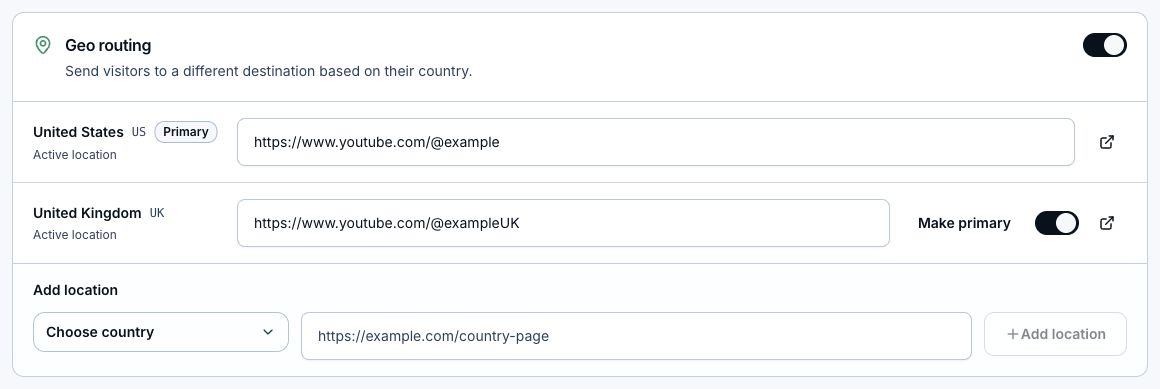
- Review the default destination first. This is where visitors without a matching country destination should land.
- Add or enable the country destinations you need.
- For Amazon, attach your program and use only stores where your enrollment applies and you have a valid local affiliate tag.
- Open each destination URL and confirm the product or search results, storefront, and affiliate tag.
- Save changes, then test from the preview tools or live link.
Check Amazon products before sharing
- LinkStack builds regional URLs using the same product ID (ASIN). It checks other storefronts where possible during setup; the original storefront is kept without that check.
- If another store appears unavailable and the source URL has search words, LinkStack can save a tagged local search-results URL. Search results are not a verified equivalent product.
- A blocked or failed check, or a missing product with no search words, can leave the same-ASIN URL marked unverified. Set a working local destination yourself when needed.
- LinkStack does not monitor stock after setup. Later clicks use the saved destination, so review your links when products change.
Fallbacks
Unless a manual rule applies, visitors without an active country destination use your default destination. This includes countries you have not configured. It does not automatically switch away from an out-of-stock product after setup or create affiliate tags for new markets. When Geo routing is enabled, a high fallback rate can help you decide which countries to configure next. Ordinary Links with Geo routing off do not create country-routing opportunities.
Combine the right store with app opening
Country routing chooses the destination first. App routing can then try to open that destination in a supported app, with a web fallback. Test on the phones and social apps your audience uses; app opening depends on the device, browser, and installed app.
Related articles
Still need help?
Support & feedback