
Let your AI agent learn from reviewed replies
Use approved and edited replies as wording examples, inspect recent feedback, and exclude examples that no longer fit.
3 min read
In this article
Check the learning setting
AI Agents require Starter or above. Reviewed replies can guide wording in future replies. Your current Instructions and Knowledge remain the source for business facts, rules, and permissions.
- Open AI Agents and choose the agent.
- In Settings, check Learn from reviewed replies. It is on by default.
- If you change this setting, save and publish the agent’s changes before expecting its live replies to use the new setup.
Give the agent a useful example
Learning uses a small selection of relevant eligible examples when generating a reply. It does not retrain the model or guarantee that every past correction appears in the next answer. Included examples can add input tokens to normal AI usage.
- Review a pending reply. Approve wording you would want repeated, or edit the reply before approving and sending it.
- When you reject an unsuitable reply, provide a specific reason if you want that feedback to guide later wording. An unexplained rejection is retained in history but is not used as a learning example.
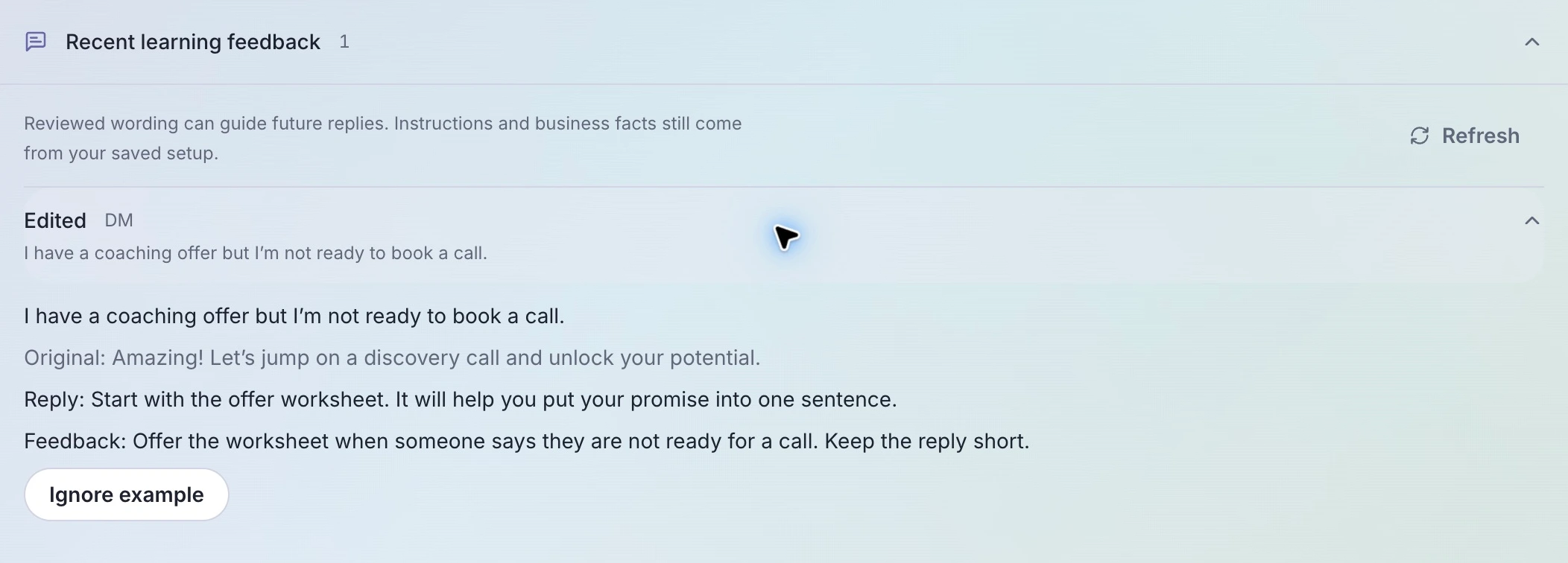
- For a prospect who says they are not ready for a call, an edited reply could be: Start with the offer worksheet. It will help you put your promise into one sentence.
- Put a lasting rule, such as never promising a guaranteed result, in Instructions. Put offer details and current links in Knowledge. Do not rely on an old reviewed reply to keep those facts current.
Inspect or exclude a reviewed example
Recent learning feedback shows up to 60 recent entries. Draft voice examples remain tied to their draft until that source version is published.
- Open the agent’s Activity tab and expand Recent learning feedback.
- Expand an entry to compare the incoming message, original wording, reviewed reply, and any feedback.
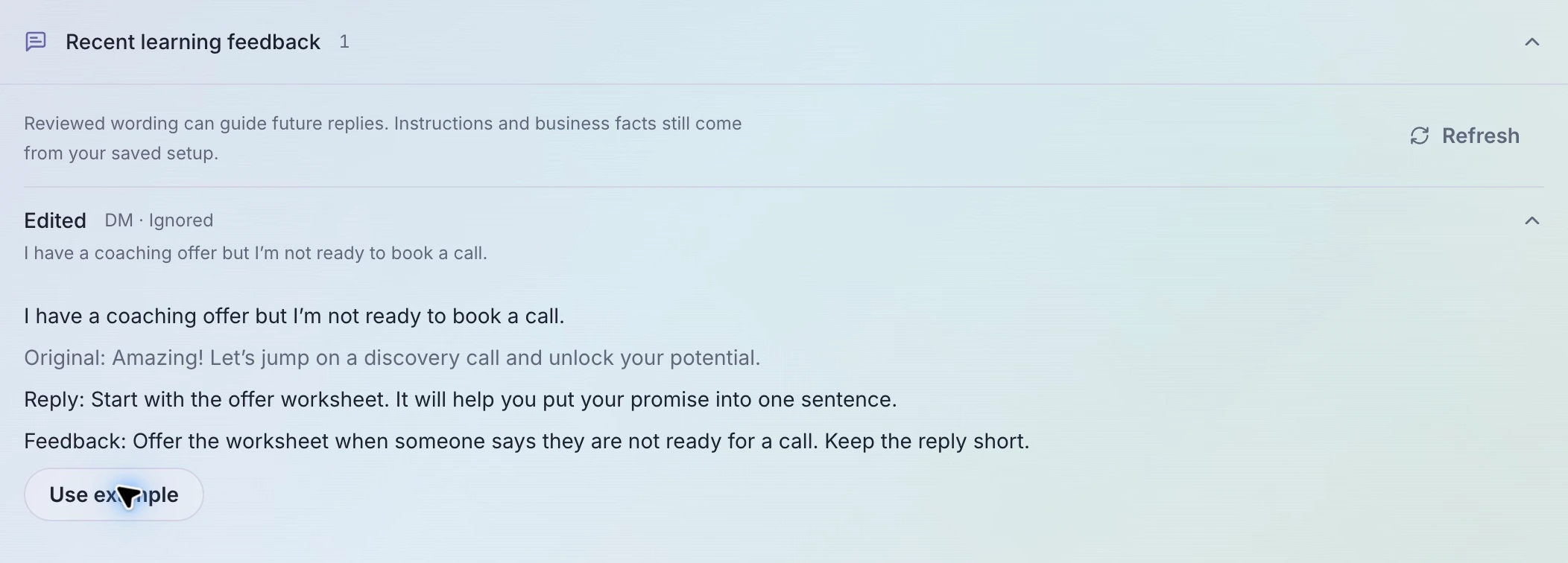
- Choose Ignore example if that wording should no longer guide future replies. This preserves the review record and does not undo a message already sent.
- Choose Use example to restore its eligibility. Other learning rules still apply; restoring an entry does not force the agent to use it.
Test a fresh version of the question
- Open Playground with the agent and ask a new version of the prospect’s question, such as I want to work on my offer before booking anything.
- Check that the reply respects the person’s request, uses the current offer facts, and follows your instructions. Test more than an exact copy of the reviewed message.
- If the behavior needs a lasting change, edit Instructions, or review an Improve AI proposal, then save and publish. A proposal is not applied automatically.
Related articles
Still need help?
Support & feedback