
How to view section analytics for link in bio
Open per-card analytics from the bio editor to see clicks, responses, and where they came from.
4 min read
In this article
Where to open it
In the bio editor, cards with activity show a small count button in the card toolbar. Link cards show clicks. Form cards show responses.
Steps
- Open Dashboard, then Bio.
- Choose the page you want to edit.
- Select the card you want to inspect.
- Click the clicks or responses count in the card toolbar.
- Choose a date range.
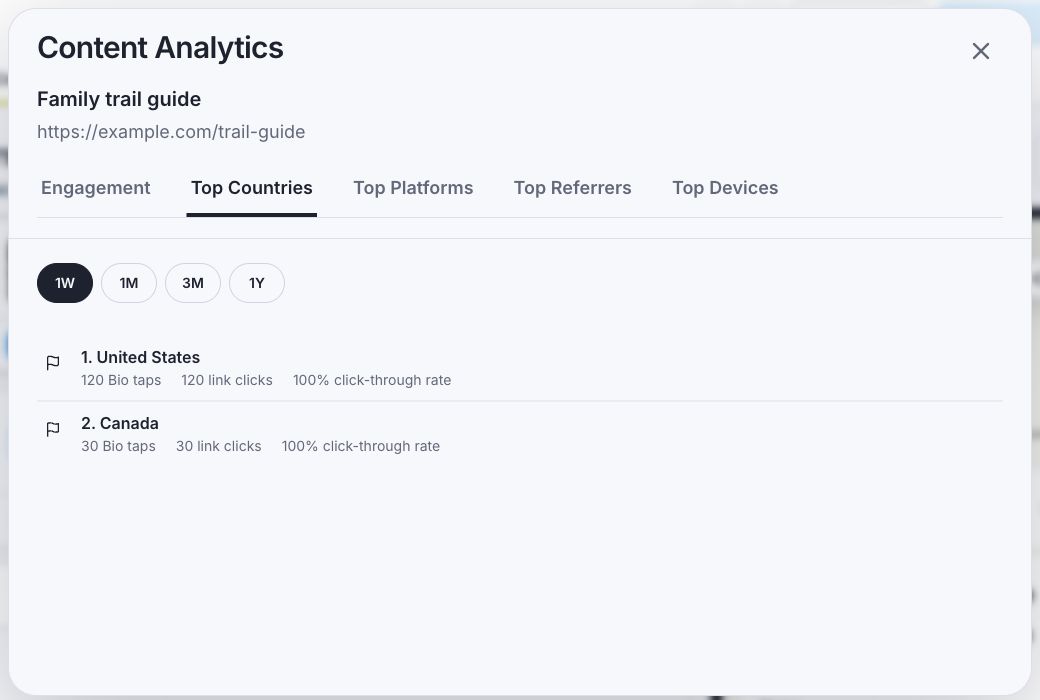
- Review countries, platforms, referrers, devices, and the conversion summary.
How to use it
- Move high-click cards higher.
- Rewrite cards with lots of views and few taps.
- Use country and platform data before adding rules.
- For forms, compare responses against page views before asking for more fields.
Related articles
Still need help?
Support & feedback