
How to recover started product checkouts
Use checkout-started triggers, a delay, and an email to follow up with buyers who began checkout but did not finish.
6 min read
In this article
Before you publish
- Open Settings, then Email.
- Add your sender name, contact email, and valid mailing address.
- Click Save sender details. The workflow cannot publish with a Send Email step until these details are complete.
What triggers it
The Digital product checkout started trigger fires when a customer begins checkout for an order that requires payment. The order total is known, but payment is still pending. Add a delay before emailing so the customer has time to finish.
Use the template
- Open Dashboard, then Automations.
- Click New automation.
- Pick the Abandoned cart email template. It is labeled Email and After cart abandonment.
- Open the Checkout started trigger.
- Choose any product or selected products.
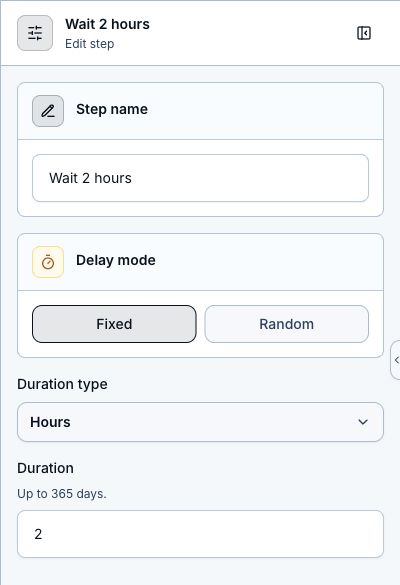
- Adjust the Delay step. The template waits 2 hours.
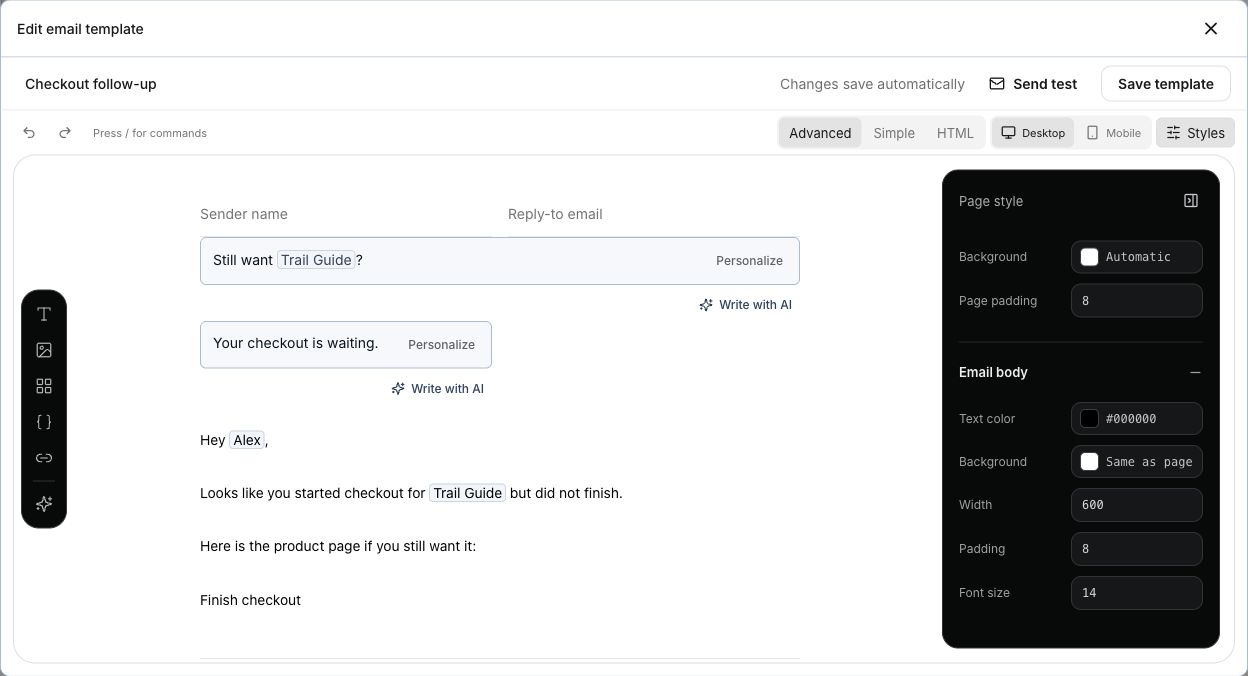
- Open Send Email, choose the email template, then use Edit to change its subject, preview text, and body.
- Keep {{product_url}} in the email so the buyer can return to the product page.
- Save, test, and publish the workflow.
Keep it human
- Do not email instantly. Give the buyer time to finish on their own.
- Use one clear link back to the product page.
- Avoid pretending you know why they left checkout.
- LinkStack skips the Send Email step if the contact unsubscribed, is blocked, has no email, or is suppressed after a bounce or complaint.
- Tag recovered or abandoned-cart contacts only when that tag will help future follow-up.
Related articles
Still need help?
Support & feedback