
How to archive and unarchive a link
Clean up old Links without losing them forever, then restore them when a campaign comes back.
4 min read
In this article
What archive does
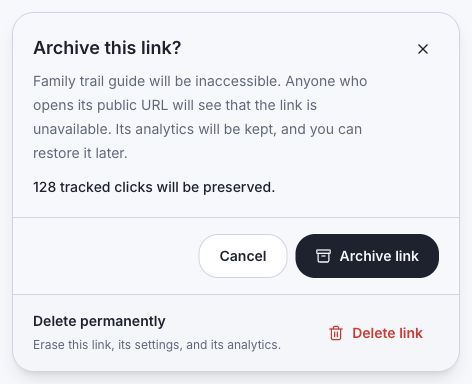
Archiving sets the Link inactive, stops routing and optimization, and moves it out of the normal Links list. Archived links do not count toward your active link limit, and you can restore them later from Archived links.
Archive steps
- Open Links.
- Choose the Link you no longer want active.
- Click Archive.
- Confirm the action.
- Check Archived links if you need to find it later.
Restore steps
- Open Archived links.
- Search by title, slug, destination, or public Link URL if needed.
- Click Restore.
- Open Links and confirm the Link is active again. Restored links count toward your active link limit.
When to use it
- Archive expired campaigns, old drops, discontinued products, and test links.
- Restore when a product comes back or a campaign repeats.
- Do not archive a link that is still shared in an active bio, email, QR code, or paid campaign.
Related articles
Still need help?
Support & feedback