
Create your free LinkStack account
Open the homepage signup popup and get started with Apple, Google, or email.
In this article
Open signup
Choose Sign up in the homepage header or any Start free button, including the buttons beside each feature. Signup opens in a popup over the homepage. No credit card or bio handle is required.
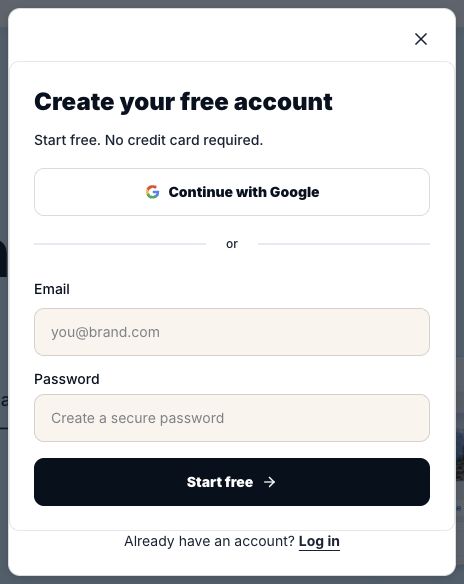
Create your account
If your email already has an account, choose Log in. Magic links are available from login for existing accounts only; create a new account with Apple, Google, or email and password. With Apple, Hide My Email uses a relay address; keep using the same Apple Account for that workspace. If you signed up another way, use that original sign-in method to avoid a separate account. Your password manager can fill your email or suggest a password.
- Choose Continue with Google or Continue with Apple and finish signing in with that provider, or enter your email and a password of at least eight characters and choose Create account. Use Show to check the password if needed.
- If asked to confirm your email, open the confirmation link in your inbox. Keep the signup popup open to continue automatically. You can resend after a minute or choose Change email to correct the address. If automatic checking pauses, confirm your email and choose Continue to log in.
- Your dashboard opens after authentication. Choose your bio handle when you create a bio page.
Open a product from a guide or blog post
Product links in how-to guides, FAQ answers, and blog posts open the signup popup if you're logged out. Finish signup, or choose Log in if you already have an account, to continue to the screen you selected. If you're logged in, the link opens that screen directly. Your account's feature and plan limits still apply. Public guides, pricing pages, and external sources open normally.
Keep browsing or use the full page
The page stays fixed behind the signup popup. On a short screen, scroll inside the popup to reach its controls. Use the close button, press Escape, or click outside the popup to return to the same place. Each homepage feature's small Learn more link opens its feature page. Opening a signup button or signed-out product link in a new tab takes you to the full signup page and preserves the destination you selected. Full signup and login pages have a LinkStack logo that returns to the homepage and an account-switch link that preserves your destination.
Related articles
Still need help?
Support & feedback