
How to set up TikTok and other Link pixels
Use the provider's own ID format, save the pixel once, and assign it only to the Links that need it.
6 min read
In this article
Set up TikTok
- Copy the Pixel ID from TikTok Events Manager.
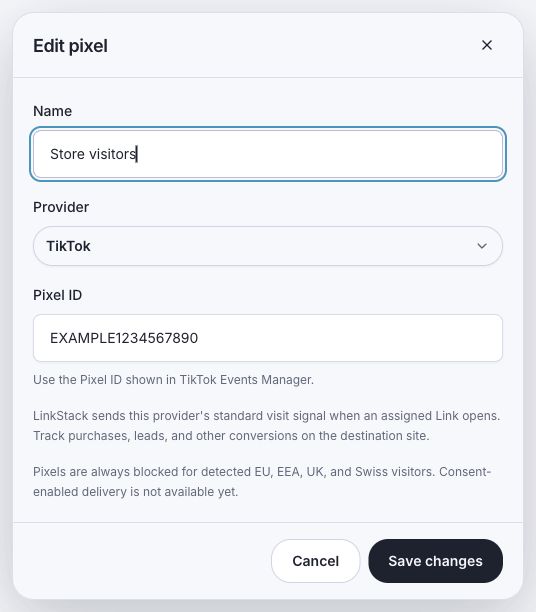
- Open Links, choose Pixels, and click Add pixel.
- Choose TikTok, add a clear name, and paste the Pixel ID.
- Save the pixel and assign it to the intended Links.
- Test the public Link and look for TikTok's standard PageView.
Other supported providers
LinkStack also supports LinkedIn, X (Twitter), AdRoll, Quora, Pinterest, Bing (Microsoft Ads), Snapchat, and Reddit. Each option labels the exact ID it expects. AdRoll requires both its Advertiser ID and Pixel ID.
Check the ID before saving
- Copy the ID from the provider's base pixel or tag setup instead of copying the full script.
- Keep numeric IDs numeric where LinkStack asks for them.
- Do not reuse one provider's ID in another provider field.
- Name saved pixels by brand, account, or campaign so assignments stay understandable.
Know what the signal means
LinkStack sends each provider's standard visit signal on an eligible assigned click. Track purchases, leads, subscriptions, and other conversions on the destination site.
Related articles
Still need help?
Support & feedback