
Manage AI privacy and Google Calendar data
Review what the assistant sends, manage chat history, and disconnect Google Calendar.
3 min read
In this article
Review AI processing before sending
All AI requests use approved OpenAI models with protections that prevent your data from being used for training. A request fails if those protections are unavailable. These controls do not delete content you save in LinkStack.
- Open the LinkStack assistant. Before first use, read the disclosure above the message field.
- Choose Agree and continue to send your messages, files you attach, eligible recent chat, and supported page context to OpenAI through Vercel AI Gateway. Your agreement is saved to your account across refreshes, sign-ins, and devices.
- Send your question. The disclosure stays hidden after acceptance unless it changes or you withdraw consent.
- Open AI privacy below the message field to review the disclosure. Choose Withdraw consent to stop subsequent assistant requests on your account. This does not delete saved chats or undo requests already sent.
What Calendar data the assistant can access
- Google Calendar account details, names, identifiers, free/busy information, booking events, and Meet details are excluded from automatic assistant page context.
- Settings, product-management and scheduling pages, administration pages, and unreviewed pages provide only a general navigation label. You can still ask how to use those features.
- Full browser URLs, query parameters, selected text, and global navigation are not sent. Information you type or files you attach are sent under the same no-training restrictions. The assistant keeps file names in local chat history, not their contents.
Manage chat history
- Close and reopen the assistant on the same page to keep your current chat and unsent draft. After navigating away or reloading, opening it starts fresh.
- Open History in the assistant to review chats saved on this device.
- Select a saved chat to continue it on the current page.
- Delete a chat with its delete button, or start a new chat to begin a separate conversation.
- Older chats stay viewable locally but their history is not sent back to AI. Start a new chat to include recent conversation history in replies.
Disconnect Google Calendar
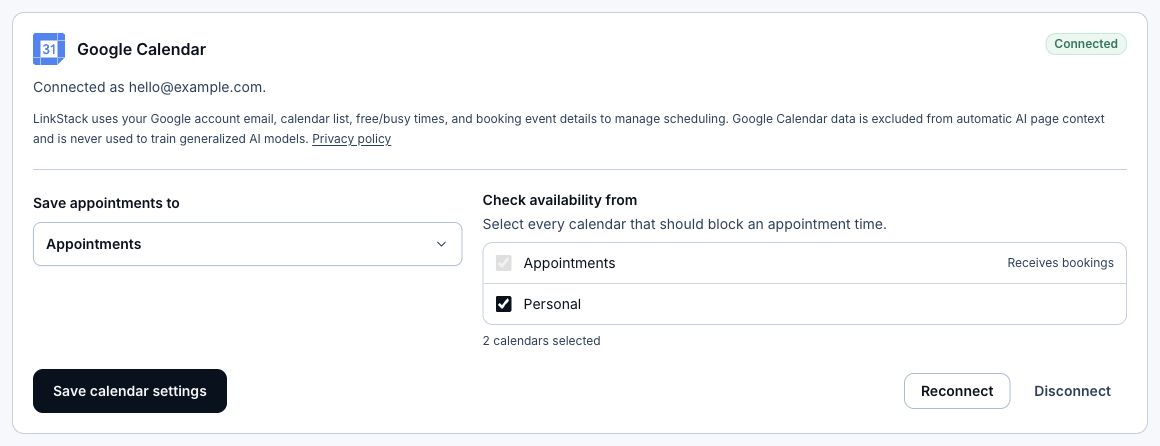
Disconnecting stops future Calendar access. Existing booking records and events already created in Google Calendar are not deleted by this action. Contact support for help with data deletion.
- Open Settings, select Integrations, and find Google Calendar under Scheduling.
- Click Disconnect to remove the stored calendar connection and refresh credential from LinkStack.
- If you also want to revoke the Google-side grant, remove LinkStack from the third-party connections in your Google account.
Related articles
Still need help?
Support & feedback