
How to explore the example creator store
Try real downloads, a membership library, an order bump, and a sample booking without a charge or reservation.
In this article
Open the example store
Visit linkstack.fyi/roro-demo, or choose Explore an example store on the Digital Products feature page. You can explore without creating a LinkStack account. The offers are instructional examples with real content; sample prices and confirmations are not customer sales results.
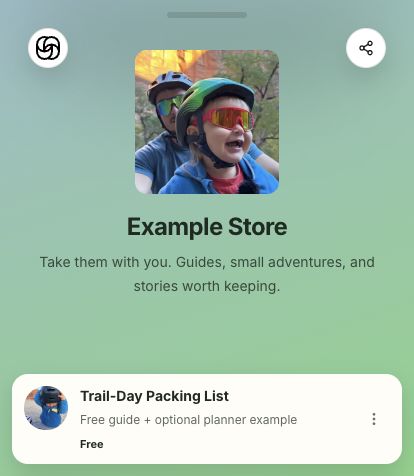
Try a download and an order bump
Demo actions do not charge a card. On a normal creator store, selecting a paid order bump adds that product to the order and requires paid checkout; declining it leaves the free guide available.
- Open Trail-Day Packing List to explore the free PDF guide.
- Try the optional Weekend Adventure Planner order bump, then try the guide without it.
- Open the available PDFs and read or save the useful pages. The planner and Film the Chaos workbook are complete example resources.
Read the membership library
- Open Take Them With You Club to read the four Little Adventure Notes. Week 1–4 labels organize the existing library; they do not promise future releases.
- The sample membership does not start a subscription or include a live community or personal coaching.
Explore the sample booking
Open the free 30-minute creator chat to inspect the appointment example. Demo actions do not reserve an appointment, create a meeting, or commit the creator to a call. Normal creator appointments follow their published availability and booking terms.
Build your own store
Choose Start free on the homepage to open the signup popup and create your free account with Apple, Google, or email and password. You do not need to choose a bio handle or add a credit card first. Then add a product, set its price, and publish when it is ready. Product choices depend on account availability. Paid checkout needs Stripe to show Payments ready. Free, Starter, and Growth have different LinkStack sales fees, and Stripe processing fees apply separately.
Related articles
Still need help?
Support & feedback